

[Free Distribution] Voice notification of confirmed 5-minute candle for "FX Trade News Lite"
If you keep watching the chart, you may inadvertently miss the exact time of the 5-minute candle close.
So I created “FX Trade Clock Lite,” which displays the time until the candle closes on screen and notifies you by voice when it’s about to happen. It is a free version that runs in a browser.
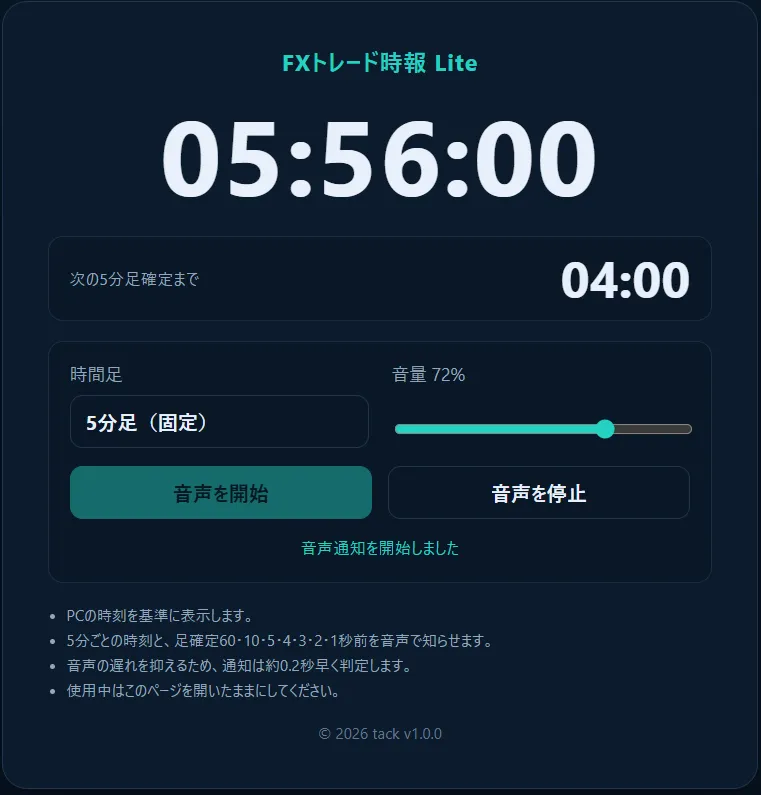
Main Features
- Displays until the 5-minute candle closes
- Voice notifications 60 seconds before, 10 seconds before, and at 5, 4, 3, 2, 1 seconds
- Reads the current time every 5 minutes
- Volume adjustment
- No installation required
Because it is not MT5-specific, you can use it while viewing charts on TradingView or your brokerage.
For those who want to use times other than 5 minutes or who want to adjust notification timing, reading speed, and voice, a paid version is available.
For those who want to use times other than 5 minutes or who want to adjust notification timing, reading speed, and voice, a paid version is available.
This is a demonstration of the paid version. Please turn on the voice and view.
▶ View the paid version “FX Trade Clock”
Differences between Lite and Paid versions
The Lite version is dedicated to 5-minute candles, and settings other than volume are fixed.
In the paid version, you can change the following settings.
- Choose from 1, 5, 10, 15, 30, or 60-minute candles
- Adjust notification timing from 0–500 ms
- Change reading speed and Japanese voice
- Turn on/off hourly time notifications every 5 minutes
- Preview notification voices
- Mitigate audio gaps and reduce noise when connected to Bluetooth audio devices
▶ View the paid version “FX Trade Clock”
Start with the Lite version to first try it during actual trading and see how easy it is to use.
How to Use
- Download the attached ZIP below
- Extract the ZIP
- Double-click the HTML file
- Press “Start Voice”
It operates based on your PC system clock. Before use, please enable Windows time auto-setting.