Towards an era where you can create the EA you want yourself【EA CRAFT 369】
make it yourself.”
Your money management into an EA.
Your ideas, made tangible.
how many EAs have you looked for?
“This time, it may be real.”
“This backtest looks safe.”
“It’s been rising for a long time, this time for sure….”
You think so and obtain the EA.
At first you have expectations.
But the market changes.
You suffer losses in a row.
Drawdown exceeds expectations.
“How many more losses before it becomes dangerous?”
“Should I stop?”
“Is this EA no longer usable?”
And you stop.
After a while,
High win rate.
Low drawdown.
Long-term backtest.
Upward trend.
And then again,
If you recognize this cycle,
try changing your mindset once.
if I could, I would make an EA that does…
to find an EA completed by someone else.
That is one approach.
But there is another way.
and have a place to create it yourself.
That is why we developed
Until now, to make an EA yourself,
you would study MQL4 or MQL5.
Alternatively,
outsourcing to a developer.
That has been the common approach.
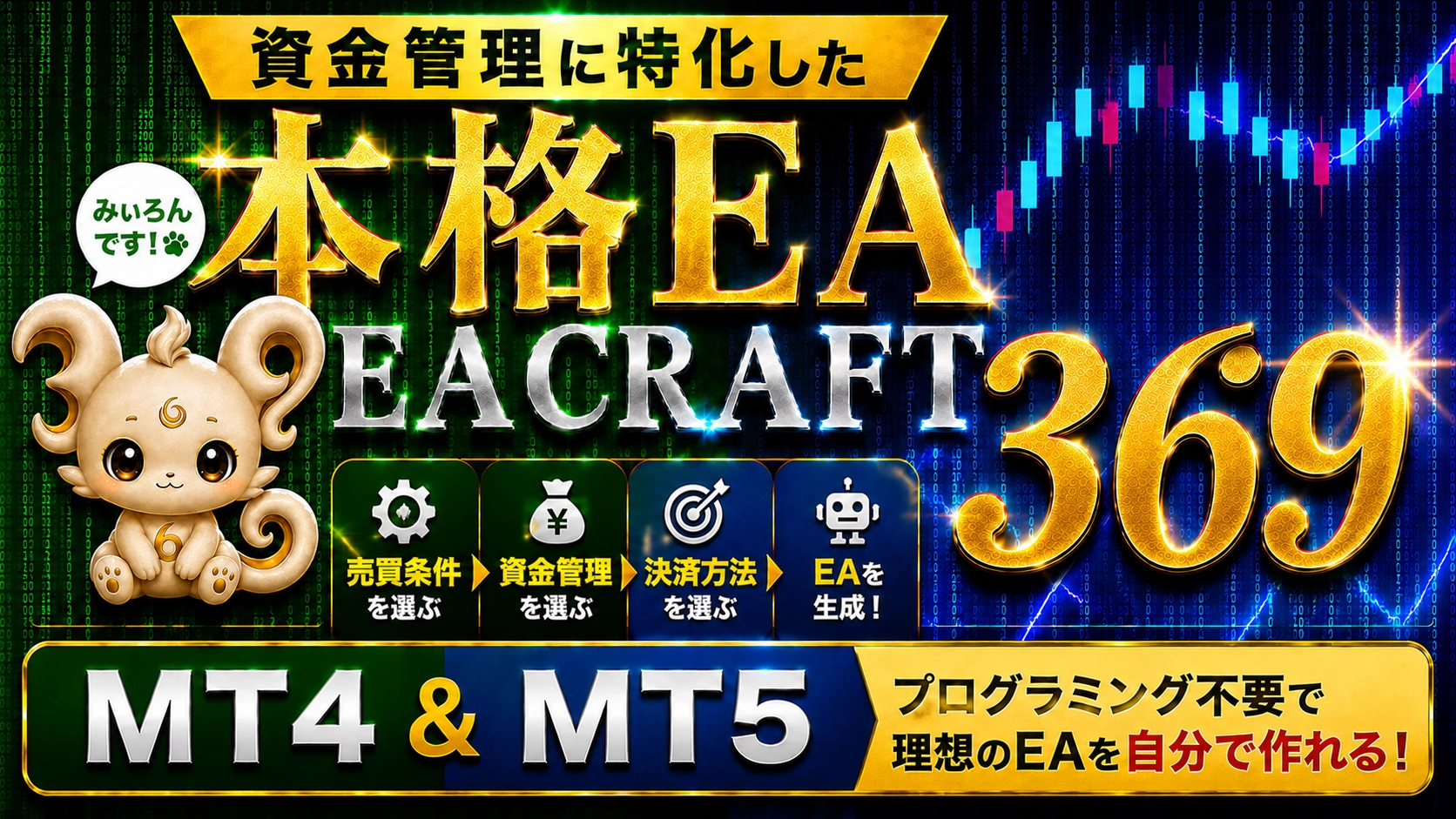
However with EA CRAFT 369,
The basic flow is this.
When people think of EA,
they tend to focus on,
・where to sell
・which indicators to use
But when you actually move funds,
How to handle risk after a loss.
What to do if you have a string of losses.
What to do if you have a string of wins.
What to do if the drawdown deepens.
What to do when funds recover.
Where to stop new entries.
All of this, in our view, constitutes the design of an EA.
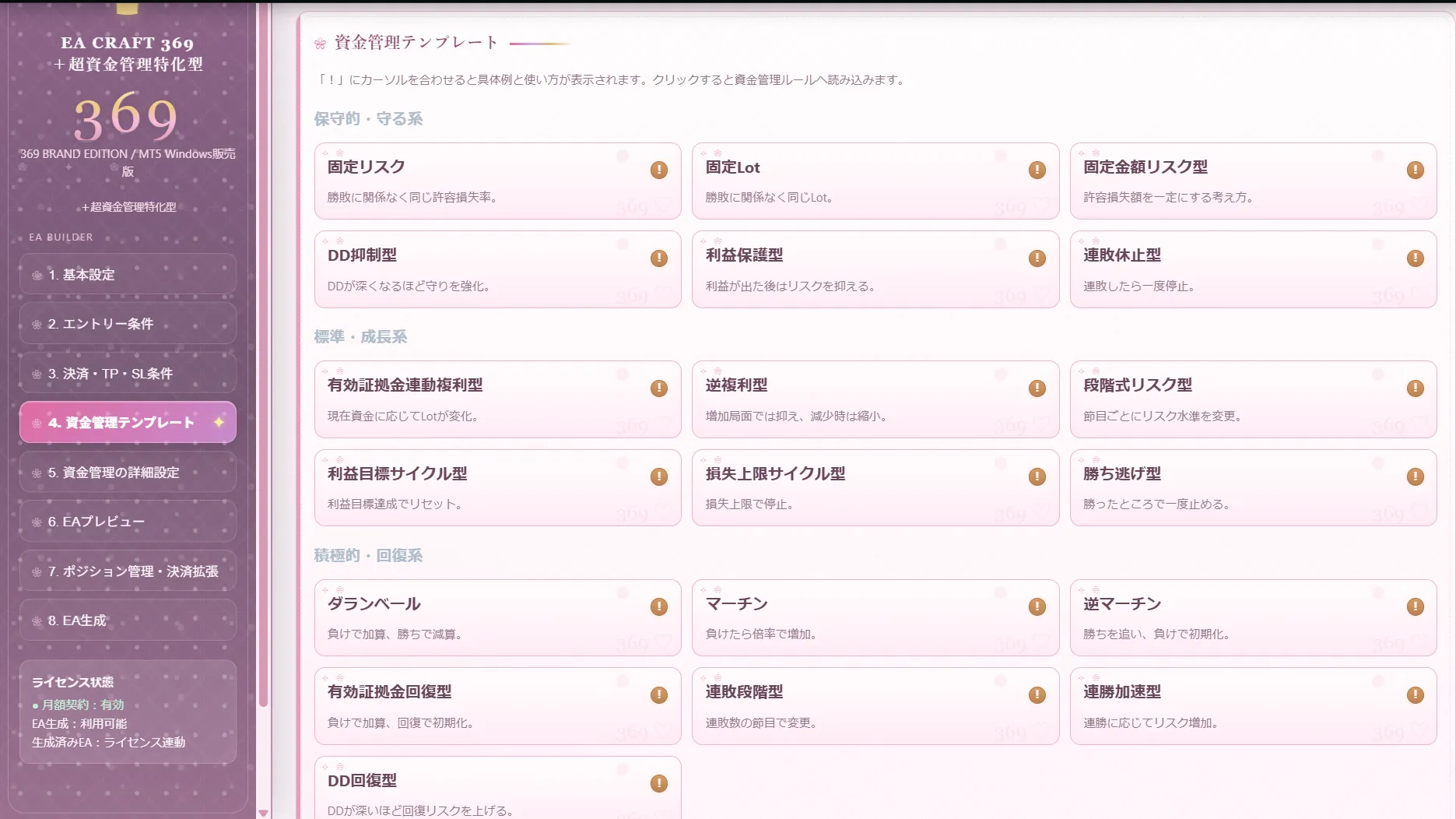
Fixed amount risk
DD suppression
Profit protection
Loss-streak pause
Balance-linked compounding
Inverse compounding
Stepwise risk
Profit target cycle
Loss cap cycle
Take profit
D'Alembert
Martingale
Anti-Martingale
Effective equity recovery
Loss streak stage
Win streak acceleration
DD recovery
and more
However,
the fun of EA CRAFT 369 is
For example,
“Lower risk after three consecutive losses”
“Stop new trades after five consecutive losses”
“Change risk when winning”
“Reduce risk if DD exceeds a certain %”
“Return to initial state when effective equity recovers”
and so on,
That way is also possible.
to real entries
In reality, you may not place an order,
and only track trade signals internally.
When the virtual loss count reaches the set number,
Thus,
EA can be designed not only with simple “buy conditions” and “sell conditions.”
Even those who want to study win/loss sequences will find it an interesting validation material.
Design BUY and SELL separately, and combine multiple conditions to build your EA.
SMA / EMA / SMMA / LWMA
Bollinger Bands
+σ / middle line / -σ
RSI / MACD / Stochastic
ADX / ATR / CCI
Ichimoku / SAR / Fractals
Other technical conditions
Environment recognition on 4-hour chart.
Entry on 15-minute chart.
The idea of combining multiple timeframes can also be shaped as an EA.
The move after taking a position is also important.
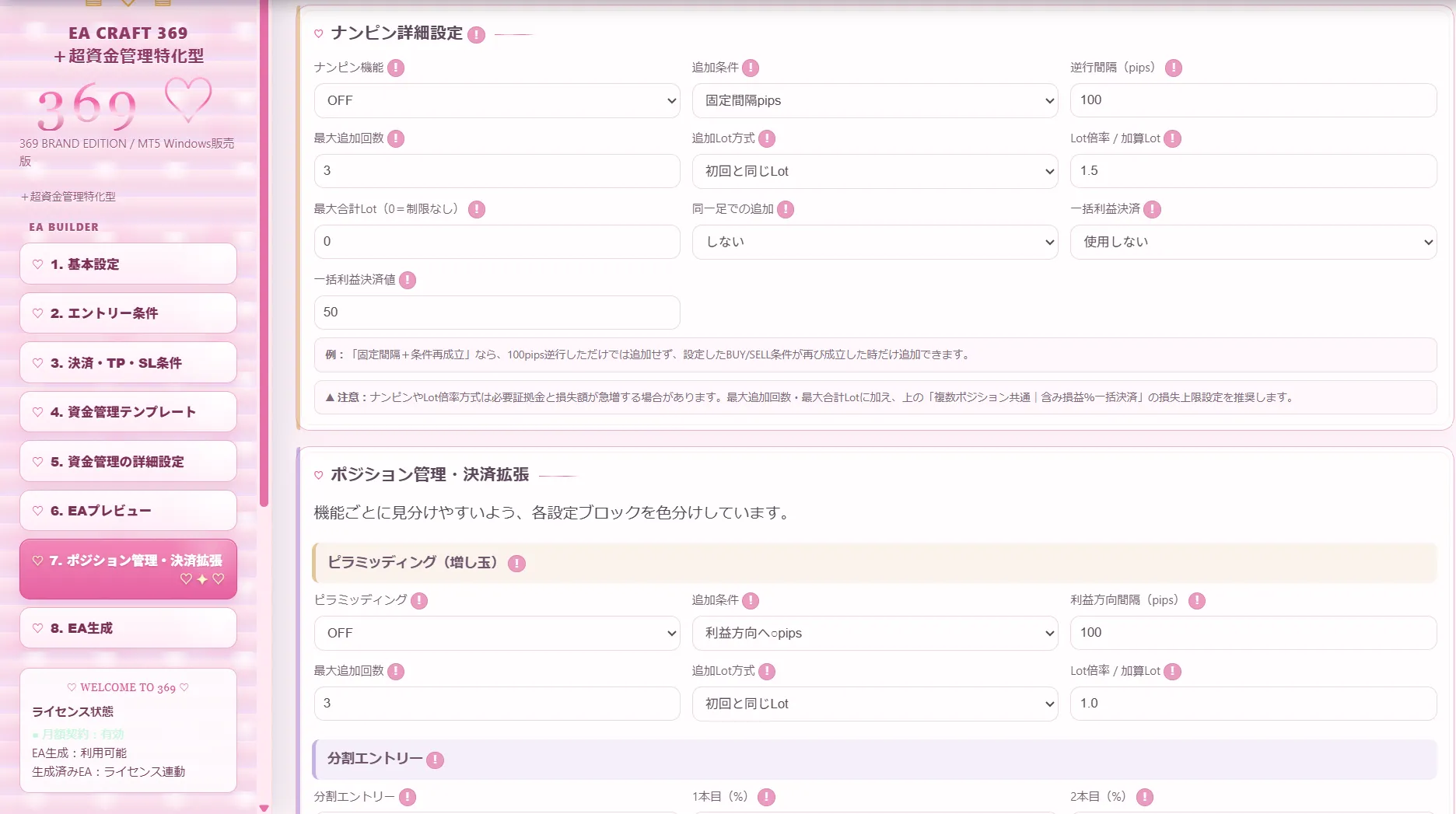
Additional entry during drawdown
Pyramiding
Increasing quantity in the direction of profit
Split entries
Split exits
Breakeven stop
Trailing
Opposite signal control
Re-entry control
Control by losing/winning streak
Maximum total Lot
Maximum acceptable loss rate
New entries stop when DD reaches a limit
“How much is not acceptable?”
ATR multiplier
Bollinger Band basis
ZigZag recent highs/lows
Risk-reward setting based on SL width
Before and after important economic indicators, a news filter that stops new entries is also supported.
Stop a certain number of minutes before the release
Stop until after the release for a certain number of minutes
Specify currencies
Control entries by day and time
Test.
And adjust again.
EA CRAFT 369 is not a software to create one EA and finish.
Settings can be saved in JSON format.
Therefore,
Only change money management.
Only change SL.
Only change time frame.
Only change settlement conditions.
And,
You came up with a new idea.
↓
Backtest it.
↓
See the results.
↓
Change the conditions.
↓
Create again.
I want to try money management adjustments.
Create again.
Want to try another timeframe.
Create again.
you can create EAs, validate them, and refine them.
EA creation is
to think.
to validate.
to revise.
to validate again.
This is a steady process.
That’s why
We also value that.
Dress the screen to your mood for the day.
EA CRAFT 369 is not intended to be a software that ends at the point of sale.
“I want this indicator to be supported.”
“I want this other feature too.”
If such needs grow,
we plan to expand possibilities further.Custom indicators not included as standard may be supported as a separate option after confirming specs and feasibility.
✔ I want to create an EA but cannot do programming
✔ I want to validate various ideas before outsourcing
✔ I want to deeply study money management
✔ I want to test control based on losing/winning streaks
✔ I want to create a multi-timeframe EA
✔ I want to study pyramiding and averaging down
✔ I want to backtest rules I think of
✔ I want to create and validate several EAs, not just one
and the one after that
can be tried.
Imagine.
Create.
Backtest.
See the results.
Modify.
Create again.
what kind of EA should I create?”
Your money management into an EA.
Your ideas, made tangible.
Your ideas into your own EA.
※ When operating in real conditions, please conduct thorough backtesting and forward testing, and use at your own judgment and responsibility.
※ For included features and specifications, please check the latest information on the product page.
※ Additional support for custom indicators may not be possible depending on specifications and implementation difficulty.