
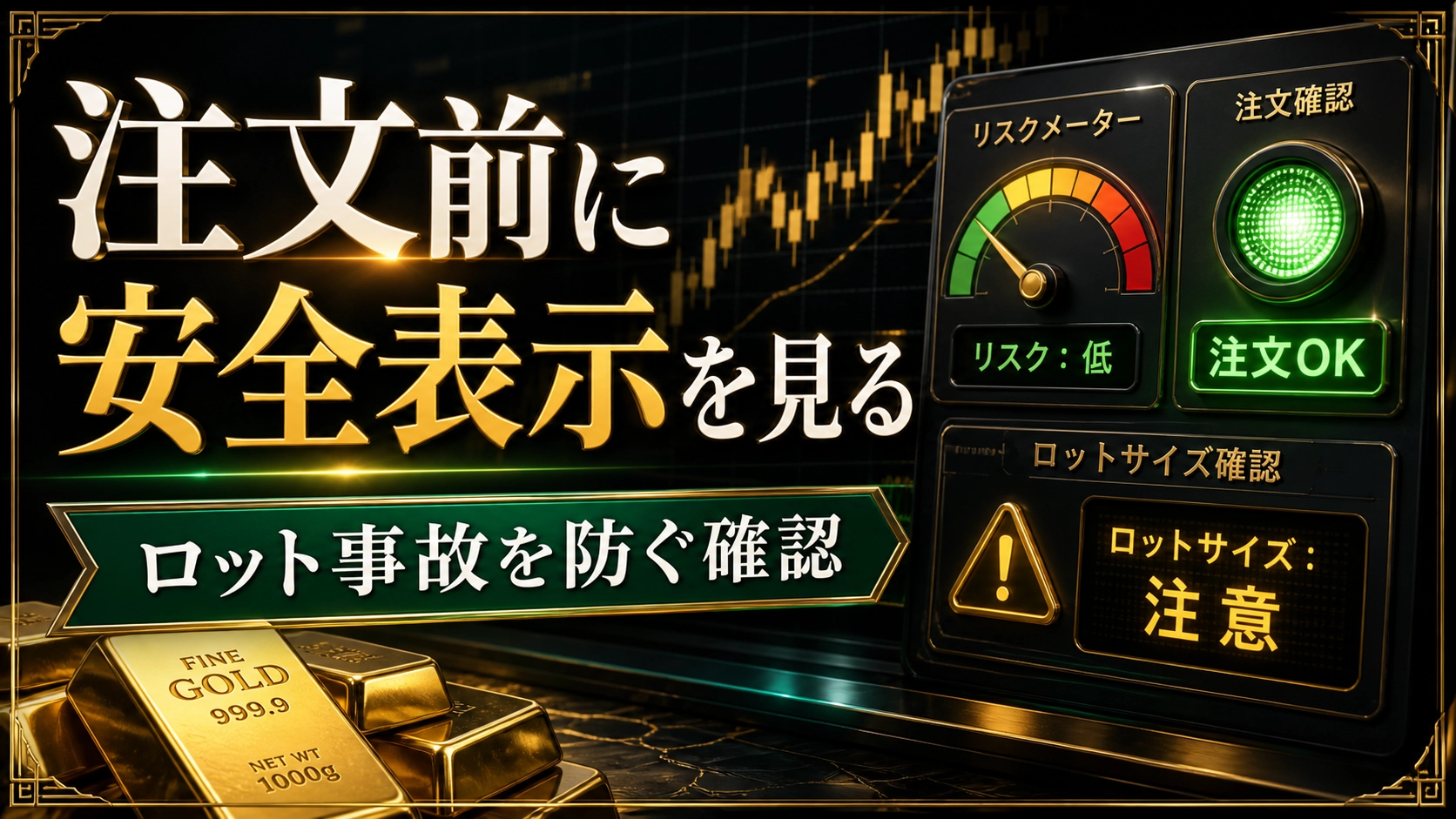
[Prevent Lot Accidents] Reason to check safety labels before ordering
Even when the direction and location were correct, haven’t you been swept away by the lot size alone?
What should you do to prevent it?
This failure lies in a place that no amount of market analysis can prevent.
Good evening!
This is Masashi^^
? 【Preventing Lot Accidents】 Why to check safety indicators before placing an order
Lotsa are often decided not when you are calm, but when you want to enter.
So even if you know the calculations, you can misread the digits the moment the market moves.
A single input error can hurt your account regardless of good analysis or good signals.
Today, the Lot Safety Indicator of the Golden Line Sniper AI,
will be used not as knowledge of capital management, but as a safety device right before placing an order.
⚠ Lot accidents can happen even with a correct method
Even when the direction and place were correct, the lot size was just too big.
Before entering, write in one line, “If it reaches this stop-loss point, how much will it drop?”
This failure cannot be prevented by studying market analysis.
What you look at is only whether you can tolerate this distance with your current balance.
Rushed numbers, mistaken account conditions, not checking required margin.
The entry point of the accident is not your trading method but the screen just before the trade.
Even a good signal cannot become a good order with a too-large lot.
Capital management should be placed on the pre-order screen, not in a reflection notebook.
? The meaning of safety indicators on the screen
With the Golden Line Sniper AI, you can see confirmation materials about lot size and account status on the chart.
To reconfirm the situation related to currency conversion, minimum lot, and margin just before placing an order.
Even if you understand it in your head, if it doesn’t appear on the screen, you may miss it in the heat of the moment.
Safety indicators are not to teach new knowledge but to help you not forget what you already know.
The value of safety indicators is that they prevent even those who can calculate from skipping verification.
Placed right before the order, they function as a preventive measure against accidents.
?See details of the Golden Line Sniper AI
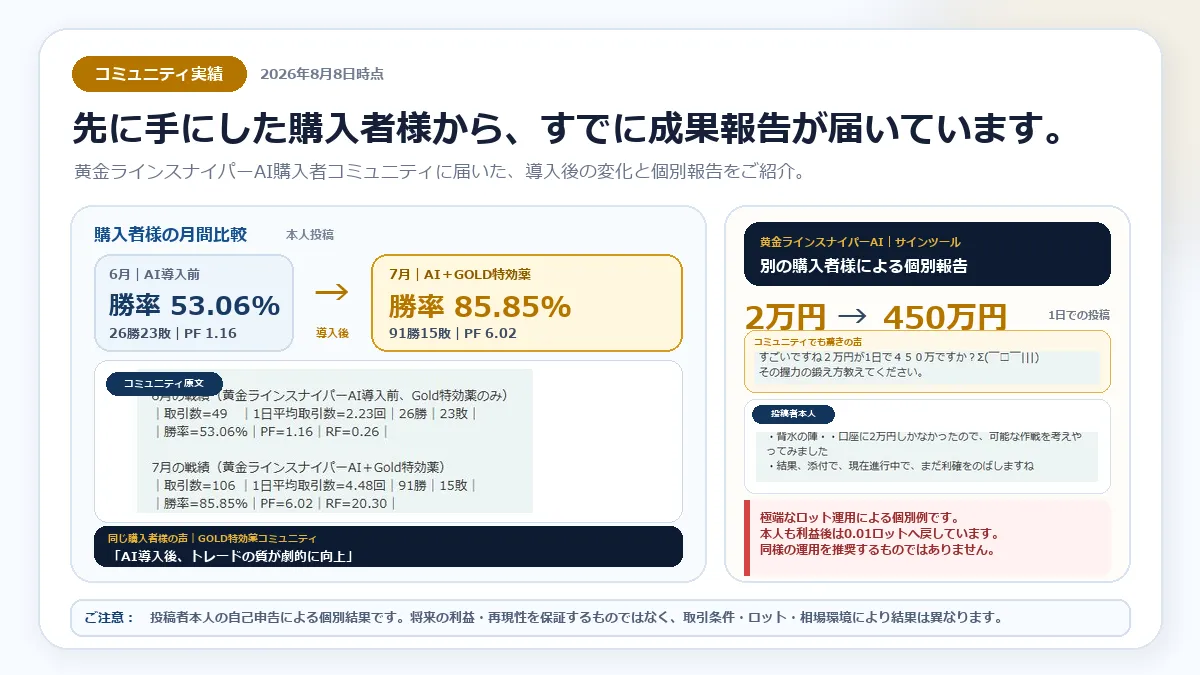
✅ How to use before the order button
Even if suggestions appear, first check the Lot Safety Indicator.
If there is any warning or doubt, do not consider the direction, first reduce the lot.
Next, place the stop-loss and see whether you can accept that distance.
If the numbers don’t sit well until the end, skip that order. This is how to use the safety indicator.
Do not decide the lot after checking safety; check safety before deciding the lot.
What to look at: presence of warnings, distance to stop-loss, and the range you can accept.
? The value of preventing one accident outweighs flashy features
Safety features are hard to see in winning trade images.
But if you misread a lot size once, it can undermine that day’s decisions and later trades.
When the urge to recover rises, your confirmations become shorter.
A single accident-prevention feature lasts longer than a single signal-increase feature.
Please reduce the one time you break your account before trying to increase profits.
Safety indicators are plain, but the more you use them, the clearer your reason to buy becomes.
? People with concerns about lots should set up the environment first
People who open different screens every time they calculate the lot.
People who rush to input numbers when the market moves.
People who only review capital management after losing.
In such cases, there is value in creating an environment where safety indicators are visible before placing an order.
Don’t reduce your position because you lack confidence; use only what you can verify.
First, practice with a demo or small conditions to verify that the display matches your calculations.
? Record how many times you can check safety before placing an order
If you describe current use: you rush lot calculations when the market moves and do not re-check after input.
If you continue like this, a single-digit input error will disturb the account and later judgments regardless of analysis.
Therefore, before looking at the direction, check the safety indicator, and if any mismatch, remove that candidate.
In records, align order history with safety indicator records so you can see the frantic times and contexts.
For a week, rather than profit, keep track of how many times you could revert to safety before placing an order; this makes it possible to compare changes under the same conditions.
The numbers you look at after purchase are not only profits; recording how many times you could check safety before ordering is also an important change.
One-week check: line up order history with safety indicator records so you can see frantic times and contexts, and compare the same scenes the next week.
? Can you prioritize preventing accidents over flashy signals
Especially for those who know how to calculate lot sizes but tend to misread numbers when hurried.
In practice, since signals and risk checks share the same screen, you can create a change that reduces missing checks right before placing an order.
The reason for purchasing is to allocate money toward creating an environment that prevents a single large hit to the account before you try to increase win counts.
When starting, try a demo to check warnings and safety indicators and verify them against your calculations.
On the other hand, even with safety indicators,
you still need to confirm the final lot and allowable loss yourself before purchase; please confirm this beforehand.
If your trouble overlaps with the scenario of “【Preventing Lot Accidents】 Why to check safety indicators before placing an order,” then the reason to own Golden Line Sniper AI is clear.
Purchase decision: If you tend to misread numbers only when hurried, compare not by the feature name but by how your daily actions change.
? One change to start today and a summary
If you are someone who knows how to calculate lots but tends to misread numbers only when hurried,
what should you change for the first try tomorrow?
It’s best to start by confirming warnings and safety indicators in a demo and cross-checking with your calculations.
Golden Line Sniper AI is not only a tool to see signals.
It can also be used to confirm lot safety indicators before placing an order to prevent input accidents separate from analysis.
Even with a correct method, if you misread the lot digits, the trade won’t commit.
If calculations make you anxious every time you place an order, creating a screen that brings safety checks into view is a priority over expanding knowledge.
If you want to perform signals and safety checks on the same screen, please check the details of Golden Line Sniper AI ^^
If you keep wavering on “【Preventing Lot Accidents】 Why to check safety indicators before placing an order,” decide the order in which you will use Golden Line Sniper AI before waiting for the next market.
Purchase pre-check for “【Preventing Lot Accidents】 Why to check safety indicators before placing an order”: Decide not what you will increase with Golden Line Sniper AI, but one thing you want to reduce from your current judgement.
?See details of Golden Line Sniper AI

Thank you for always reading^^