
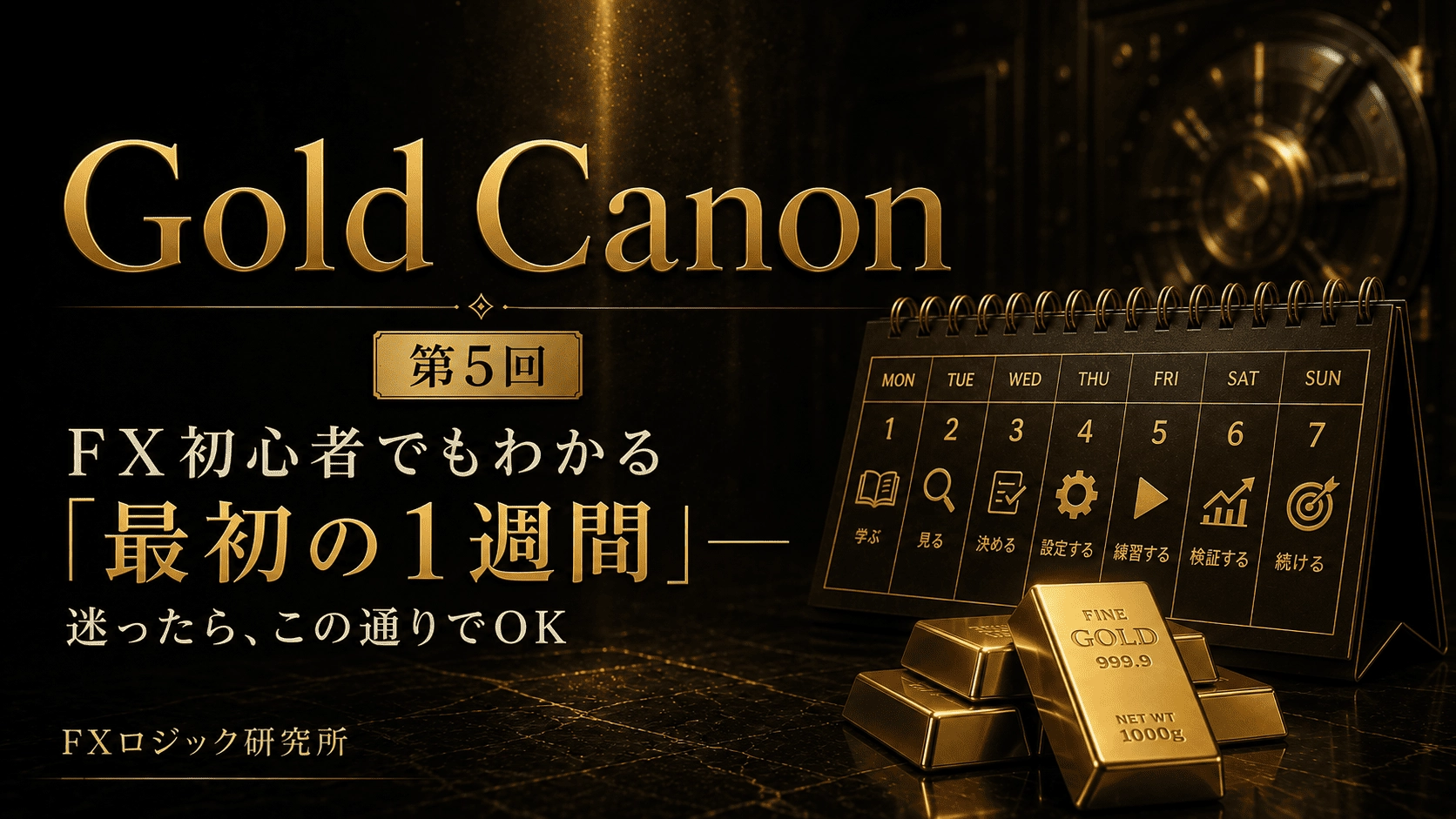
Gold Canon Episode 5|FX beginners can understand "The first week" — If you're unsure, it's OK to follow this
Gold Canon is the 5th installment.
This article is forthose considering Gold Canon, especially
“Beginners to FX / First time with Gold / Worried about how to set up the tools”
After reading, you should be thinking, in your mind:
“This might work for me. Let me look at the product page.”
We will clearly outline “what to buy and what to do in the first week.”
What is Gold Canon in 30 seconds?
Gold Canon isa toolset for trading gold (the currency for Gold).
Signal (Indicator) | : A tool that displays arrows on the chart. Indicates when to buy / add / take profits |
Semi-automatic EA (Bonus) | : A tool that, when the arrow appears and the button is ON, places orders and closes positions automatically |
Glossary:
Chart… The screen showing price movements as a graph
Arrow (Signal)… A mark that tells you “this is how it will move”
Lots… The size of the trade. The larger the number, the greater the impact
RUN… The semi-auto switch. ON = active / OFF = inactive
This is not a “make money automatically” machine.
Watch when you want, delegate only when you want to—that is the purpose of this set.
Therefore, it is suited to those who want rules but still want to control the final ON/OFF themselves.
It’s aimed at people who want rules but also want to decide the final ON/OFF themselves.
Why you should want Gold Canon
Gold moves large and can be tiring to judge with discretion alone.
Common beginner stumbling points are usually the following:
When to enter changes every time
When to exit is not predetermined
You can’t keep watching the screen while working
Automation feels scary. You don’t know how to stop it
Gold Canon is built to address these needs.
You can see entry/adding/exit arrows
Designed to decide with confirmed legs (for those who dislike arrows disappearing conveniently later)
Semi-automatic EA is included as a purchase bonus.
Can be stopped with RUN
The panel shows “going well / painful runs”
From a state of “too many tools to choose from,”you get a Gold-only ready-made set.
If you’re curious, now is the time toProduct pageand just view the set contents.
You can come back later if you want.
What happens in the first week after purchase (this flow is OK)
Even those who haven’t bought yet, imagine this flow.
If you think “I can do this too,” that’s your sign to buy.
Day 1: Attach only signals
Open MT5
Open Gold chart (recommended M5 = 5-minute chart)
Attach Gold Canon’s signals to the chart
Semi-automatic, either not attached yet or with RUN OFF
What to do: just look at the arrows and the top-left panel.
No need to place orders.
Day 2–3: Follow the flow with your eyes
The arrows you should watch are usually these three:
Entry… an arrow indicating a new entry
Add (averaging in)… an arrow to add to existing trades
Exit… an exit signal
Day 4: Try semi-automatic on demo or with minimal lots
Attach the semi-automatic EA to the same chart
Check if signals are attached (if the button shows NEED SIGNALS, there are no signals)
Run for a short time (RUN ON)
When you understand the movement, turn OFFOFF is OK
Note:
Do not immediately use large lots or keep it ON for long periods.
Day 5–7: Decide the lot size and evaluate seriously
Start with 0.01 (close to many accounts’ minimum)
Look at the panel’s Worst (the worst single loss)
Even if that pain continues, decide to continue / reduce / change mode
Those who can do this best bring Gold Canon’s value to the forefront.
So now is the best time to buy, when you can imagine how to use it.
Beginner Q&A (just this part to avoid confusion)
Q. Can FX beginners use it?
A. Yes. However, please follow the sequence for the first week and do not just leave it running.
People who have time to read the explanations will benefit more.
Q. Can I buy only the semi-automatic?
A. The product is a set of signals + semi-automatic (bonus).
Semi-automatic requires signals on the same chart. It won’t run without signals.
Q. It says NEED SIGNALS
A. There are no signals yet, or the name doesn’t match.
First, attach Gold Canon signals to the same chart.
Q. If RUN is OFF, do positions disappear?
A. They do not disappear. OFF means no new trades and no closures.
You must decide how to handle existing trades yourself.
Q. If the panel is positive, is the real account also profitable?
A. No. The panel is for simulation reference.
There may be differences with real account spreads and slippage. It does not guarantee profit.
Q. Which currency pair should I attach it to?
A. It is designed for gold specifically. You can use XAUUSD / GOLD, etc., even if broker names vary a little (it’s designed not to stop due to name). The recommended chart is
M5.
Q. What is the initial lot size?
A. 0.01. Even if win rate looks high, don’t jump up immediately.
Summary
Gold Canon consists of
A Gold-specific signals (visualization)
Semi-automatic bonus (RUN to permit/stop)
It is a set. It can be used by beginners as well.
The only condition is——
do not skip the first week.
The steps are already there.
Now it’s up to you whether to load it on your chart.
For details, please seeGold Canon product page.
If you're curious, check the set contents now.
※This article explains how to use and does not guarantee future profits.
FX Logic Institute 投資郎