
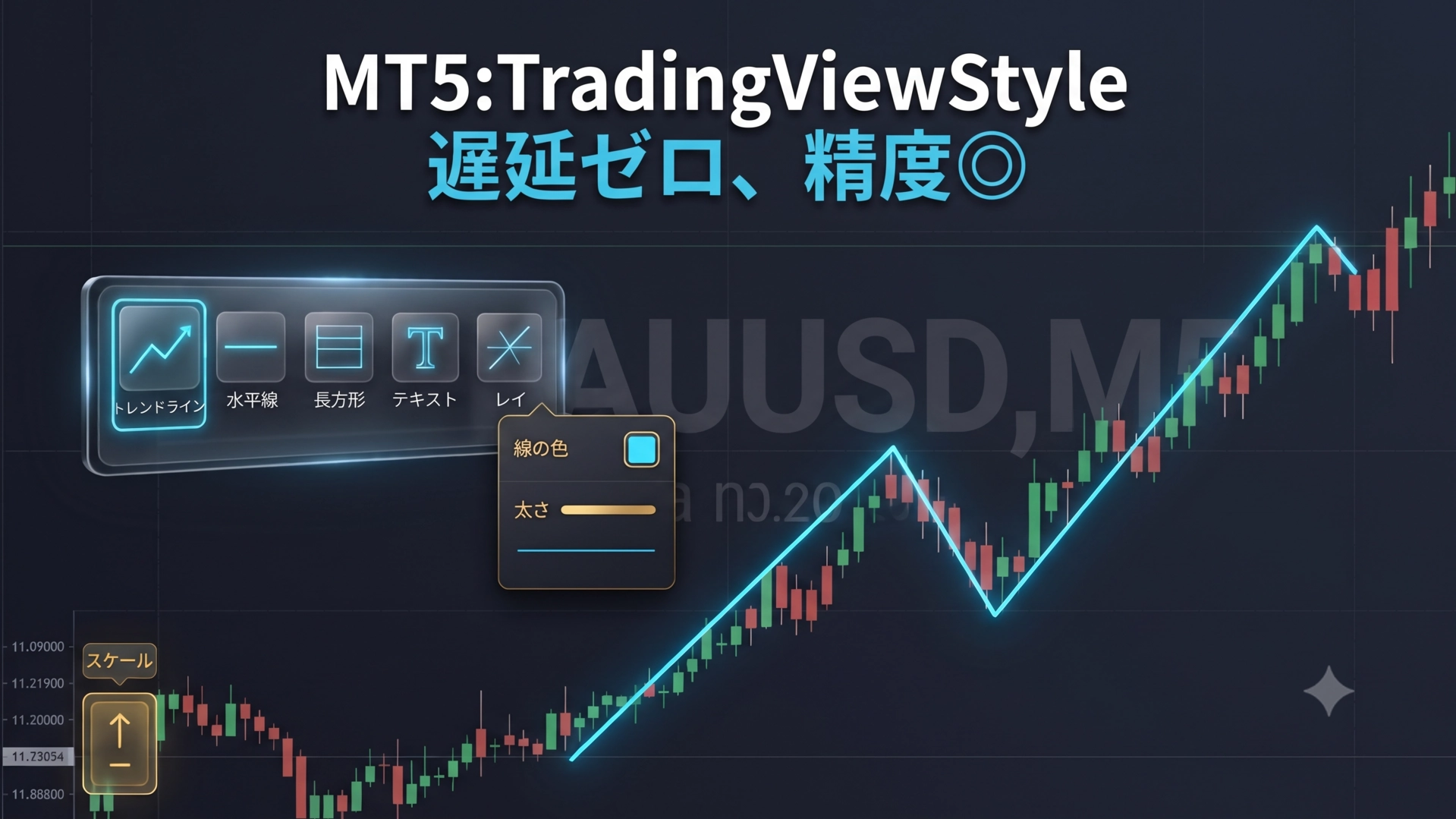
The ultimate drawing tool that combines the intuitive feel of TradingView with the trade execution precision of MT5: "DR TradingView Style Drawing Suite"
"Chart analysis on TradingView, orders on MT5"
If you trade in this style, you may want to reevaluate right now.
TradingView, which allows intuitive drawing, is indeed convenient. However, using multiple platforms together can cause"price data and time drift"that quietly and surely erodes your profits.
In this article, we reveal the trap of analysis environments that intermediate and advanced discretionary traders often fall into, and introduce a completely new solution to perform high-level environmental awareness directly on MT5 with zero stress.
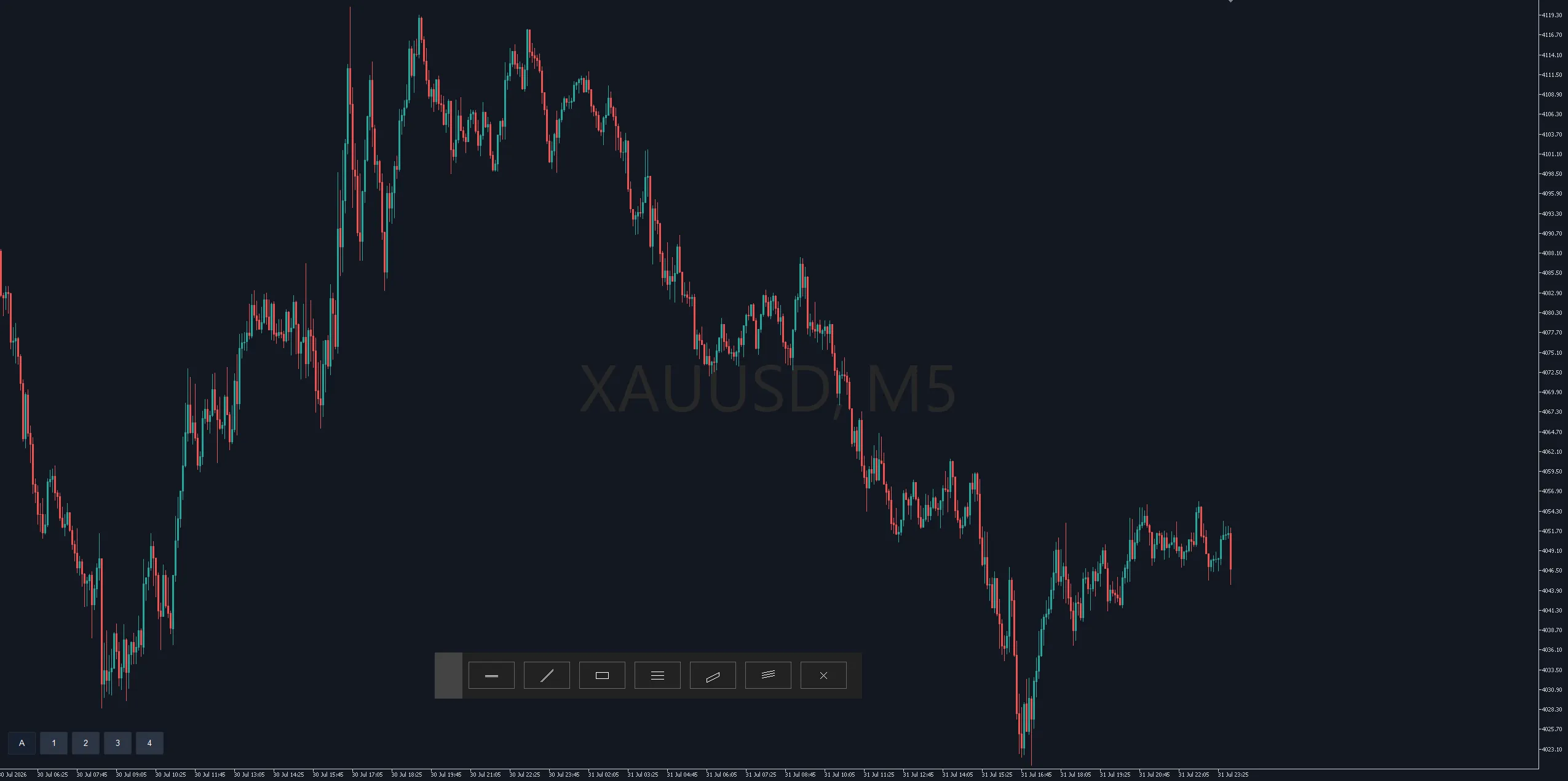
Analysis on TradingView, orders on MT5. The dual wielding of this setup creates a deadly trap
The fear of a few pips of discrepancy caused by diagonal lines
Price data delivered by TradingView and the prices shown by your broker when you actually trade always have tick delays and slight rate differences.
If it were only a simple horizontal line, the discrepancy might be negligible. However,when using trendlines or channels—“diagonal lines”—a slight price shift at the starting point can create a critically large error at future entry points (where lines cross).
This drift causes situations like "I touched the line on TradingView and entered on MT5, but it didn’t reach, resulting in a unnecessary floating loss," or "it was a perfect bounce point, but rate differences caused me to miss the entry." Such cases occur frequently.
A few pips loss or missed opportunity in a single trade may seem small. However, when you trade thousands of times going forward, the lifetime losses caused by this environmental drift become immeasurably large.
The absolute correct solution: analyze directly on MT5 with your own broker
The only solution to prevent this invisible loss is"to perform environmental awareness directly on MT5's chart where the order is actually filled". Only by drawing with real-time tick data with no delay from your own broker can millimeter-level precise trading be achieved.
"Even so, MT5's standard drawing features are hard to use and stressful"
To completely resolve this discretionary trader’s dilemma, the drawing support suite'DR TradingView Style Drawing Suite'is developed. It preserves MT5's robust order execution and accurate price data, while elevating drawing operation and visual clarity to the highest level.
Zero MT5 drawing stress! Four overwhelming advantages born from real-world use
The tool's greatest appeal lies in its highly practical features, created from the developer’s own daily trading experience and aimed at exhaustively solving MT5’s pain points.
① A movable floating tool panel that does not steal your glance
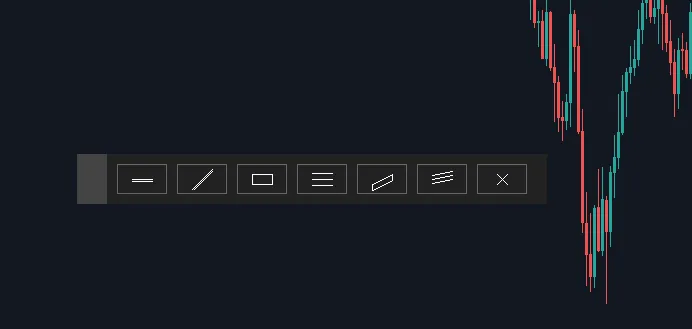
When you draw (or select) a line, a dedicated sub-panel pops up near the mouse. Without opening MT5's standard properties, you can instantly change color or thickness with a click on the panel. Moreover,the settings changed here are saved persistently and automatically applied as the default for the next time.
Trying to fully reproduce TradingView’s "infinite zoom" in MT5 would cause every tick update to redraw all candles, making the chart extremely heavy. This tool prioritizes light processing, assigning MT5’s standard magnification (Scale 0–5) to the wheel tomaintain overwhelming ease while enabling intuitive zooming.
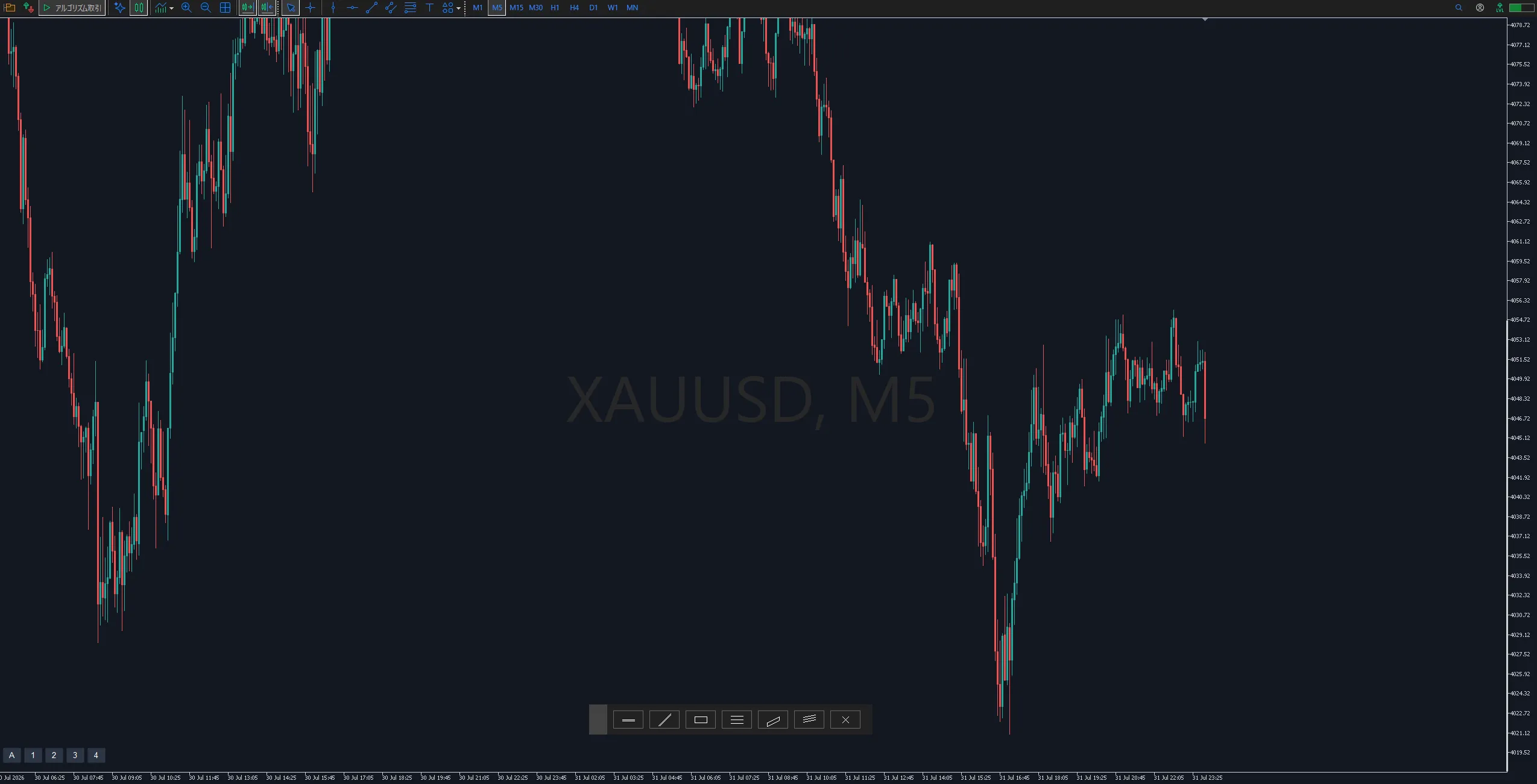
To overcome this critical weakness, a button has been placed at the bottom left of the chart to forcibly optimize the vertical axis scale based on the most recent 〇〇 candles (e.g., 50, 100, 300). Even if long wicks remain on screen, you can instantly expand the chart’s vertical axis based on the current price range, clearly capturing subtle waveforms after volatility converges.
Instantly build a professional-grade analysis environment. Auxiliary features that maximize visibility and usability
Auto color and currency pair watermark for comfortable multi-monitor monitoring
As soon as you insert the tool into a chart, the background color and candlestick colors automatically switch to a refined TradingView-like scheme (dark/light selectable). In addition, the chart background displays a watermark of the currently displayed currency pair, making it easy to identify the instrument at a glance when monitoring multiple charts
Click → click for drawing in the TradingView manner
Abandon MT5's standard drag-and-drop method and adopt the familiar TradingView "click → click" approach. Lines preview-follow the mouse movement, enabling you to draw lines with perfect precision at the intended point.
Shift key magnet (snapping) that does not conflict with standard features
The magnet function for precise line drawing is assigned to the Shift key. While the usual Ctrl key can conflict with MT5’s crosshair display, using the Shift key allows snapping to wicks or bodies without interfering with standard operations.
Deliberate omission. The developer’s commitment to speed and stability in real trading
Several features commonly found in feature-rich similar tools are intentionally not included in this tool.Deliberately not includedThis reflects an unwavering design philosophy that in actual trading environments, “speed and system stability” are the top priorities.
- No always-on crosshair: Implementing a constantly following crosshair would force redraws far more than is necessary, drastically increasing PC load. This tool is designed to be utterly lightweight with a completely event-driven approach (no processing except during drawing).
- No TradingView-style price labels: Drawing a price label on the chart’s right edge and following it could interfere with MT5’s auto-scrolling, causing margins to shift and wobble. This tool uses MT5’s standard price scale to ensure lightweight and highly stable operation.
- No left-side shortcut panel: Fixing a panel to the left edge could clash with many traders’ one-click trading panels and lead to mis-clicks. The UI is simplified to a minimal, movable toolbar.
Elimination of waste. Build your own optimized drawing space
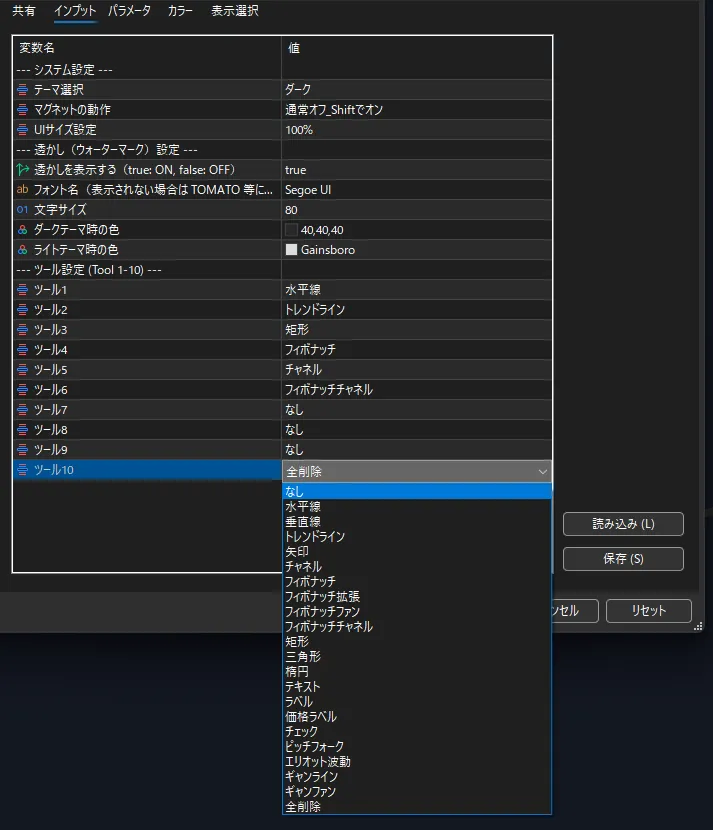
Settings are surprisingly simple and flexible, and can be tuned to your trading style.
- Selectable tool slots (Tool1 – Tool10): Choose from the 21 drawing tools commonly used (horizontal lines, trendlines, Fibonacci, etc.) and assign only the tools you actually use to slots. Fewer tools make the panel more compact and keep the chart view unobstructed.
- Flexible UI size: Floating panels and scale adjustment buttons can be resized by a parameter set to a percentage. Even on 4K monitors, you can fine-tune to an optimal size.
- Theme and magnet settings: Choose dark/light to match chart background, and set magnet behavior to either off (Shift-on) or on (Shift-off) according to your preference.
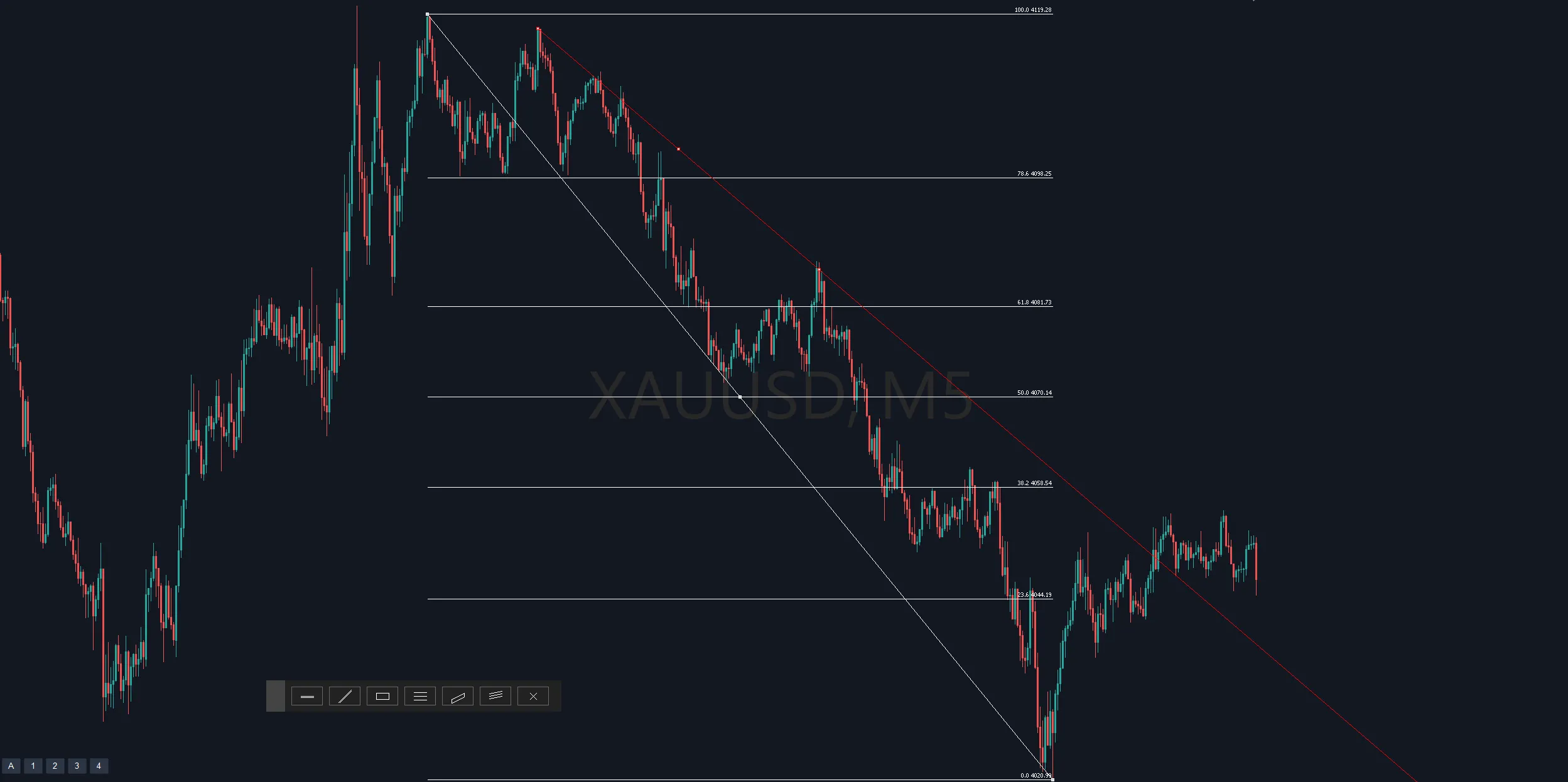
The ultimate tool to eliminate analysis environment drift and maximize profits. Do it now on your MT5
“DR TradingView Style Drawing Suite” is not a heavy toy that merely imitates appearance.
It eliminates the deadly risk of opportunity loss due to price differences between brokers by drawing directly on MT5. Moreover, it ruthlessly strips away unnecessary features that slow processing,delivering a professional-grade tool with extreme lightness and practical operability through a fully event-driven architecture.
Zero stress on environmental awareness and 100% focus on the price action in front of you. If you feel even a little dissatisfaction or limitation with MT5 drawing, install this overwhelming level of comfort into your charts now.