
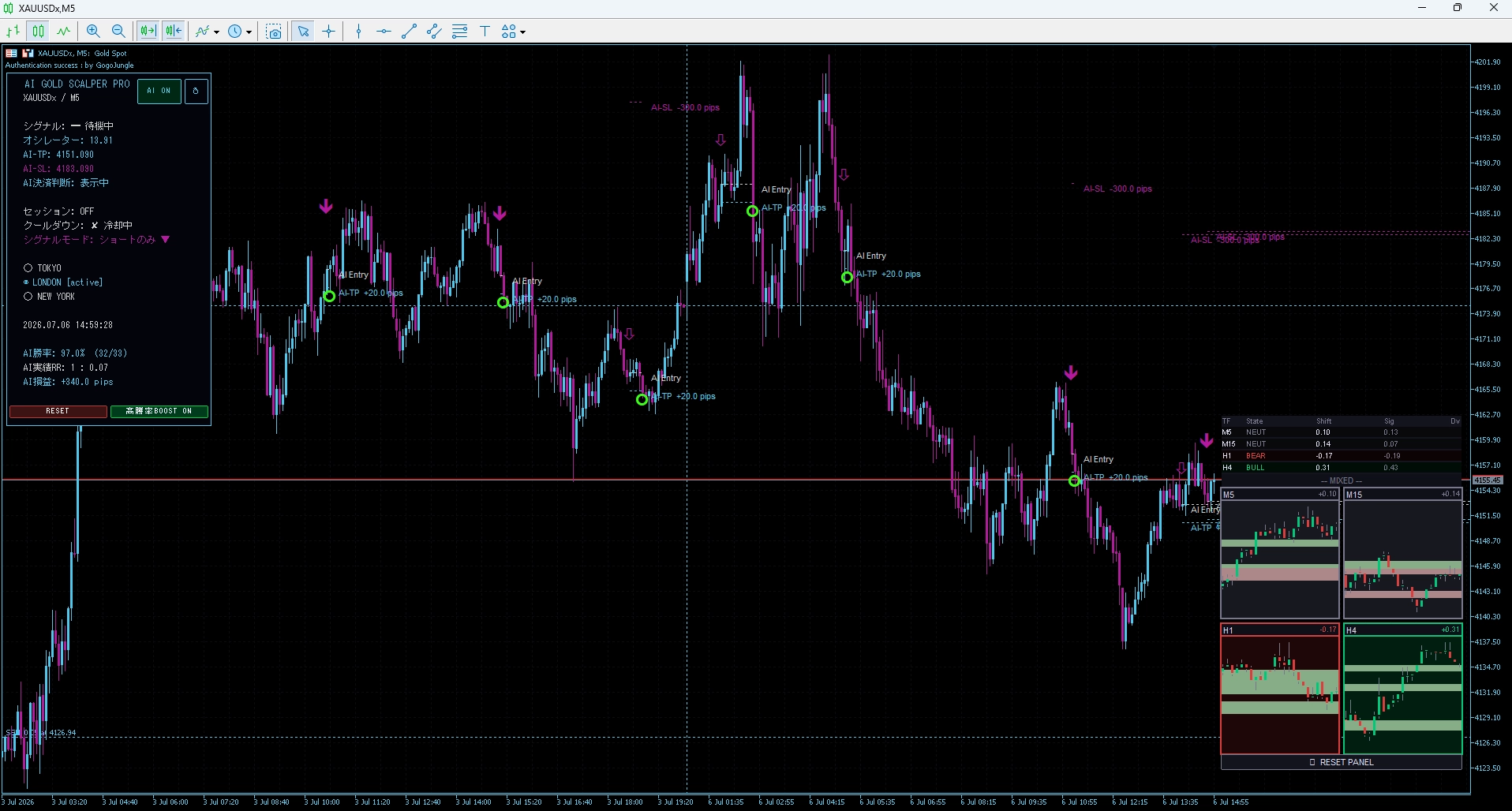
The BOOST feature of AI GOLD SCALPER PRO achieving over 90% win rate is amazing
AI GOLD SCALPER PRO can be switched with a single button“BOOST MODE”is equipped. Many users use it without knowing the difference from the normal mode, but this BOOST MODE is the core feature that consistently yields a win rate over 90%.
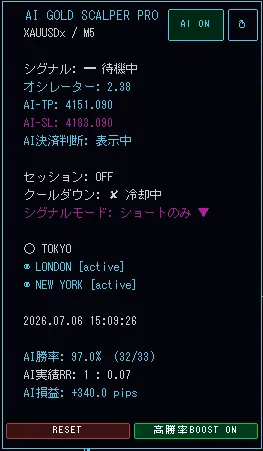
This time, we will specifically explain what BOOST MODE does and why it increases the win rate.
What exactly is BOOST MODE
In the normal AI mode, the width of the AI-TP (profit-taking line) and AI-SL (stop-loss line) is dynamically calculated according to market conditions. In a phase with large price movements, it is wider; in a calm phase, it is narrower—AI reads the situation and adjusts automatically.
On the other hand, BOOST MODEfixes the TP width and SL width to fixed values, switching to a trading style that prioritizes win rateThis eliminates price range fluctuations and, by making decisions under the same conditions each time, helps the signal's accuracy to stabilize numerically.
The biggest feature of BOOST MODE isto fix the conditions to maximize win rateThis idea eliminates the instability of dynamic AI calculations, which are flexible but more susceptible to market noise. BOOST MODE removes that fluctuation and stabilizes the signal's win rate.
Differences between Normal Mode and BOOST MODE
Normal AI mode
- Dynamically calculates AI-TP / AI-SL for each signal
- Adapts flexibly to market environment
- In phases with wide price ranges, can target larger returns
- However, win rate tends to drop in noisy markets
BOOST MODE (high win rate priority)
- TP width / SL width are unified as fixed values
- Since signals are evaluated under the same conditions each time, win rate stabilizes more easily
- Especially effective when the distance to TP is short
- Settings are retained even after closing the chart
Scenarios BOOST MODE is suited for
BOOST MODE shines especially inmarkets with a lot of noise where reversals are likely before reaching TPIf the RR in Normal Mode remains low (for example 1:0.1 or less), switching to BOOST MODE can recover the win rate.
When combined with the time frame switching between M1 / M5 discussed in the previous article, it becomes even more effective. “Change the time frame” and “switch to BOOST MODE”—these two adjustments can significantly change performance with the same tool.
Summary of when to use BOOST MODE
- When Normal Mode keeps RR low
- When AI performance turns negative
- In gold markets that are range-bound with a lot of noise
- More effective when used with time frames where price movement is settled, such as M5
- Switching is a single button on the panel; settings are retained even after closing the chart
Watching the real-time information panel for AI win rate, AI performance RR, and AI profit, switching between Normal Mode and BOOST MODE as needed—the way to maximize AI GOLD SCALPER PRO. Achieving a win rate over 90% is the result of these meticulous adjustments accumulating.
Targeting Gold price movement with AI judgment as support
AI GOLD SCALPER PRO features the high-win-rate BOOST MODE in addition to the normal AI mode. It can be switched with a single button on the panel, designed to reliably target win rates over 90%. No repaint guarantee + AI-TP / AI-SL automatic calculation + real-time statistics panel all launch in one file.
- Equipped with high-win-rate BOOST MODE—switch instantly with one button
- No repaint guarantee—decisions based only on confirmed candles
- Automatic AI-TP / AI-SL calculation—visualized until exit decision
- AI win rate, AI performance RR, and AI profit displayed in real time
- Push notifications to smartphone
AI GOLD SCALPER PRO — Features overview
No repaint guarantee × AI exit decision × Real-time statistics panel × BOOST MODE
Mode switch:Normal AI Mode / High-Win-Rate BOOST MODE
Signal mode:Three types: buy / sell / both
Exit decision:AI-TP / AI-SL automatic calculation and chart display
Operating environment:MT5 / XAUUSD recommended / M1・M5
If you feel results are not stable, first try switching to BOOST MODE. A small change in how you use the tool can alter the results.