
Six key points to apply the self-optimizing AutoSync v2.00 sign in real combat
Auto parameter setting sign tool “Self-optimizing according to market” also discloses practical points
AutoSync is a signal indicator for MT4 that, when set on a chart, internally searches parameters and reselects them to fit the market.MT4用 means for MT4.
In this version2.00, we adjusted not only entries but also to improve decision accuracy including take-profit and stop-loss signals.
However, just because a signal appears does not mean you should enter immediately. Users also need experience to judge timeframes andTP・SL width.
Here, I summarize the points I personally value when using it.
Self Optimization automatically searches parameters according to the market
Version 2.00 improves entry, take-profit, and stop-loss signals
Practical Use M15・ Utilizes multiple monitors and alerts
AutoSync features “Self-Optimization”
With typical indicators, the user sets the Bollinger Band period and the Stochastic settings. But the market is not constant. Settings that worked yesterday may not work today, which is a challenge.
AutoSync internally tests hundreds of parameter candidates and reselects the combination that fits the current market. Evaluation is not based solely on simple win rate. On the official product page description,IS (segment used for optimization) andOS (the most recent forward segment) are divided in testing, and a score usingPF (profit factor. ratio of total profit to total loss) is used as part of the score.
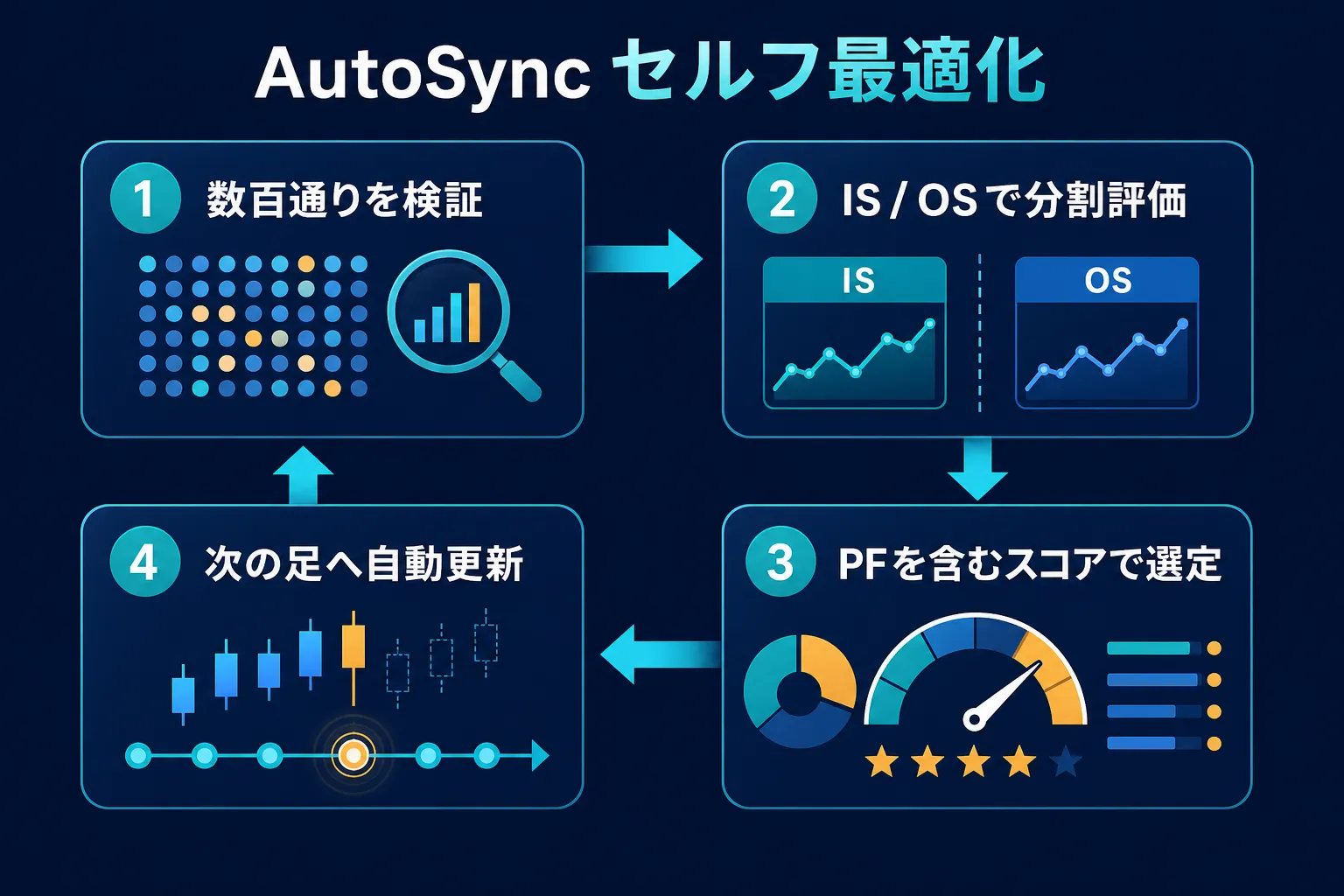
Figure 1: testing hundreds of combinations and updating parameters toward the next candle
When the chart is placed, initial optimization occurs, and before the candle closes it re-optimizes for the next decision. If needed, you can manually run via theAutoFit button. It’s designed not to neatly line up past charts with signals, but to prepare for signals that will appear going forward.
v2.00 further makes signals practical
Updated on2026年7月6日 . The current version available on the product page is2.00. This update revises logic to improve the accuracy of entry, take-profit, and stop-loss signals.
Signals that appear when the market is not aligned are reduced, and the take-profitTP (take-profit) andSL guidelines displayed after entry are made easier to handle, in line with price movement.
That said,TP・SL lines are not commands but decision aids. The later discussed “width selection” becomes quite important in practice.
Signals are 3 conditions plus filters
AutoSync’s basic signals appear on a confirmed candle when the following three conditions align.
1. Touch of the Bollinger Band
; captures potential reversal points where price reaches the outer band.
2. Cross of Stochastic
BUY signals are in oversold, SELL signals are in overbought zones.
3. Confluence with the most recent peak
; narrows to near recent lows/highs to avoid signals that appear everywhere.
Additionally, higher-timeframe EMA trends, MTF filters that suppress signals against the trend, BUY signals on bullish candles, SELL signals on bearish candles, body filters, optional pinbar filters, and repeated ATR confirmations to avoid overly small risk widths.
Here’s the point
: automatically select higher-timeframe to confirm flow. Adding conditions is not to flood signals, but to wait for better opportunities.
Practical points to increase win rate
From here, practical thoughts on using AutoSync are shared. This is not a claim that “this setting will win every time.” Start with a demo to get used to how signals appear and to learn the form of decisions you find easiest to judge.
1
AutoSync supports M5 and above, and the product page recommends M15 and H1. In this operational example, we use15. Because the conditions are narrowed, monitoring only one currency pair can lead to long signal-wait times. Therefore, watching 12 currency pairs simultaneously improves efficiency.
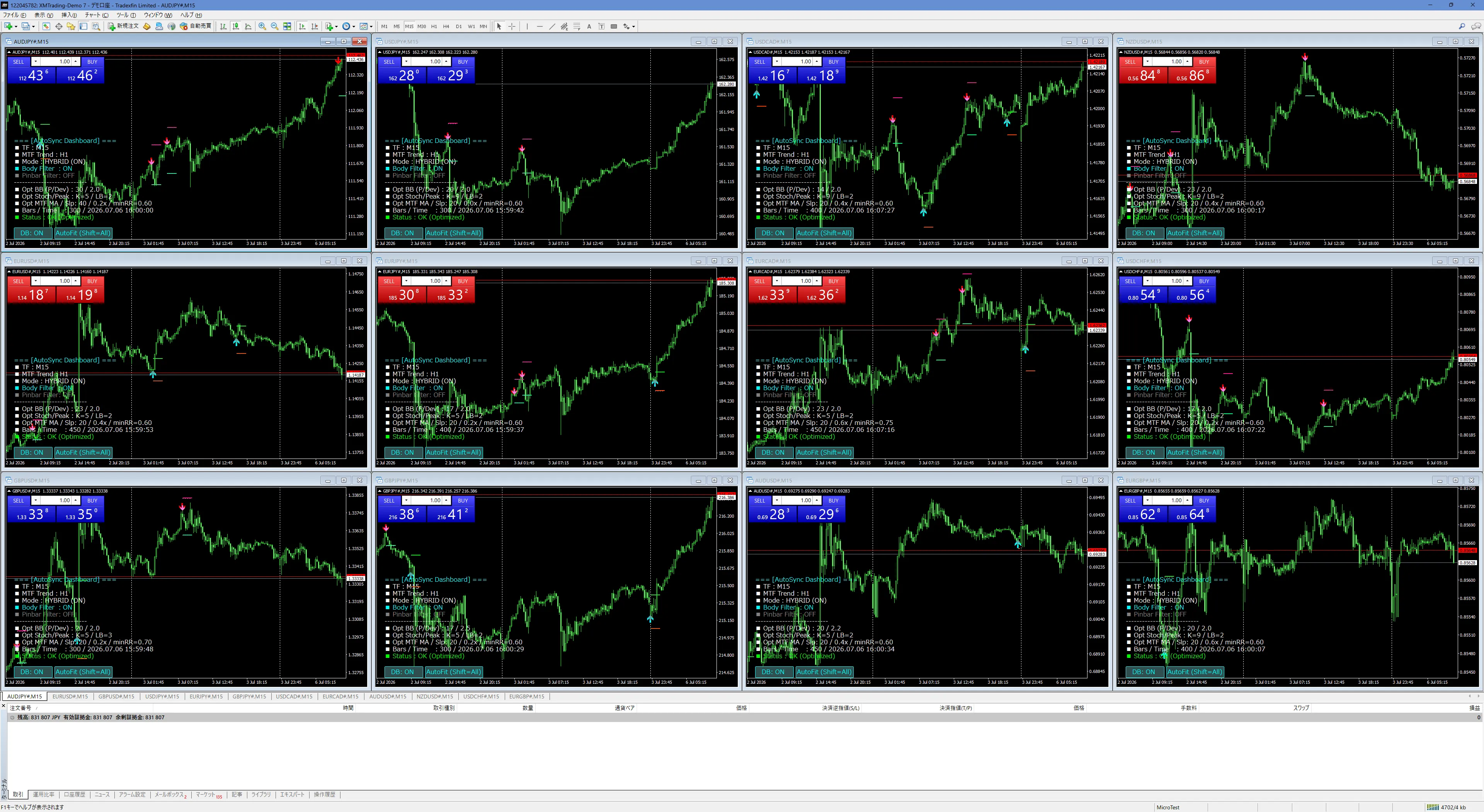
Figure 2Monitor 15-minute charts across 12 currency pairs. The broad monitoring compensates for the few signals.
2
No need to stare at 12 screens all day. Enable alert sounds or smartphone push notifications and check only the currency pair that produced a signal. When notified, decide entry based on the direction of the higher timeframe, the time of day, and the width ofTP・SL. Notifications are signals, not order buttons.
3
In my experience, signals that appear in the Japanese morning tend to be relatively easier to handle. The early morning is especially good for organizing the previous day's flow and the current day's starting point, making it a natural time to begin monitoring.
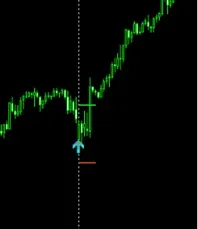
Morning entry example1
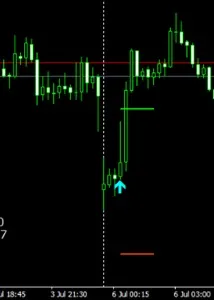
Morning entry example2
However, the images are individual examples. The morning alone does not guarantee an advantage; please verify signal forms and market conditions accordingly.
414:00
From my tests, selecting signals that appear from morning JST up to around 14:00 JST tends to yield relatively good results. As price action changes closer to European hours, start by fixing the time window and practice to learn the differences between favorable and to-be-skipped signals.
5
TP and SL shown with signals are adjusted based on ATR (a measure of price movement). Still, you must verify that the displayed width is appropriate for the moment.
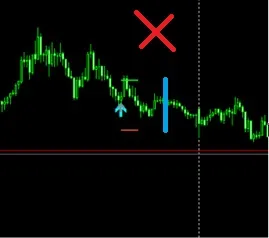
Tends to settle on small oscillations
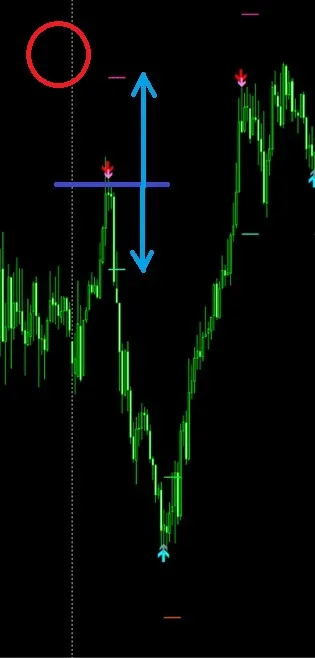
Balance price movement with landmarks
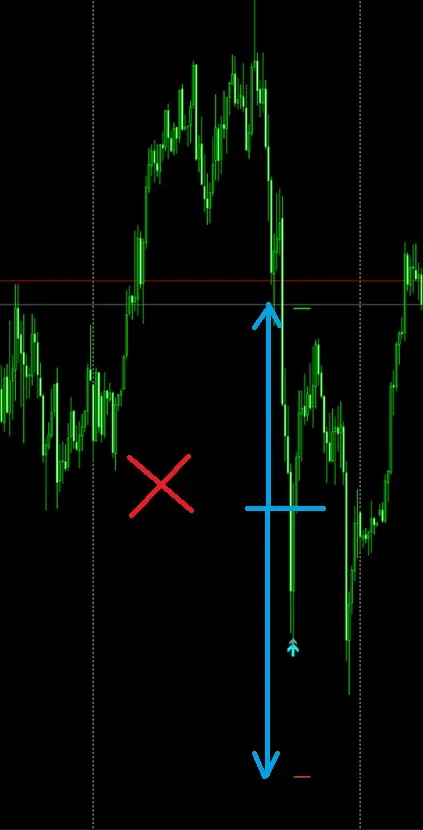
Wider losses tend to be heavier when the price moves a lot
If too narrow, SL is easily hit by normal price moves, if too wide, a single loss becomes large. After observing signals a few times, you’ll gradually know natural widths for currency pairs and timeframes. It’s faster to gain this through demo trading than by simply memorizing numbers.
6
AutoSync organizes conditions but does not replace your final judgment. Rather than committing funds from the start, please practice in a demo account by repeating the following order:
1.
2.
3.
4.
AutoSync is not a tool you can stop thinking with
Because Self-Optimization may suggest everything automatically, you might think your decisions are fully automated. However, AutoSync’s role is to verify candidate parameters according to the market and to notify you when criteria are met.
About risk
The time frames and usage described here are based on the author’s experience and testing, and do not guarantee future win rates or profits. Results vary with market conditions. Treat TP/SL displays as guidelines, and decide trades after checking trade size and permissible loss.
Summary
AutoSync v2.00 is a MT4 indicator that combines self-optimization, which tests hundreds of candidate parameters to fit the market, with three conditions plus multiple filters for signal display.
Monitor 12 currency pairs on 15-minute charts and use alerts. Focus on morning JST to 14:00 JST to select natural TP/SL widths for signals. Start with demo trading to become familiar with AutoSync’s strengths. This approach helps you understand its benefits more readily.
Check AutoSync’s latest specifications on the product page
GogoJungle product page