
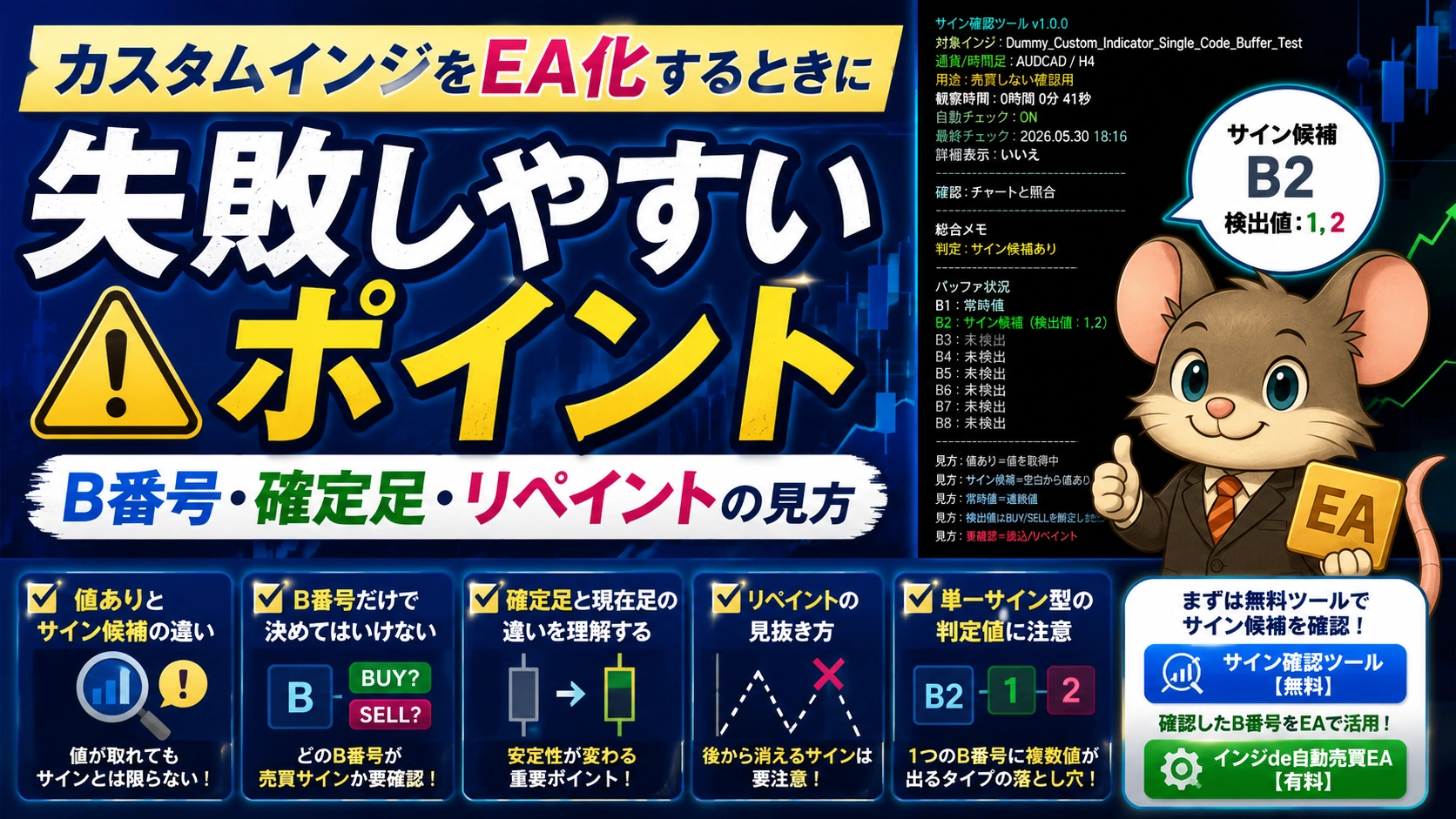
Common pitfalls when turning a custom indicator into an EA: how to read lot size (B-number), confirmed/cixed points, and repainting
MT4 Custom Indicator to EA / B-number, Confirmed Candle, and Repaint Check
Common Pitfalls When Turning a Custom Indicator into an EA
How to Read B-numbers, Confirmed Candles, and Repaint
If you look at MT4 arrow indicators or signal indicators and think,“Can I automate trading with this signal?”you may have such thoughts.
However, just because an arrow appears on the chart does not mean the EA can trade correctly.
When turning a custom indicator into an EA, it’s not enough to simply check whether arrows appear; you must verifywhether the EA can read values, which B-number to use, and whether signals persist on confirmed candles.
This article organizes, from a developer’s perspective, the points where turning a custom indicator into an EA tends to fail.
What you can verify in this article
- Difference between values-present and signal-candidate
- Dangers of deciding BUY/SELL based only on B-number
- Difference between confirmed candle and current candle
- Cautions with repainting indicators
- Why single-signal-type decisions tend to misjudge
- When to use free signal verification tools versus generic EAs
Failure Point 1: Treating a Value-Present as a Trade Signal
While inspecting a custom indicator, you may be able to obtain some value from the EA side.
However,having a value and it being a trading signal are not the same.
For example, moving average or line-type indicators may produce values on almost every bar. If you use such values directly as signals, you may enter at unexpected times.
Display example of the signal verification tool
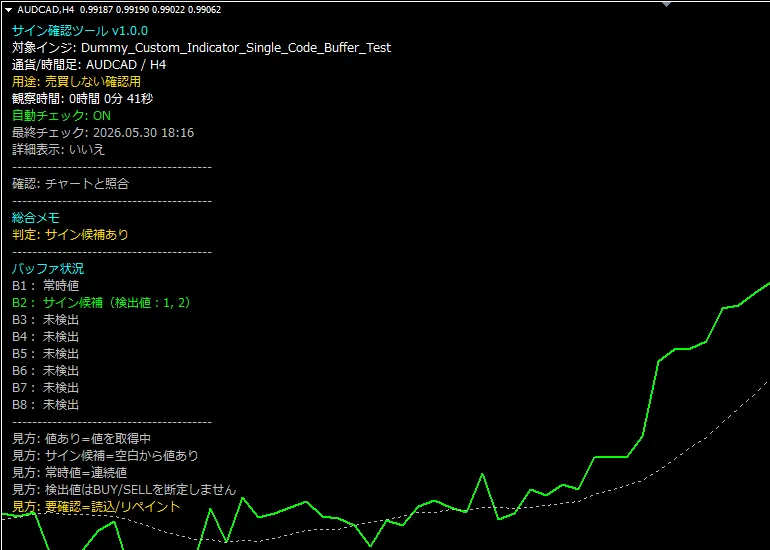
In this example, B1 shows“Always present value”, B2 shows“Signal candidate”, and B3 onward show“Not detected”.
- Always present value:Because a value is almost always present, it may correspond to a line-type or continuous-value indicator.
- Signal candidate:A value that could be related to a buy/sell signal. In this example, detected values “1” and “2” appear in B2, indicating a single-signal-type candidate where multiple判定値 appear for one B-number.
- Not detected:No value detected within the specified range.
How to differentiate
- Value present:Some value is present, but it isn’t necessarily a signal
- Signal candidate:A value that may be related to a signal, possibly turning from blank to present
- Always present value:Likely line-type or continuous values, may be hard to use directly as a signal
When considering EA, it’s important not only to see that a value is present but toconfirm that the signal appears at the timing you expect.
Failure Point 2: Deciding BUY/SELL Based Only on B-number
When using a custom indicator’s signal in an EA, sometimes you read values by specifying a B-number.
For example, if signals appear on B4 and B5, one may correspond to BUY and the other to SELL.
However,it does not automatically mean B4 is BUY and B5 is SELL.
Do not judge by B-number alone
B-number indicates the location of a value inside the indicator.
You must cross-check with the actual chart arrows and signal displays to confirm which B-number corresponds to BUY and which to SELL.
Even if a signal verification tool reveals the B-number, always compare with the chart display to confirmwhich B-number is on the BUY side and which is on the SELL side.
Failure Point 3: Using the Current Candle’s Signal as-Is
A particularly important point in EA development is the difference between confirmed candles and the current candle.The current candle is the one still forming. Signals on the current candle are real-time but may appear and disappear before the candle closes.
Conversely, a confirmed candle is a completed candle. If a signal remains on the confirmed candle, it is usually more stable to judge than on the current candle.
Differences between Confirmed Candles and Current Candles
| Confirmed Candle | Look at the previously completed candle. Generally more stable. |
|---|---|
| Current Candle | Look at the candle currently forming. Signals appear sooner but can change later. |
When using a custom indicator for the first time, it is recommended to firstcheck whether signals persist on the confirmed candle.
Failure Point 4: Turning a Repaint Indicator into an EA Without Verification
Repaint is when a signal that appeared at one time later disappears or shifts position.
Even indicators that look pristine on past charts may repaint in real-time, causing signals to appear and disappear.
Turning such indicators into an EA can cause large discrepancies between backtests or past-chart visuals and actual live operation.
Points to verify for repaint
- Does a signal on the current candle remain after the candle closes?
- Does an arrow that appeared disappear later?
- Have you checked not only past charts but also real-time behavior?
- If used on a confirmed candle, does it produce the expected signal?
Repainting indicators are not necessarily unusable, but at a minimum you mustclearly define which timing of signals you will use.
Failure Point 5: Misjudging the Judgment Values for a Single-Signal Type
Some custom indicators do not produce separate B-numbers for BUY and SELL; instead,one B-number emits multiple values.
For example, the same B-number may show “1” and “2,” with one corresponding to BUY and the other to SELL.
Example of a Single-Signal Type
If B2 shows values like “1” and “2,” an EA may be configured as follows:
- BUY signal B-number: 2
- SELL signal B-number: 2
- BUY judgment value: 1
- SELL judgment value: 2
However, note that1 does not necessarily mean BUY and 2 does not necessarily mean SELL.
In some indicators the opposite may be true. Always cross-check with the actual chart arrows and signal displays to determine which number corresponds to BUY and which to SELL.
Failure Point 6: Assuming Readable = Winning EA
Once you can read signal candidates or B-numbers, the likelihood of turning it into an EA increases.
However,the fact that an EA can read signals does not guarantee profitability.
Trade results depend not only on signal precision but also on currency pair, timeframe, take profit, stop loss, spread, trading hours, and market conditions.
What to verify after turning into an EA
- Does it buy on BUY signals and sell on SELL signals?
- Is the exit on opposite signals as expected?
- Are TP and SL set as intended?
- Are there reckless entries during wide-spread periods due to spread?
- Did you test not only in backtests but also on a demo account?
Reading signals is only the starting point. When actually using for automated trading, always verify with backtests and a demo account.
Free Signal Verification Tool and General EA Usage
Prog麗am FX offers a free tool for verifying signals of custom indicators.
Also, for those who want to automate trading using the verified B-numbers and judgment values,Indicator-to-Auto Trading EA [MT4 Custom Indicator Supported]is also available.
Free: MT4 Custom Indicator Signal Verification Tool
A free tool to check signal candidates, B-numbers, and detection values of your indicators.
Use it first to determine whether the target indicator can be read by the EA side.
Paid: Indicator-to-Auto Trading EA [MT4 Custom Indicator Supported]
A general EA to automate trading using the B-numbers and judgment values verified with the Free Tool.
Supports separate BUY/SELL signal types as well as single-signal types.

Recommended Verification Steps
Flow before automating a custom indicator
- Check signal candidates for the target indicator with the Free Signal Verification Tool
- Organize B-numbers and judgment values
- Cross-check BUY-side and SELL-side with chart displays
- Verify signals persist on the confirmed candle
- Check for repaint or undecided signals
- Set B-numbers and judgment values in the general EA
- Run backtests and verify on a demo account
Following this flow reduces mis-specification of B-numbers and unexpected behavior due to current candle signals or repainting.
Notes
Always verify before live operation
Even if signal candidates or B-numbers are confirmed, there is no guarantee that all custom indicators will trade correctly in automation.
Also, reading signals and making a profit are separate. Always verify entry direction, exits, stop loss, take profit behavior through backtests and a demo account.
If B-numbers, judgment values, indicator names, or parameter settings are incorrect, trades may behave differently from expectations.
Start with small lots or a demo account to understand the indicator’s characteristics before using it widely.
Summary
When turning a custom indicator into an EA, do not rely solely on arrows on the chart.
Understanding the differences between value-present and signal candidates, B-number and BUY/SELL correspondence, confirmed versus current candles, and repaint presence helps reduce failures during EA development.
First, try the free signal verification tool to check signal candidates, B-numbers, and detection values for your indicators.
If you wish to automate trading using the verified B-numbers and values, you may be able to use Indicator-to-Auto Trading EA.
Before turning a custom indicator into an EA, first verify the signal candidates
Check B-numbers and detection values with the free tool, and consider automation via a general EA if needed.
View Free Signal Verification Tool View Indicator-to-Auto Trading EA