

Prime Combo Signal Rules and Oscillator Range section
Shirou here!
I would like to clearly explain the frequently asked questions about the oscillator range of the Prime Combo Signal.

I don’t quite understand the oscillator range of the Prime Combo Signal

I want to know how to set the oscillator range
For those who are worried about this, in this article I will clearly explain the oscillator range of the Prime Combo Signal.
Prime Combo Signal Rules - Oscillator Range Edition
The oscillator range is, in the Prime Combo Signal,
the thing where you can set buy range and sell range
.
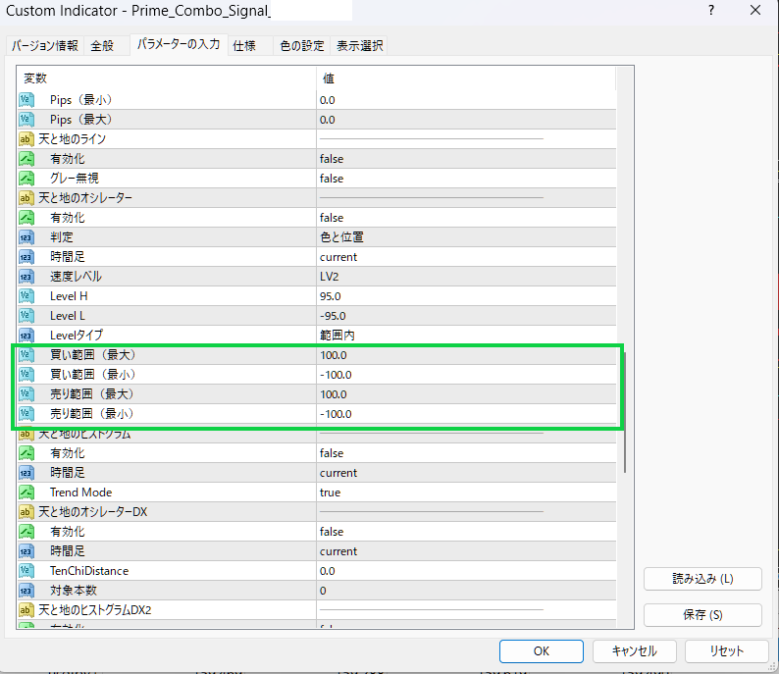
In the default, buys and sells are executed regardless of the range.
Also, inputting 0 for either will make it behave the same as the default.
How to set the Oscillator Range
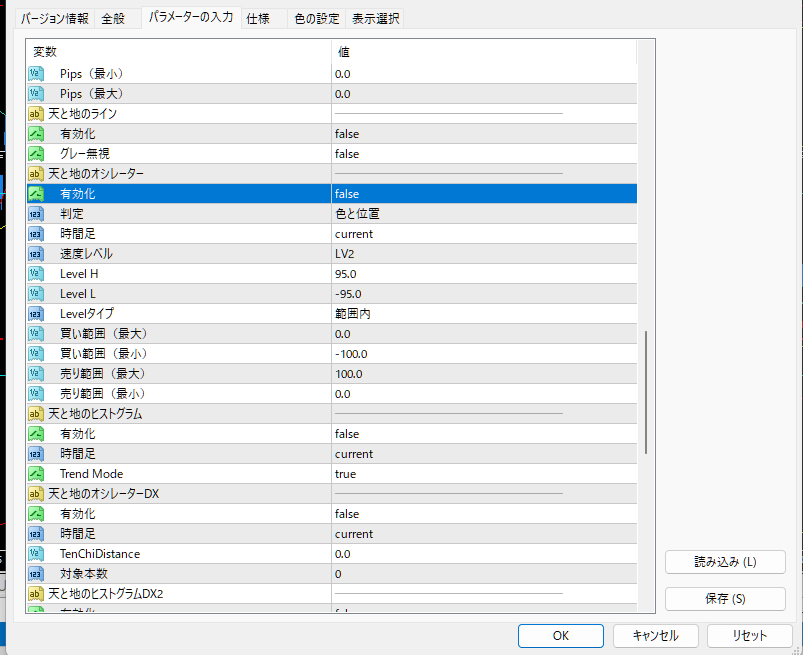
If you set the buy range to a maximum of 0 and a minimum of -100
you will place buy entries from the center to the lower limit maximum.
For the reverse sell range, from minimum 0 to maximum +100
If you set 0, you will place sell entries from the center to the upper limit maximum.

Two important rules
These are the two important rules.
Even when the oscillator filter is off, it becomes active with numeric input
As shown in the image, even if the oscillator filter is false (off), if a buy range or sell range is entered, it becomes active..
(The oscillator level also factors in)
Oscillator filter settings depend on the timeframe
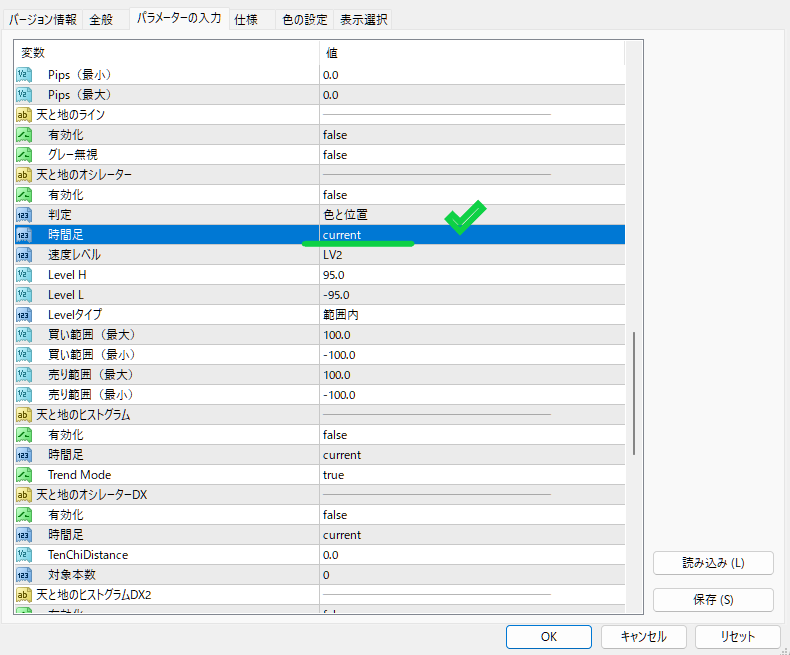
This oscillator range depends on the timeframe of the filter settings for the Oscillator of Heaven and Earth.depends on the timeframe of the Oscillator filters of Heaven and Earth.
In the image, it shows Current LV2, so the current LV2 buy range and sell range are specified.
That’s all.
If there are no oscillator range settings, it is recommended to set to 0.