

Nine analysis functions in one panel. Clean up MT4 charts with the AllInOne Panel
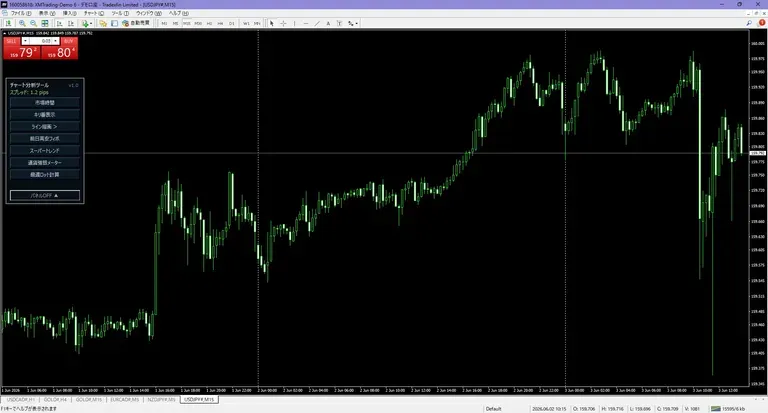
MT4 Viewing the market tends to make charts busier as you add convenient indicators: session display, Fibonacci, currency strength, lot calculation……. While all are useful, when display and operation scatter too much, you can get a little tired before you even see the essential price movement.
So I created “AllInOnePanel.” It is an MT4 indicator that consolidates nine9 functions used for environment recognition, line analysis, and risk management into one panel. It’s called all-in-one, but I aimed not to overload the chart with too many things.
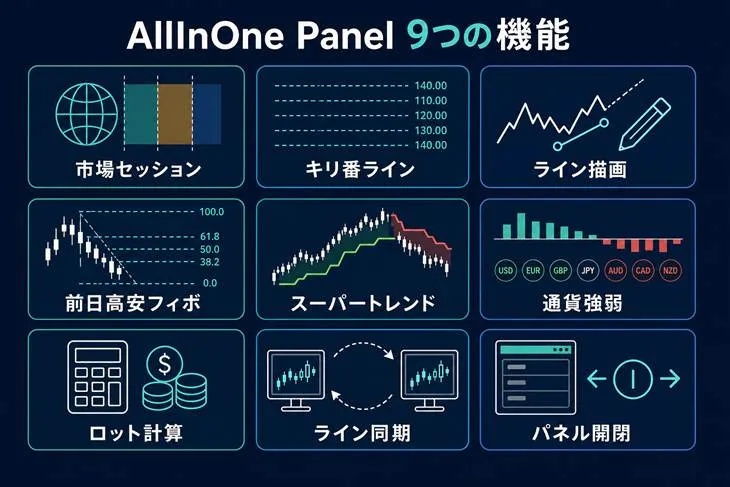
Figure: AllInOne Panel’s 9 functions
Only the necessary functions, when needed
AllInOne Panel is operated from the panel at the top left of the chart. When not in use, you can close the panel, and even collapsed you can check the spread and the Japan time clock.
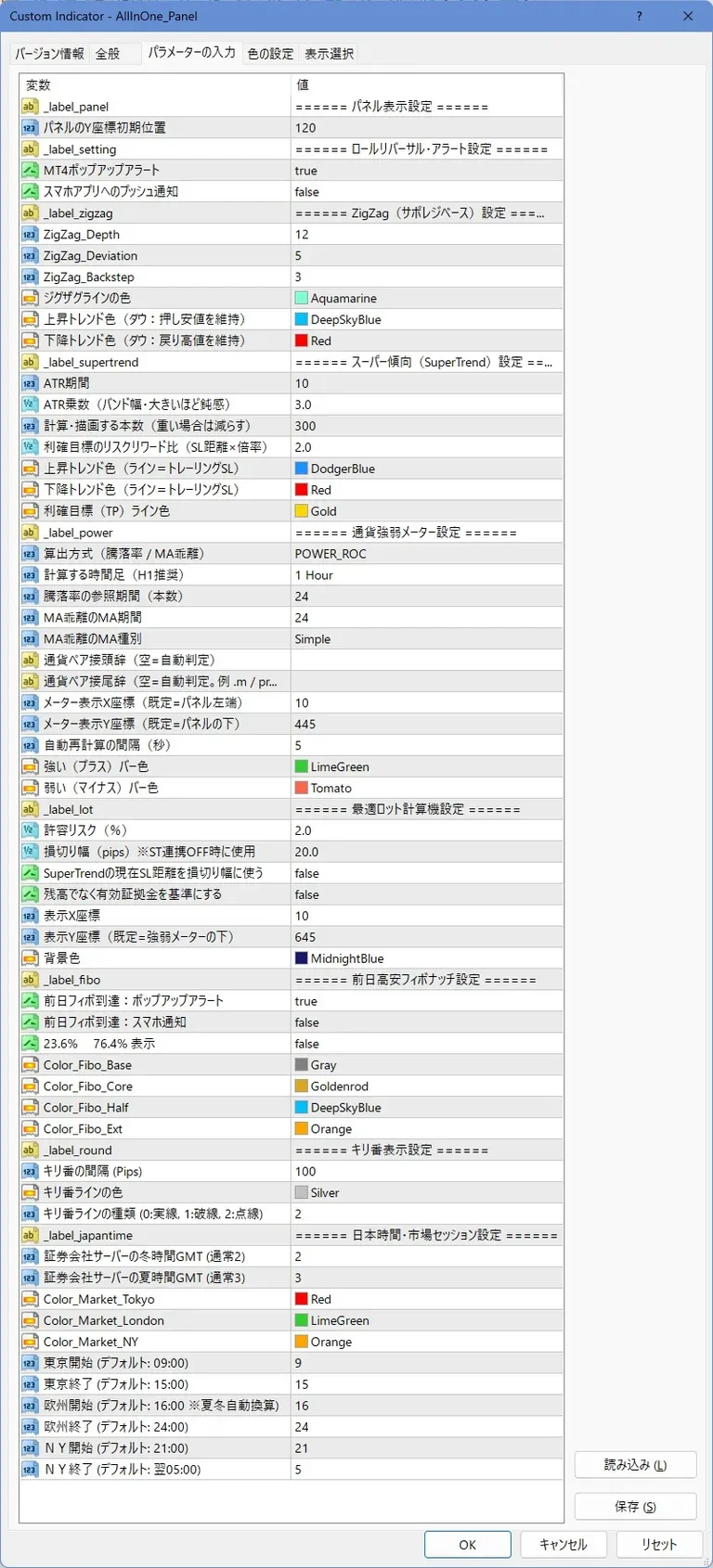
Colors, periods, display positions, alerts, etc. can be adjusted to fit the purpose. The basic usage is not to display everything at all times, but to select only what is needed for that day’s analysis. In my view, more analysis tools are not necessarily better; what matters is being able to pull out what you need without hesitation when you need it.
Introducing the 9 functions together
1.Market Session Display![]()
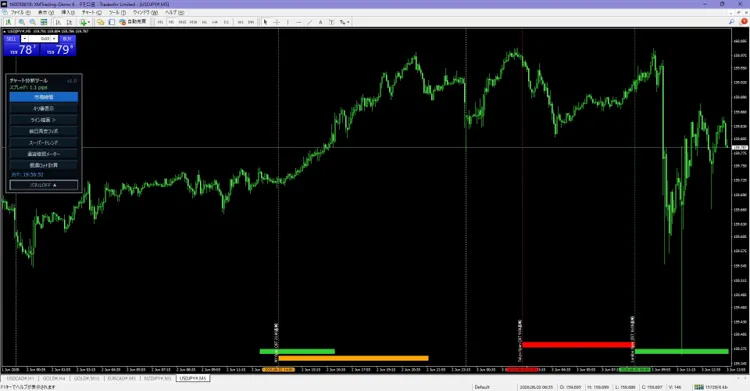
Displays Tokyo, London, and New York market times. Supports daylight saving time adjustments, vertical line on the opening price, label for Japan time, and current Japan time. Useful when you want to reduce the burden of converting overseas times in your head each time.
2.Key Level Line Display
Automatically displays horizontal lines at clear price levels that tend to be key. You can adjust interval, color, and line style, so you can configure it to be easy to read for the currency pair and timeframe you’re using.
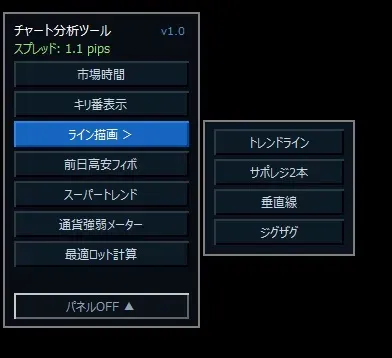
3.Line Drawing Tools
Trend lines, support and resistance for two major price levels, vertical lines, and ZigZag are available from a sub-menu. ZigZag uses the MT4 standard, assisting line analysis by watching highs and lows.ZigZag is MT4’s built-in one, used to support line analysis by watching highs and lows.
4.Prev Day High/Low Fibonacci![]()
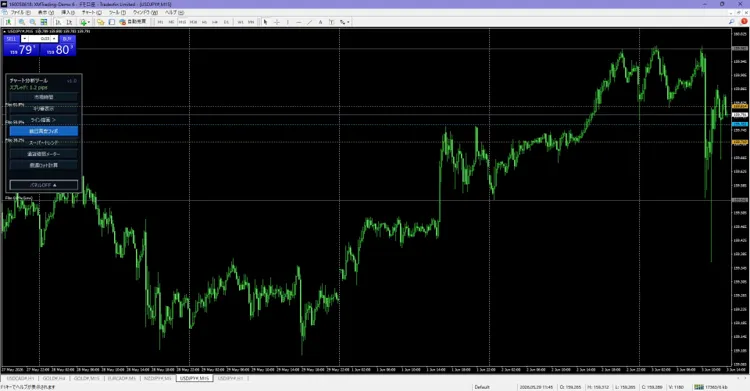
Fibonacci is automatically displayed using the previous day’s high and low as the basis. You can check levels like 38.2%, 50%, and 61.8%, and you can set alerts for reaching specified levels.
5.Super Trend![]()
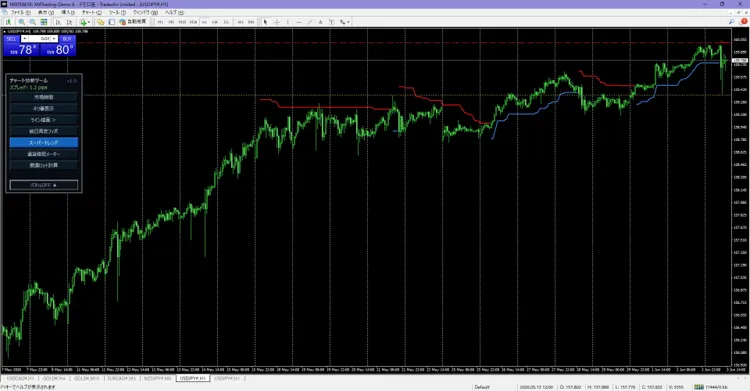
Based on ATR (a measure of price movement), displays a line indicating the trend direction. It can serve as a reference for trailing stops, and can also display a target profit range derived from risk-reward and stop-loss width.
6.Currency Strength Meter![]()
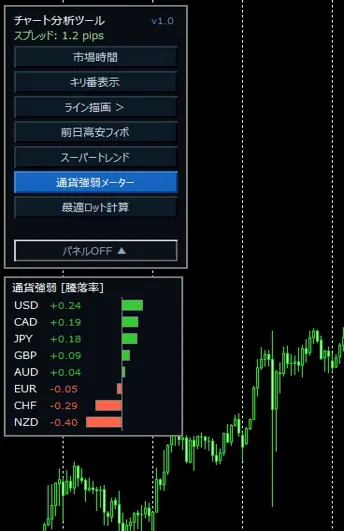
USD, EUR, JPY, GBP, AUD, NZD, CAD, CHF — 8 currencies — shows relative strength. You can choose between using rate of change or deviation from moving average. It also automatically adapts to the prefixes/suffixes in broker currency pair names.
7.Optimal Lot Calculator![]()
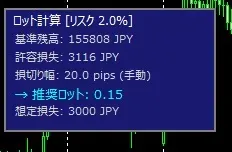
Calculates recommended lot size and potential loss from account balance or usable equity, acceptable risk, and stop-loss width. It can be linked with the Super Trend stop-loss width. Note that this is a calculation/display feature, not a function to place orders.
8.Multi-Chart, Line Synchronization
Synchronizes support/resistance, trend lines, vertical lines, and Fibonacci across multiple timeframes for the same currency pair. Reduces repositioning and misalignment when you want to see lines drawn on higher timeframes on lower timeframes.
9.One-Touch Panel Open/Close
The panel can be opened and closed with one touch. Keep it expanded during analysis, and keep it compact when you want to focus on price movement. A small feature, but on a screen you use every day, this little extra effort pays off.
Aligning Market Recognition and Risk Management in One Flow
The strength of this indicator is not merely that it lists nine functions. It allows you to check market times and currency strength, organize levels and trends, and finally compute lot size from tolerable risk, all from the same panel.
For example, you can check currency strength before the London session starts, synchronize lines drawn on higher timeframes to lower timeframes, and use Super Trend as a reference for the stop-loss width to calculate lot size. It is not a tool to decide trading rules itself, but it serves as a workspace to confirm rules as you follow them.
Who this is for
· MT4 users who display multiple analysis tools on their charts
· Want to check Japan time and overseas market times together
· Want to align lines across multiple timeframes
· Want to verify stop-loss width and lot size before entering a trade
· Want to select only the necessary functions to keep the chart clean
Things to confirm before use
AllInOne Panel is MT4 compatible. Indicators assist analysis, but they do not guarantee trading results or profits. The displayed lines, currency strength, and recommended lot sizes should be used as a source of judgment, and final trading decisions are up to you.
Summary
AllInOne Panel compiles market sessions, line analysis, currency strength, and lot calculation—nine9 functions into one MT4 indicator.
In market analysis, it is more important to be able to reach the necessary information without hesitation than to simply increase the amount of information on screen. If it seems to fit your chart organization and verification workflow, please view details of each function and settings on the product page.
Product page:https://www.gogojungle.co.jp/tools/indicators/80727