

【瞬キー完全ガイド⑨】Trailing Stop with a single key. Instant ON/OFF of follow with "R"
Positioning price movement (E Key) to strengthen protection.
This time, a step further in defense,Trailing Stopis here.
Instant KeythenR Keycan be turned ON/OFF with onepress.
What is trailing stop?
When the price moves in a favorable direction,
the stop loss line (SL) will automatically trailafter you.
It is convenient for extending profits while trying to “secure a certain amount.”
However, opening the settings screen and adjusting details can be a hassle, right?
Instant KeyisR Keyfor immediate start/stopinstantly.
You can switch without hesitation.
What happens with theR Key?
R Keypressing toggles trailing ON ⇔ OFF.
- When ON → Display “Trail ON” at the top of the chart
- When OFF → Display “Trail OFF”
While ON, the SL updates automatically as the price moves.
The trailing range is determined by the EA setting “Trailing Width (Pips)” (default 5 pips).
If all positions are closed, it automatically turns OFF.
How to use
STEP 1: While you hold a position,Press the R Keyto turn it on
STEP 2: Confirm the display shows “Trail ON”
STEP 3: Observe SL trailing as price moves
If you want to stop, pressR Keyagain to OFF.
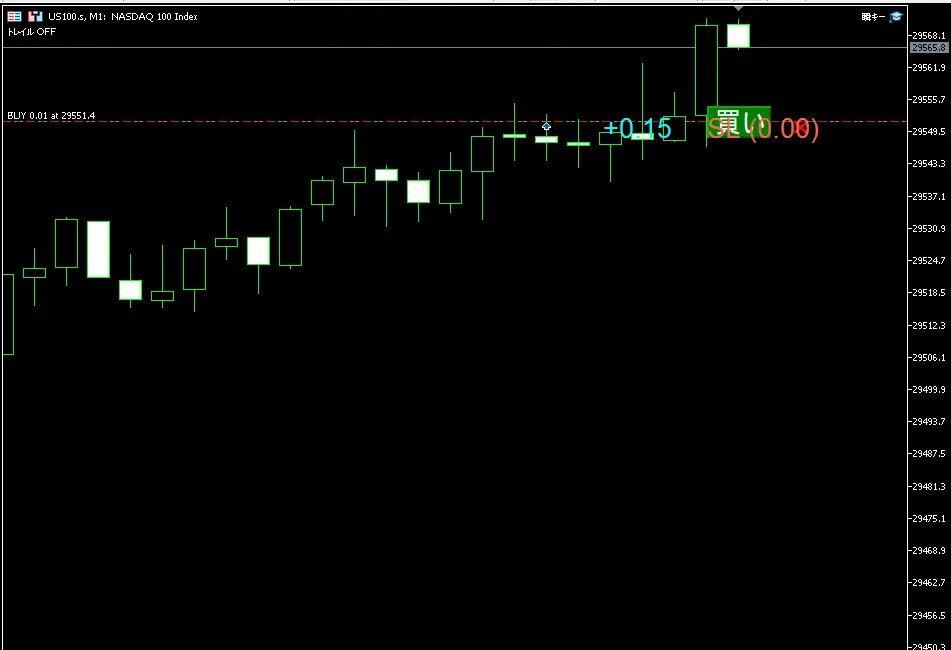
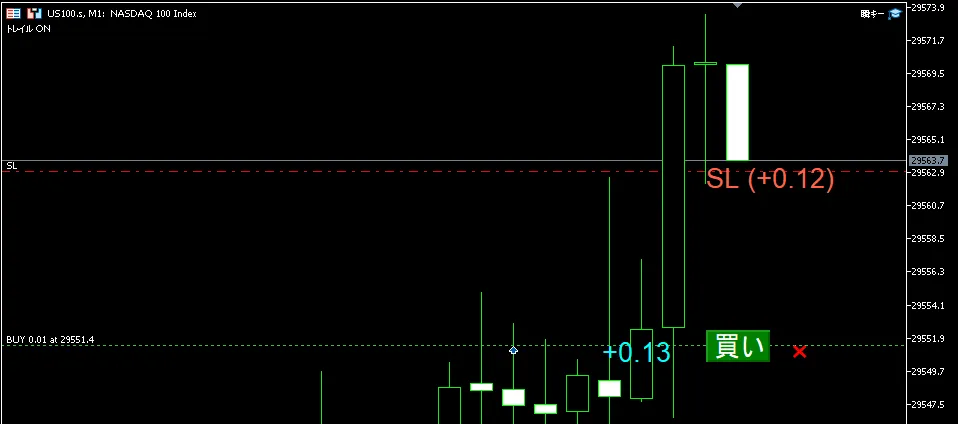
Using E Keyand R Key
| Key | Action | Timing |
|---|---|---|
| E | Fix SL at the entry price | Right after a profit is realized as “minimum protection” |
| R | Automatically trail SL | When you want to ride the trend and extend profit |
First move to the entry price with E, then if it seems to extend further, use R—that flow is commonly used.
Summary
Instant Keytrailing requires almost zero effort.
- One press of the R Key to ON/OFF
- Trailing width is fixed by preset
- Switch while looking at the chart
If you think, “Trailing is too bothersome to set up and use,”
try R Key on a demo accountR Keyand see for yourself.
●Previous article
◎Next article
→【Instant KeyComplete Guide ⑩】Two-panel chart click. Reserve limit orders and stop orders in the shortest route