

【Instant Key Complete Guide 7】Set all stop losses at once. Use the "Q" key to instantly set SL for all positions
In the 6th session, we announced the bulk setting for take profit (TP).
This time, that pair isStop loss (SL).
Q keyClick onceto set SL for all positions at once.
SL setting is all about “speed”
When deciding the stop loss line, hesitation is dangerous.
But,with the mousesetting one position at a time takes time.
With the instant key,
①Q keypress
② Click the stop loss position on the chart
That’s all.
SL for all positions is set in an instant.
Because the operation is simple,
you can quickly decide the “defensive line” and return to market observation.
How to use (3 steps)
STEP1:Q keypress (start SL setting mode)
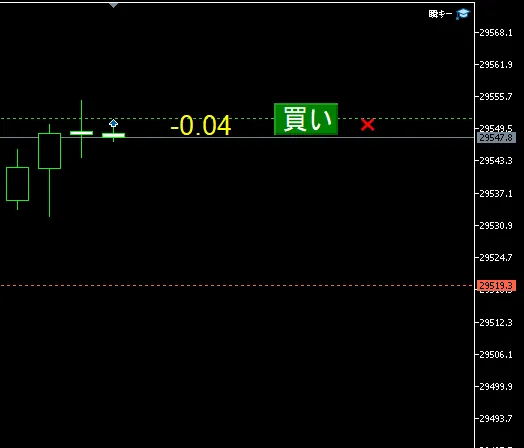
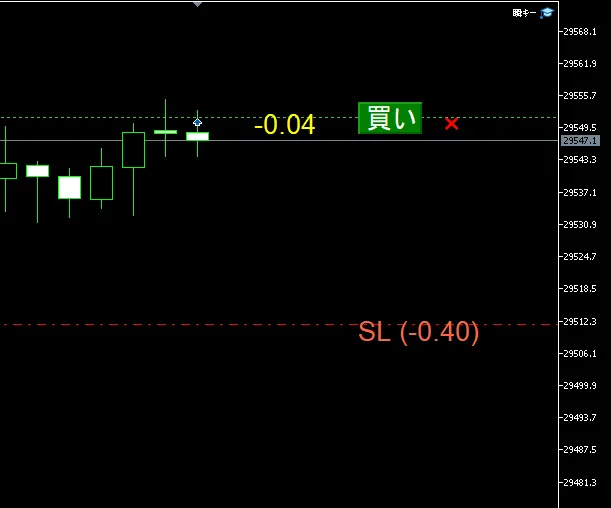
STEP2: The red dotted previewfollows themouse
STEP3: Click the price you want to stop loss at→ SL for all positions is set at once
Cancel withEsc key.
TP setting (T key) feels exactly the same.
Difference withthe T key
| Key | Target | Preview color |
|---|---|---|
| T | Take profit (TP) | Green |
| Q | Stop loss (SL) | Red |
With T and Q,these two complete the basics of exit at once.
Summary
Instant keySL bulk setting is the fastest route to solidifying defense.
- Q key→ SL setting mode
- Click once → Confirm stop loss for all positions
- Esc key→ Undo / retry
This is a feature you should try, especially if you tend to postpone stop loss settings.
In the next eighth session, we will further strengthen your defenseE key(move to break-even)explained.
● Previous article
→【Instant Key Complete Guide ⑥】Bulk setting of take profit line. “T” key + one click completes TP for all positions
◎ Next article
→【Instant Key Complete Guide ⑧】One-move to move to break-even. Strengthen defense with the “E” key