Utilization of the "Visualization Indicator" (Part 255)
“Visualized Indicator” usage(that255)
1. “28 Currency Pair List Indicator” to evolve into an indicator
“8CP Visualized Indicator” for AUDUSD charting
“8CP Visualized Indicator” includes Oceania version, London version, NewYork version, AnyCP version. This time, Oceania version was used.
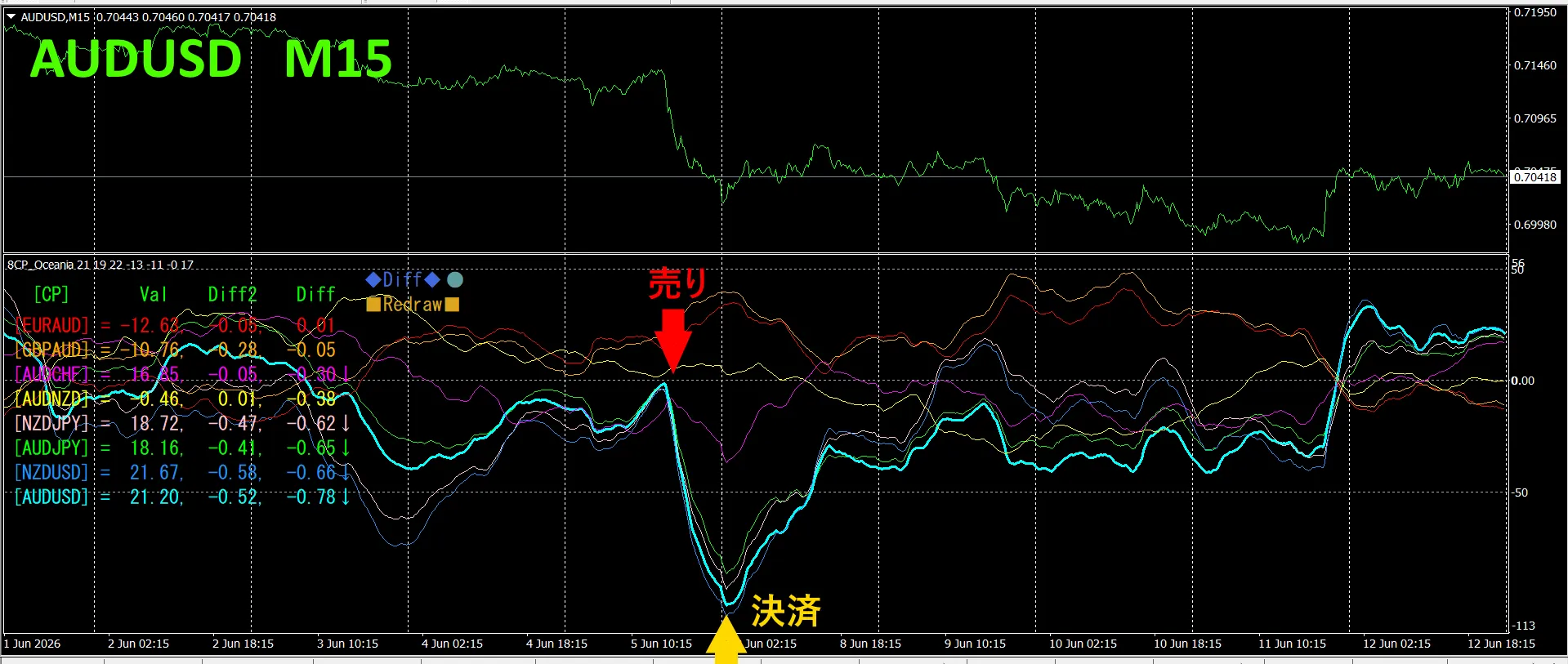
The upper half shows the AUDUSD 15-minute chart. The lower half shows the “8CP Visualized Indicator”. A light blue thick line graph corresponds to AUDUSD.
Last weekend, AUDUSD’s graph broke below the other graphs in the group, so we sold. We closed at the bottom of the day, approximately 110 pips profit was obtained.
Currency Strength/Weakness Graph
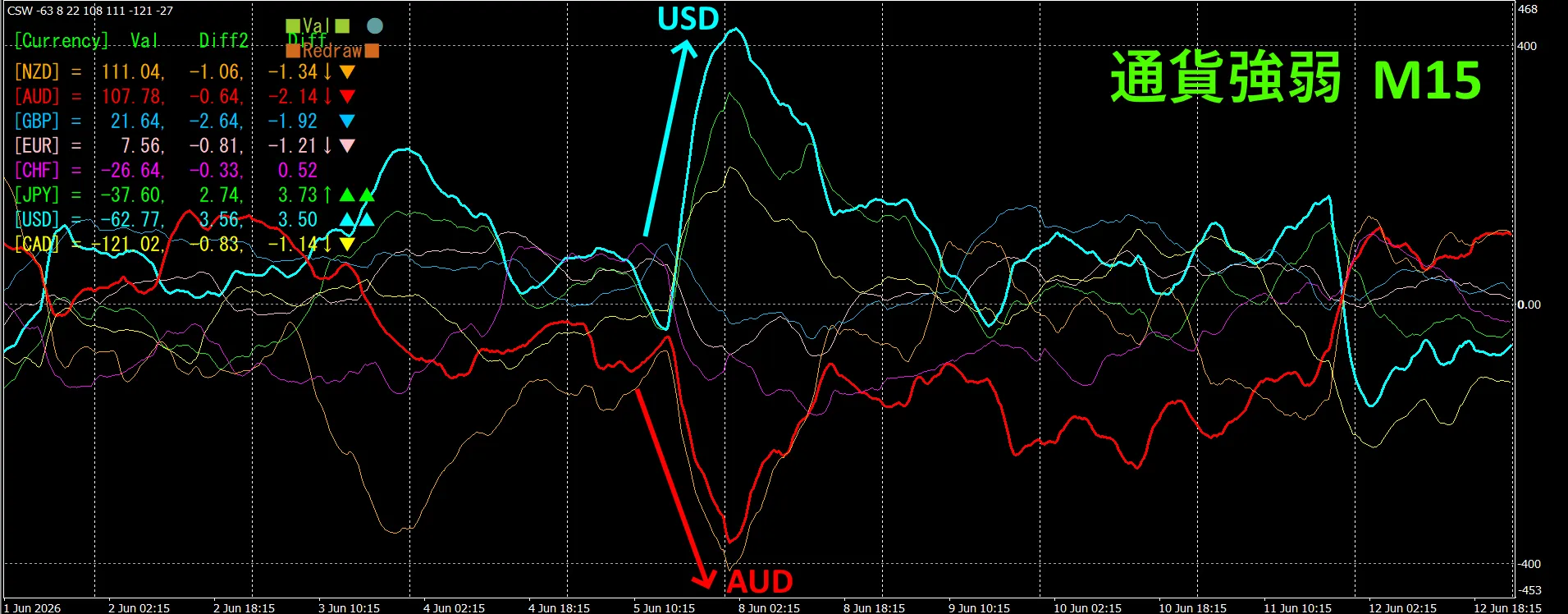
Looking at the 15-minute currency strength graph, AUD and USD are in inverse correlation. Trade only when AUDUSD and USD are diverging and spreading; when spread occurs, selling AUDUSD is appropriate. Since the inverse correlation exists, you should trade focusing only on that point.
In FX, pick the currency pair that is currently growing the most and showing inverse correlation, and the results will follow.
“Currency Strength/Inverse Correlation Target” is a rule of FX.
If you are using “TrendLine-EX”, diagonal trendline breaks can automate entry and exit. You can just leave it as is, enabling easy trading. “TrendLine-EX” can automatically short on trendline down breaks and automatically close on trendline up breaks, making it a semi-automatic EA.
2. Best SelectTry the Indicator
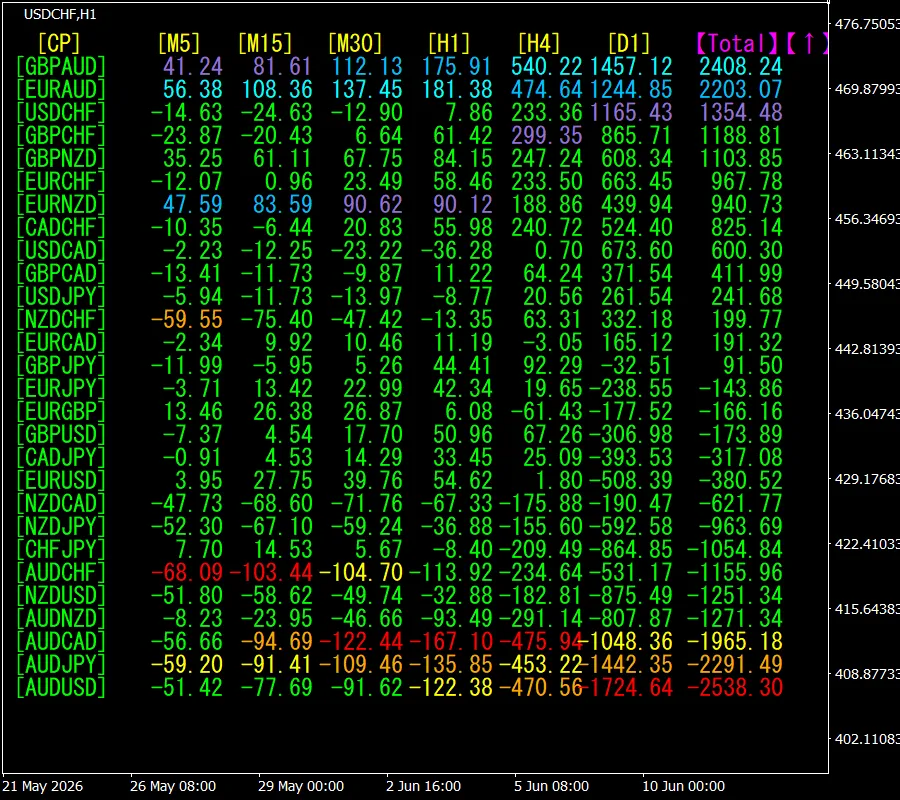
The next diagram is a screenshot on 2026 June 10 day 14:26 (JST) .
Total shows values in descending order. The top item, GBPAUD, is blue across all timeframes. Also, the “Total” value is 2408.24, a large positive number. The rise in GBPAUD is indicated.
Now, let’s look at GBPAUD chart.
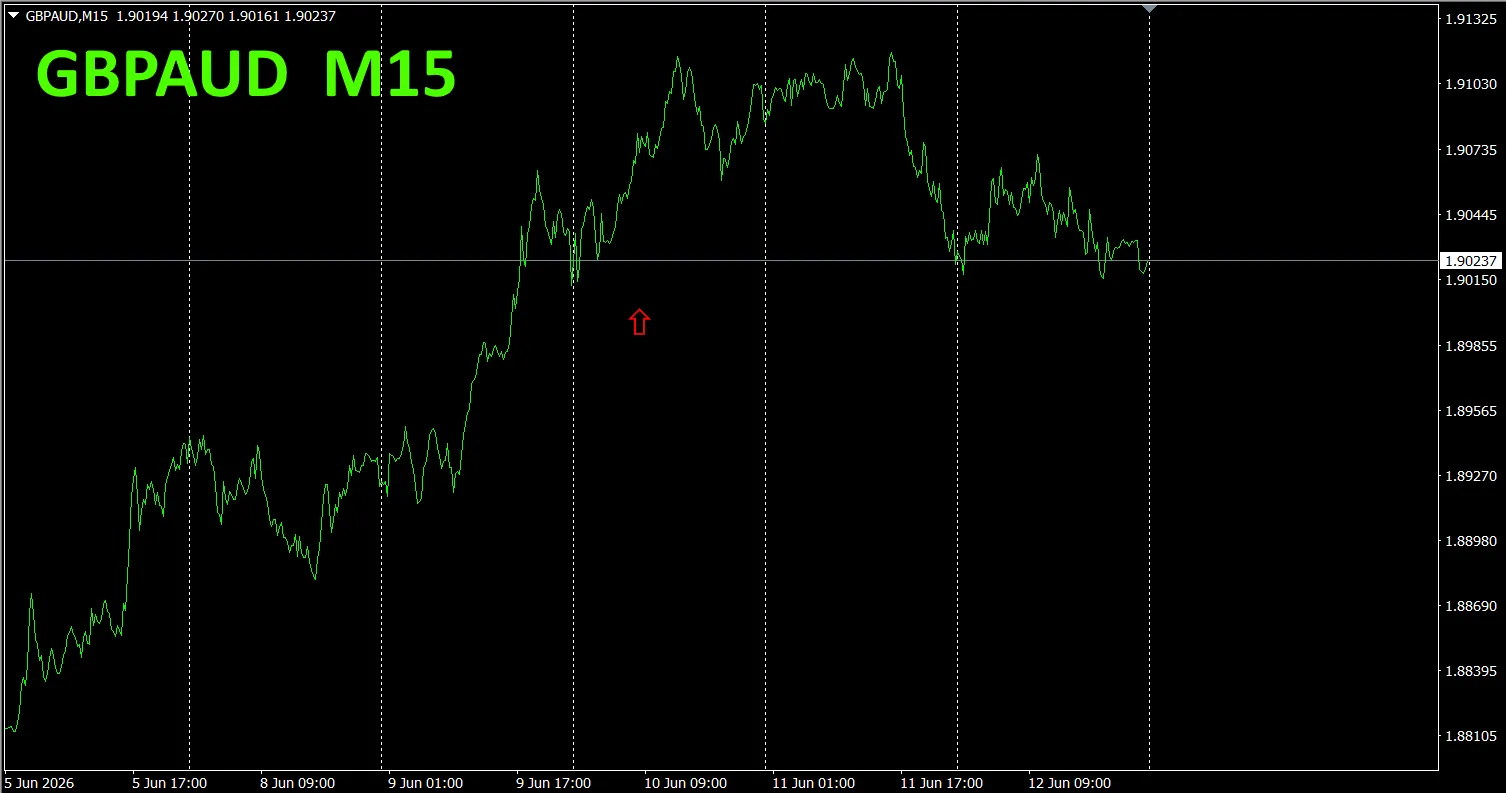
The red arrow marks where the screenshot was taken. It captures the rising portion.
“28 Currency Pairs Best Select Indicator”. Also, the “28 Currency Pair Disparity Comparison Indicator” shows the most divergent pair among the 28, helping you decide where to trade at a glance. It’s a superb indicator for selecting trading pairs
“28 Currency Pairs Best Select Indicator””

https://www.gogojungle.co.jp/tools/indicators/35128
3. Since May 2021, EURJPY movement has been tracked. How did it behave??
Since May 2021, we have tracked EURJPY movement.
To see overall trend, a 30-minute chart covering roughly the last 3 weeks is drawn.
Previously, we wrote as follows.
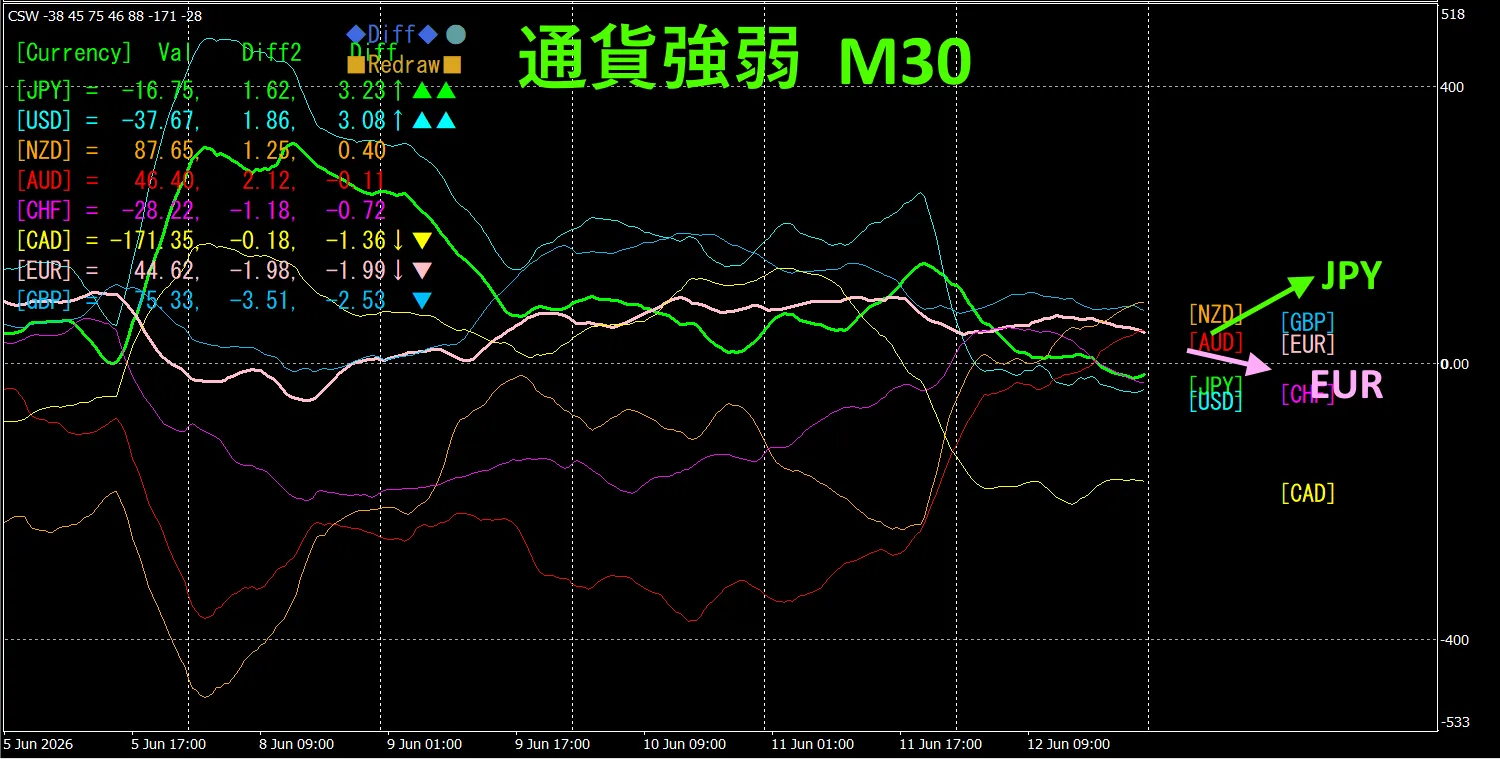
Pink indicates EUR, green indicates JPY. The EUR vector is downward, the JPY vector is upward, so EURJPY is expected to rise.
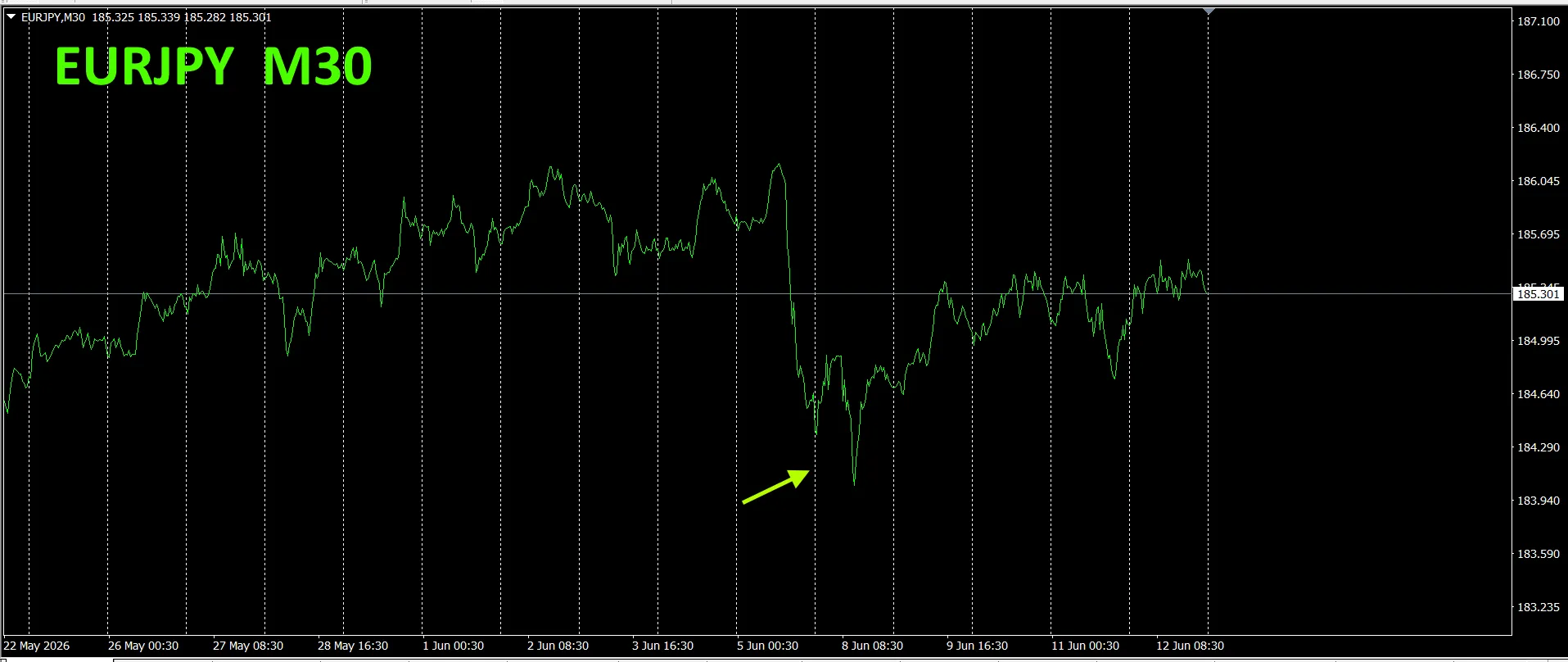
As predicted, it moved slightly upward
30-minute currency strength chart.
Pink EUR, green JPY. EUR vector downward, JPY slightly upward,. but EURJPY no clear direction yet likely to move slightly downward
4. Try the new indicator Dual_MACD_Trend_Indicatortook
New indicator “Dual_MACD_Trend_Indicator” can be found at below.
MT4 version:https://www.gogojungle.co.jp/tools/indicators/62199
MT5 version:https://www.gogojungle.co.jp/tools/indicators/62202
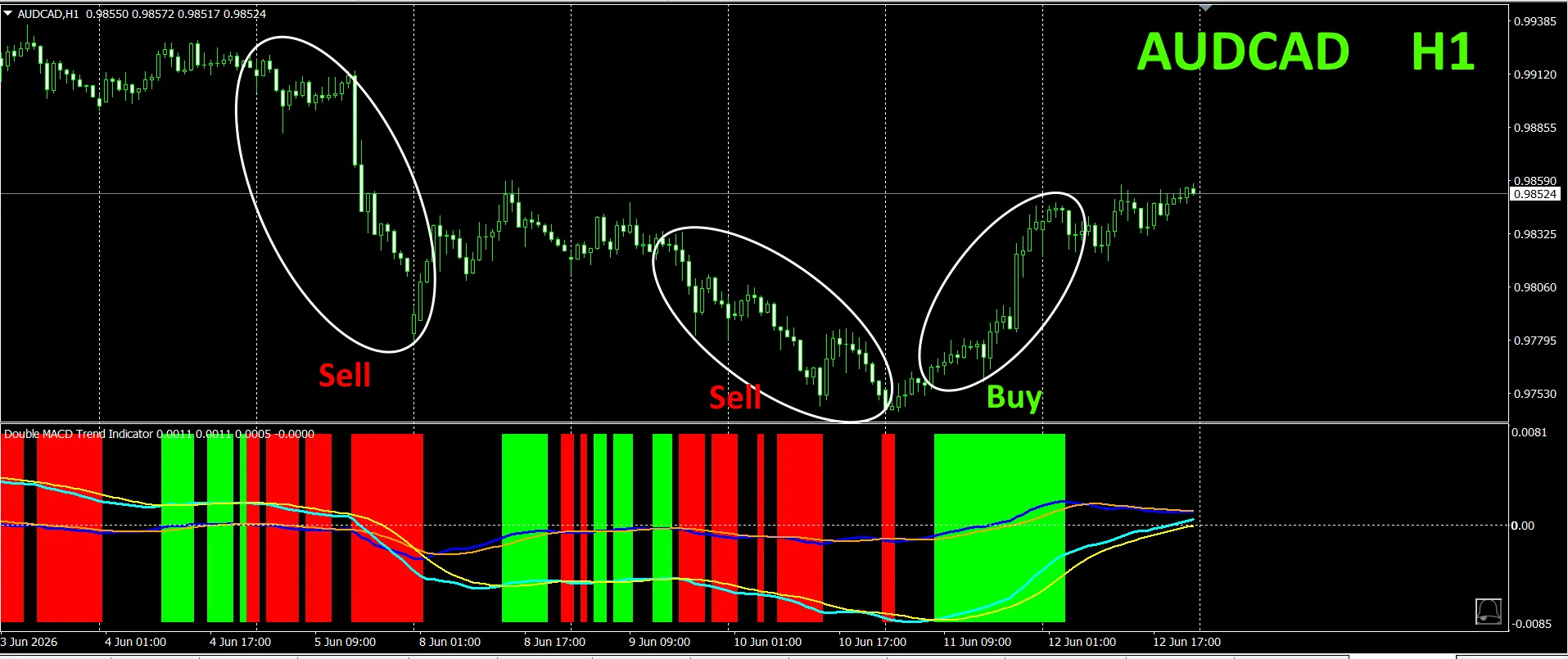
This indicator clearly shows the direction of the trend with colors. If the color bars are Lime, it’s a buy; if Red, it’s a sell, making it easy for beginners to use. If the color is green, it indicates an uptrend; if red, a downtrend; if no color, no trend. Because of the color display, you can grasp the trend status at a glance
We installed this indicator on AUDCAD on the 1-hour chart.
In the red sell zone and green buy zone, clearly separated, making trading easy at a glance. In the upper diagram, you should sell in the white ellipse area., buy in the white ellipse area colored green
With “Dual_MACD_Trend_Indicator”, buy in the green zone, sell in the red zone, otherwise do not trade.
Using “Dual_MACD_Trend_Indicator” removes any doubt about trade direction.
5. Trend_Color_MA_MTF has been released
From the sales page,
“Trend_Color_MA_Dual_MTF” was developed to transform your trading. This tool is not merely a moving average. It visualizes the trend direction in color, and notifies you with sound and alerts the moment a new opportunity arrives, acting as your personal assistant.
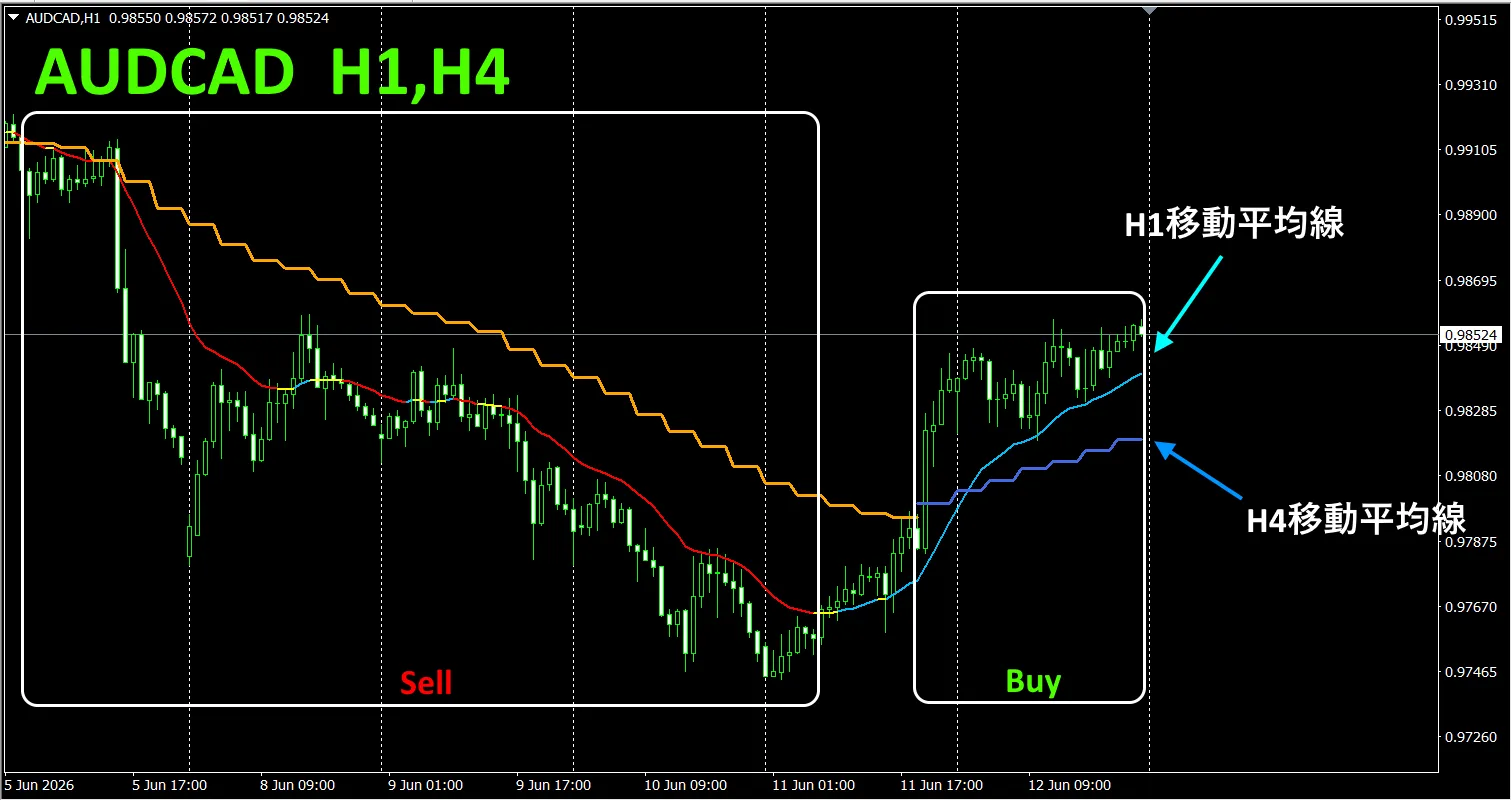
As an example, AUDCAD on the 1-hour chart shows four-hour moving averages simultaneously. The four-hour moving average is jagged and step-like. The 1-hour MA and the 4-hour MA both show up in blue when rising, and red when falling, so the current chart trend direction and the higher timeframe trend direction can be identified at a glance by color.
When the upper and current timeframe colors are in the same family, trade accordingly: red for sell, blue for buy.
For selling, 1-hour MA is red and declining, 4-hour MA is orange and declining, and you sell when candles cross below two moving averages.
For buying, 1-hour MA is light blue and rising, 4-hour MA is blue and rising, and you buy when candles cross above two moving averages.
This is a trading strategy you can use.
In the upper diagram, focus on the area boxed in white for sells and buys.
For details, please see the following link.
https://www.gogojungle.co.jp/tools/indicators/75985
“8CFD Visualized Indicator Any version”

https://www.gogojungle.co.jp/tools/indicators/32288
“”
https://www.gogojungle.co.jp/tools/indicators/50115
“TrendLine-EX”
https://www.gogojungle.co.jp/tools/indicators/42257
“8C Currency Strength Visualization Indicator” is available on the following pages.

MT4 version https://www.gogojungle.co.jp/tools/indicators/39150
MT5 version https://www.gogojungle.co.jp/tools/indicators/39159
【