
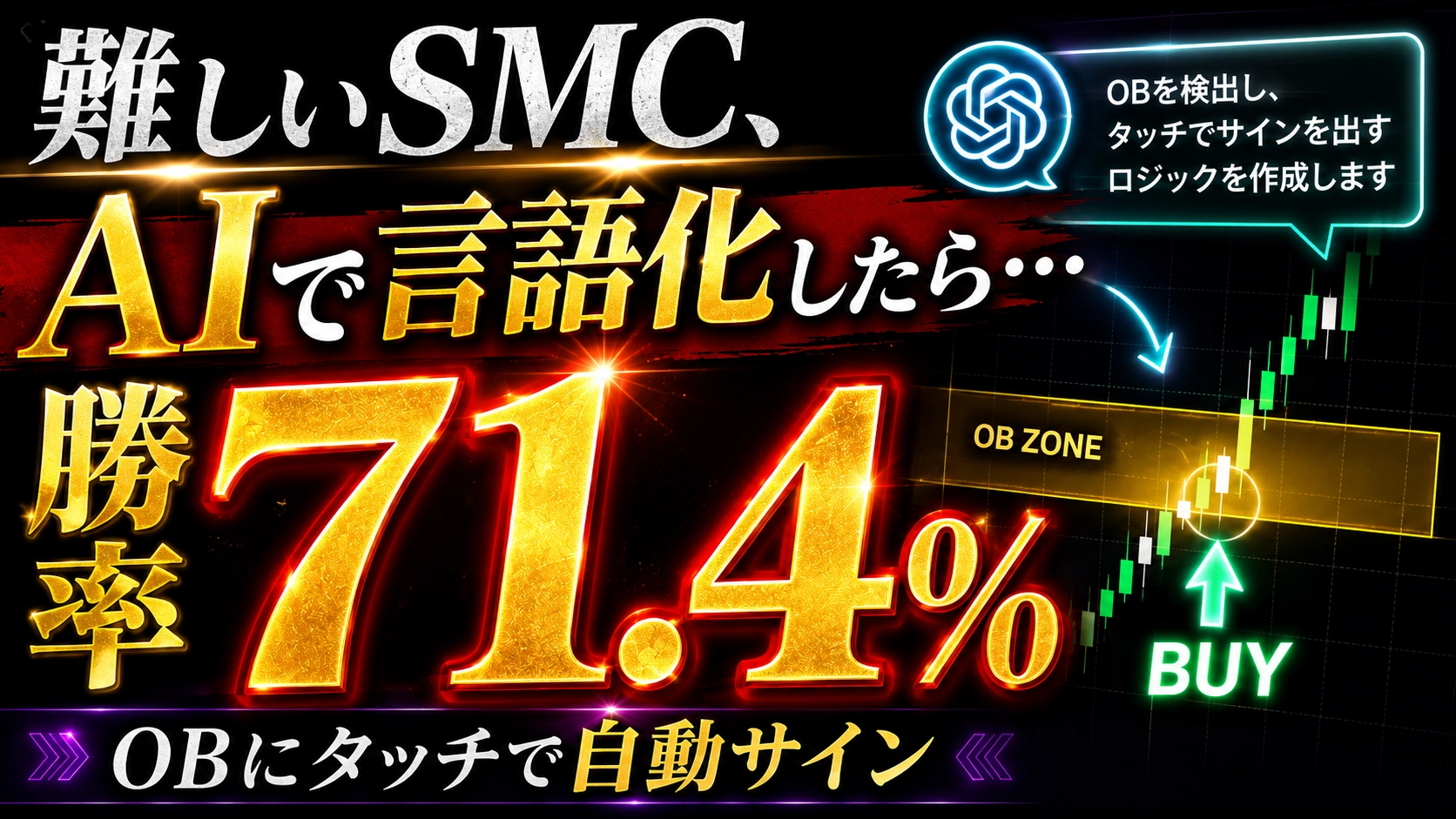
If you tell AI to only “display an arrow when you touch OB,” it will create a sign tool with a 71.4% win rate
I’ve been playing lately with making AI sign tools all the time.
What’s interesting is that when I write MQL4 myself, it would normally take about half a day, but if I throw it to the AI, it can run in tens of minutes. If you can clearly verbalize the specifications, you’re at a level where you might not need to write code at all — it’s becoming that easy.
And this time the topic isOrder Block of the Smart Money Concept (SMC).
X also shows up often, and I was curious, so I tried asking AI to make it.
To state the conclusion first: the result had a win rate of 71.4%, a PF of 1.50, and an expected value of +7.14 pips.
But it was based on a sample of 14 runs. This is a subtly important point, so I’ll write it properly at the end.
---
Idea of the Method
Roughly speaking, the idea of Order Block (OB) is“a candlestick that shows traces of large orders from institutional investors”like that.
The concept is that the last bearish candlestick just before a strong rise, or the last bullish candlestick just before a strong drop, becomes a support when price retraces later.
What I wanted to create this time looks like this.
- Detect an impulse (a strong move)
- Record the previous candle in the opposite color as OB
- When price returns to that zone, draw an arrow
- Remove the zone after one touch (one-time use)
Simple. That's all.
Having AI Create the Specifications
First, I had AI ask questions. This was the first prompt I sent.
> I want to create a sign tool using SMC
> Please verbalize while listening and form the specification
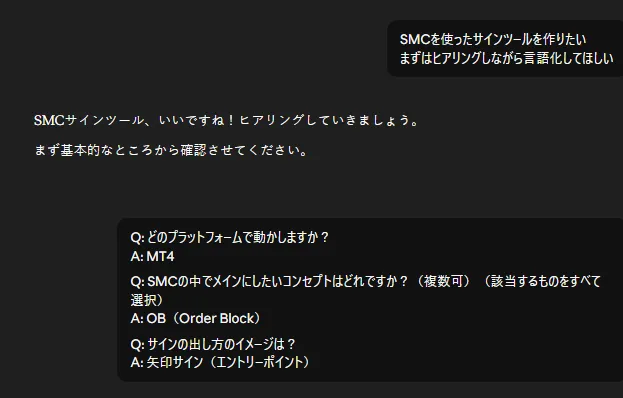
AI started asking questions in order. Platform? MT4. What will be the main focus within SMC? OB. How will signs be output? Arrows.
That part went quickly. The problem comes next.
> Q: How do you define the “formation condition” of OB?
If I don’t verbalize this properly, I’ll get stuck here. I thought, “I kinda know what it means, but how exactly should I write it?” Ultimately I answered “the first反射 candlestick after OB formation (the common definition),” but AI knew this part better.
Three items remained undecided in the end.
1. Threshold for impulse strength
2. How many bars to look back for OB
3. Definition of “touch” (body? wick?)
My answer here was
> Average width of the last 20 bars plus 2x
> Up to the last 3 bars
> Body
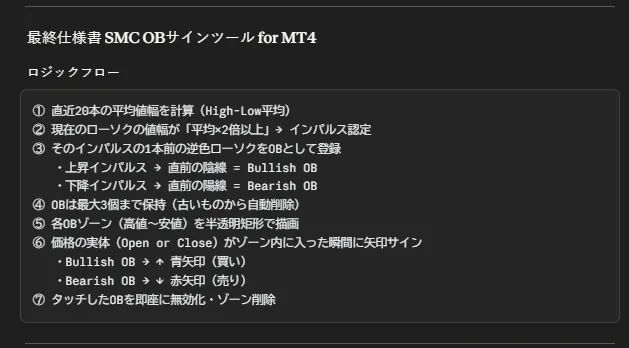
With this, AI summarized the specifications.
The logic flow, parameter list, default values were all in a table, ready to be turned into code.
Honestly, I wouldn’t have written this specification myself; I’d have skipped around and caused bugs. Letting AI organize things leaves no room to wiggle, which is good.
Have AI take over and write the code
With the specs fixed, I just sent “Write the code.”
A few minutes later, an MQL4 source appeared. It ran.
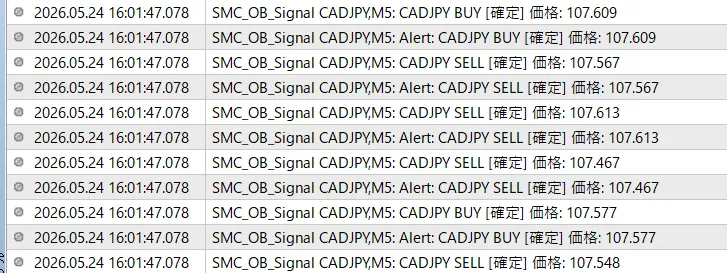
… It ran, but as soon as I loaded it,the alert for past signs started ringing like crazy.
When I pasted it on the chart, about 30 alert windows opened at once. I remembered this bug from before, and re-sent it.
> Fix it so alerts don’t explode on load
> Also the text is garbled, please fix it (in English is fine)
The fixes AI returned looked like this.
While scanning past bars, add a flag at the start of the alert function to return immediately. Real-time bar processing should only function normally from the moment it switches to real-time. In code, you add one boolean variable called g_isInitialScan and toggle true/false before and after the historical processing loop. Simple.
Also the garbling wasn’t in the panel but in the alert body itself, but AI replaced even the panel’s Japanese with English. I thought “well, okay” and moved on. This is a common AI pitfall: fix one thing and it touches surrounding parts too.
## I Forgot the Exit Logic
Then I realized I had completely forgotten something.
There was no exit logic.
Entry arrows appeared, but I hadn’t defined when to exit. Backtesting was impossible. Neither party asked about it in the initial interview, so I didn’t think about it. A mutual neglect.
I had AI do additional listening.
> Q: What is the exit logic supposed to be?
Here I answered immediately: “Close when touching the OB on the opposite side, also using TP/SL as a safeguard.” If you hold a BUY position and the Bearish OB’s body touches, close; if you hold a SELL position and the Bullish OB’s body touches, close. Also place TP/SL as insurance.
This logic is very SMC-like, and I liked it. If you assume OB works, the OB on the opposite side should be a pivot for taking profits or stopping losses.
I had AI implement this and also show a trade exit marker (★) on the chart, and finally the backtest could run.
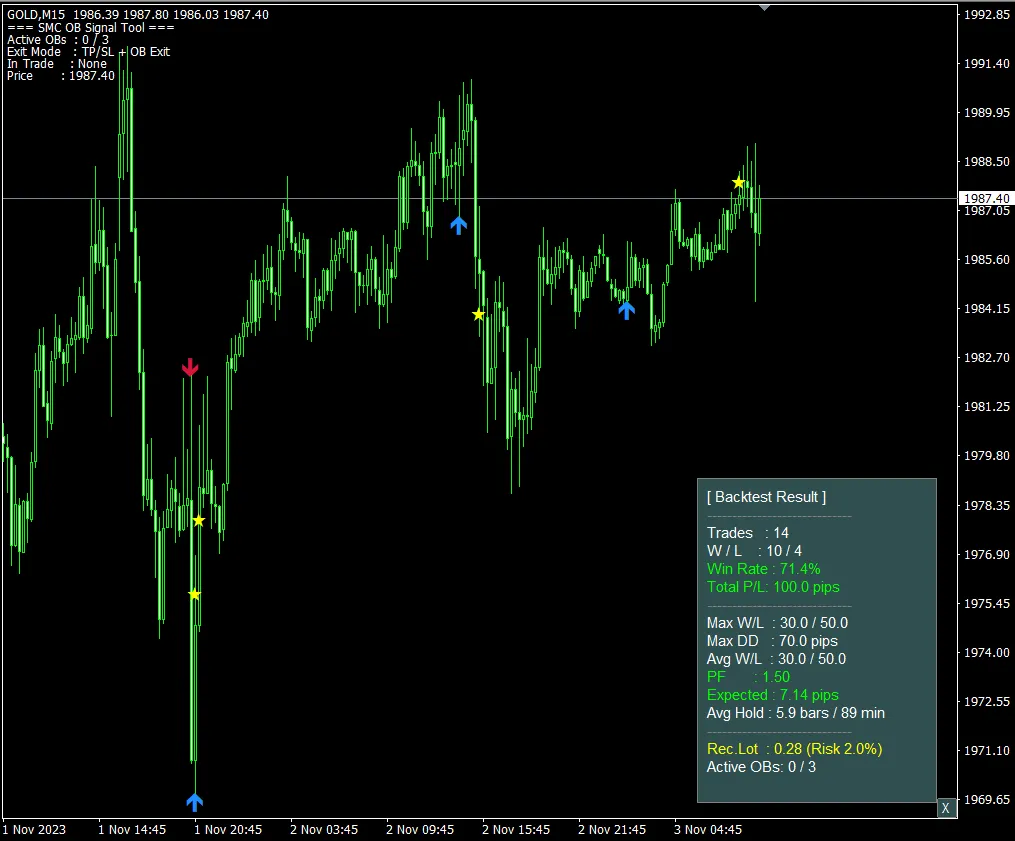
Backtest Results
With what worked so far, I ran 500 backtests and got these results.
In numbers, it looks fairly good. Win rate 71.4%, PF 1.50, expected value +7.14 pips. With a 100-pip cumulative gain and a maximum drawdown of 70 pips. Average hold time about 89 minutes, so leaning toward day trading.
PF 1.50 isn’t bad. It’s commonly said that if PF is above 1.3, you can consider running it live, so this exceeds that. If you gain +7 pips per trade on average, the more trades you run, the more you’ll be in profit.
However.
Sample of 14 runs. Very few.
I’m going to be honest here. If in a 500-bar testing period you only get 14 entries, this win rate could easily be just a fluke. I plan to test over a longer period before taking real steps.
What I Learned This Time
①The process of having AI create the specification must not be skipped.
If you write something yourself and move to code, you risk missing crucial parts like the exit logic. During the first hearing, make sure to nail down “entry? exit? disabling?” all at once to make later steps easy.
② AI tends to fix one thing and then rewrites surrounding areas as well.
When I told it to fix garbled alerts, it also Englishized the panel's Japanese. You can either accept this and move on, or explicitly specify the scope of fixes and only adjust those parts.
③ The numbers from backtests are not gospel.
When you see a win rate of 71.4% and think “this could work,” you must cultivate a habit of checking the sample size. In this case, I plan to re-test over a longer period before going live.
The completed indicator will be distributed in a separate article. If you’re interested, please try it.
---
By the way, the “AI makes sign tools” flow in this series is all templated and sold.
**Professional FX Sign Tool Mass-Production AI System**
→ A package including the prompts to create specifications, prompts to generate code, and fixes for common bugs. Every week, new prompt collections created in this series will be added.