

Sales exceed 260 units!! 【'Line Alert'—a line indicator that enables high-precision trading from trend pullbacks to reversals, including pullbacks and counter-trend trading】
“What line, in what direction, and how to attack it”
Line & Bottom-Top Sign Indicator that organizes at a glance
Channels, trend lines, highs/lows, horizontal lines.
Even though you understand every line is important,
“Ultimately, where should I enter?”is the most puzzling part.
The ‘Line Alert’combines 4 kinds of linesand
Bottom-Tops Signto create,
a tool that highlights on the chart only the points for “pullbacks, reversals, counter-trend entries.”.
-
Channel Line:
Shows the range of pullbacks and retracements within the trend,a guide for how far to wait. -
Trend Line:
Visualizes the overall direction,clarifying the direction to target with the trend-following approach. -
Low/High Line:
Shows the most recent notable lows/highs, serving as take-profit or counter-trend candidates. -
Milestone Horizontal Line:
Visualizes price levels that have repeatedly paused,functioning as lines that run when broken.. -
Bottom-Tops Sign:
Indicates major turning point candidates with circles,guiding how long to hold a position.
1. First, decide the direction from the Channel and Trend Line orientation
“Should we target higher today or lower?”.
2. Once the direction is decided, wait for the price to approach the lines.
Focus only on moments when the price touches the lines, such as pullbacks, retracements, new highs, or new lows.“the moment it touches the line”.
3. Combine with Bottom-Tops Sign and other indicators to judge whether
“this line is prone to rebound” or “breaking through would lead to a strong move.”entry.
Don’t view lines as arbitrary;
by organizing into four distinct lines plus Bottom-Tops Sign,
your judgments on pullbacks, retracements, and counter-trend entries become simpler.
※Final trading decisions, position sizing, and capital management are left to the user’s discretion.
First, a look at the most recent results!
The product page contains recent results, so please take a look.
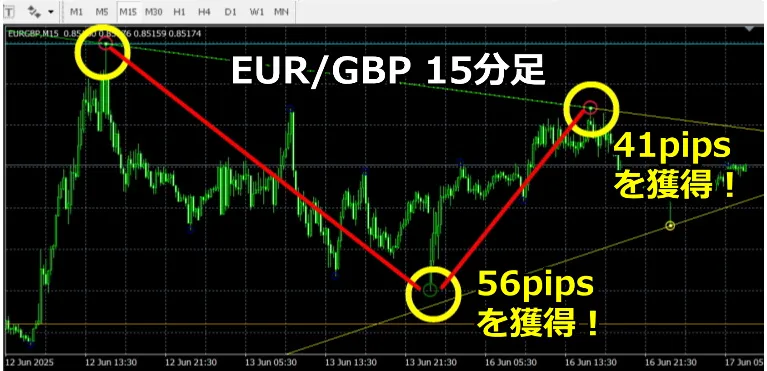
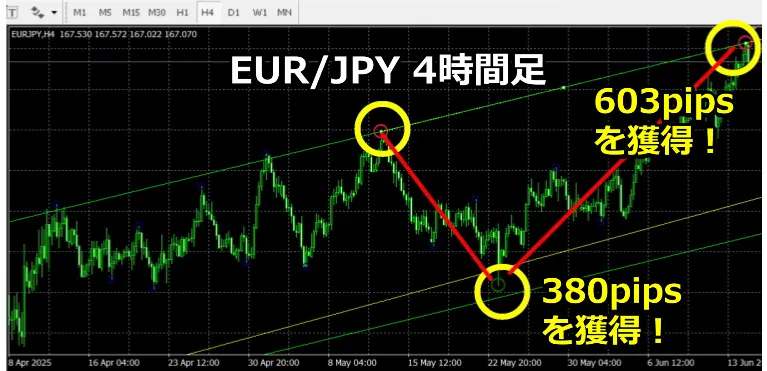
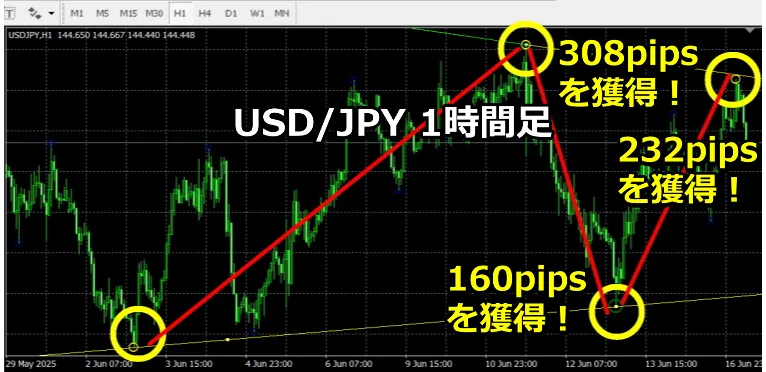
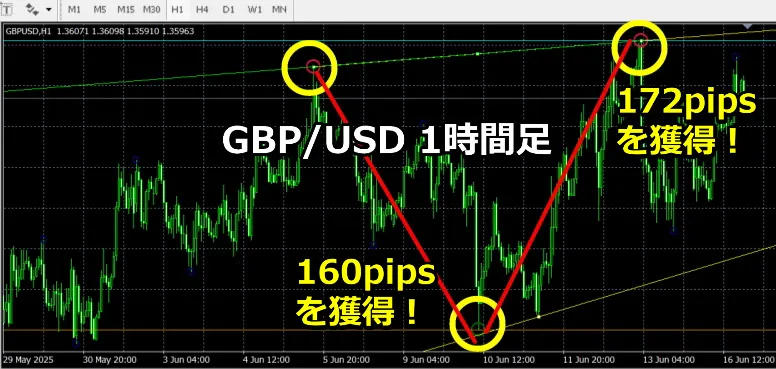
August 11, Reiwa 5: Product page refreshed!
With the four lines (Channel Line, Trend Line, Low/High Line, Milestone Horizontal Line) and Bottom-Tops Sign, you can see where you should enter!
<Upgrade Information>
On August 12, 2022, updated to a non-repainting version of the Bottom-Tops Sign indicator.
※This product is targeted at an online community.
The following two products are bundled together.
① Line Alert Indicator
② Bottom-Tops Sign Indicator
<Product Description Video (no voice besides the initial ad)>
Purchase here!
https://www.gogojungle.co.jp/tools/indicators/37454
① Line Alert Indicator
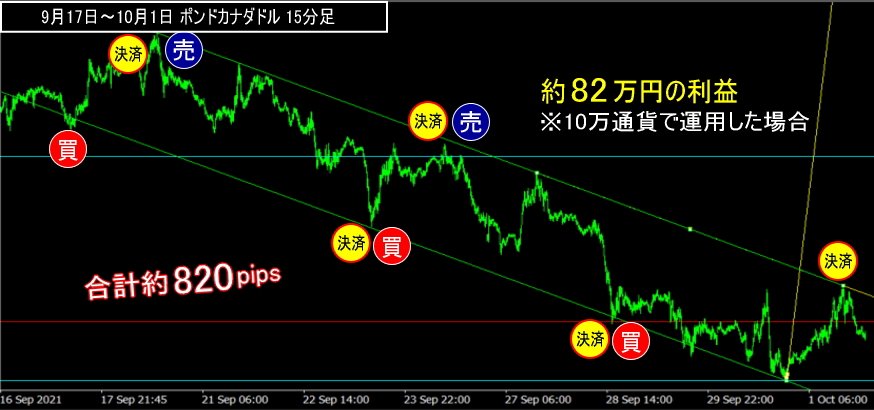
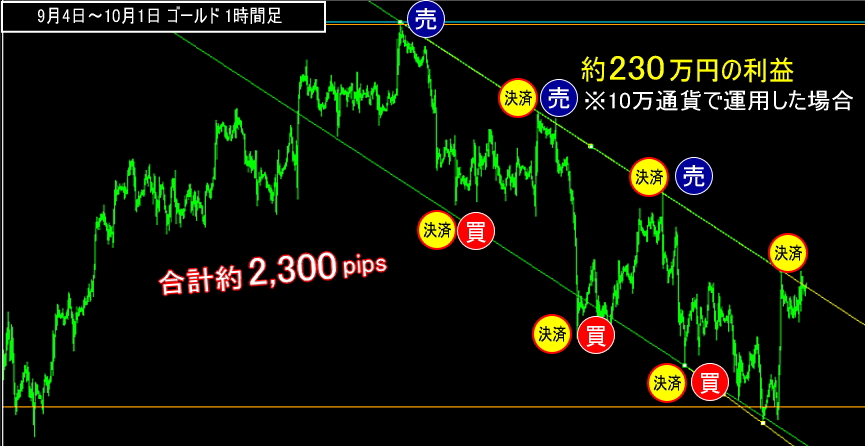
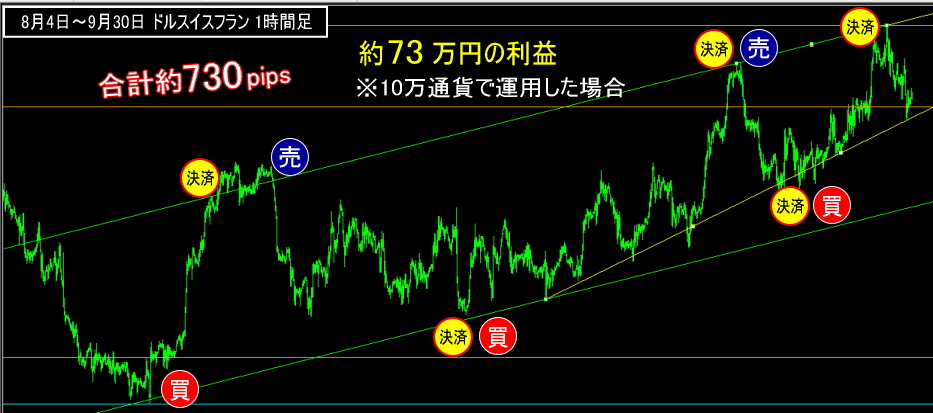
The four lines (Channel Line, Trend Line, Low/High Line, Milestone Horizontal Line) are automatically displayed on the chart, showing where to enter!
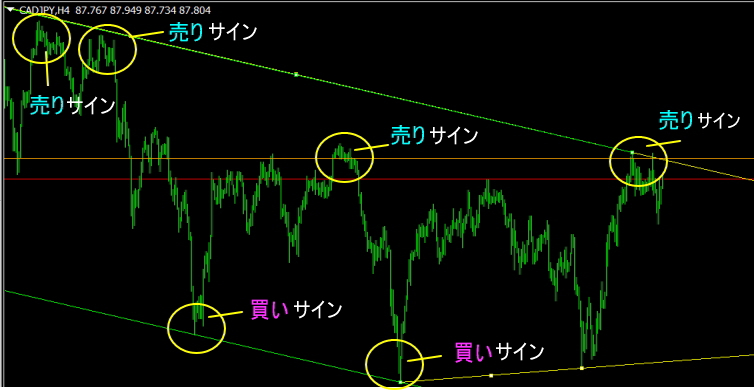
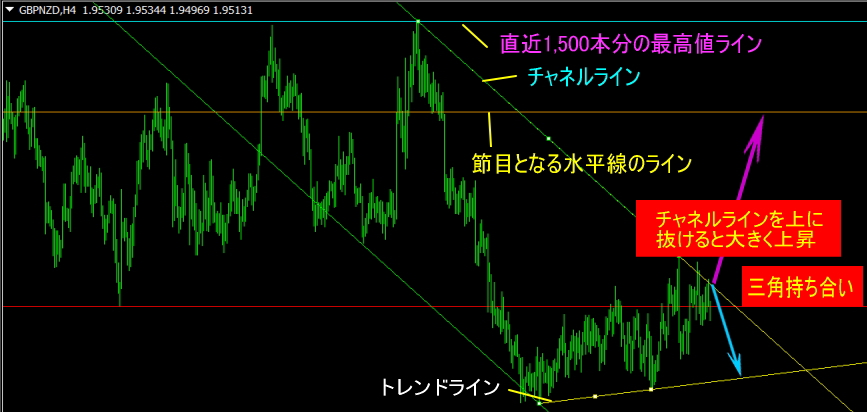
Works on any timeframe, with high signal accuracy, providing strong trading support. Also usable in Nikkei 225.
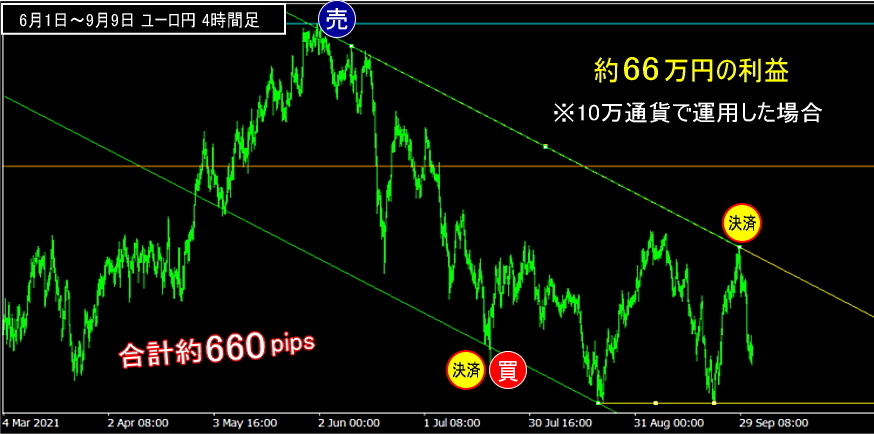
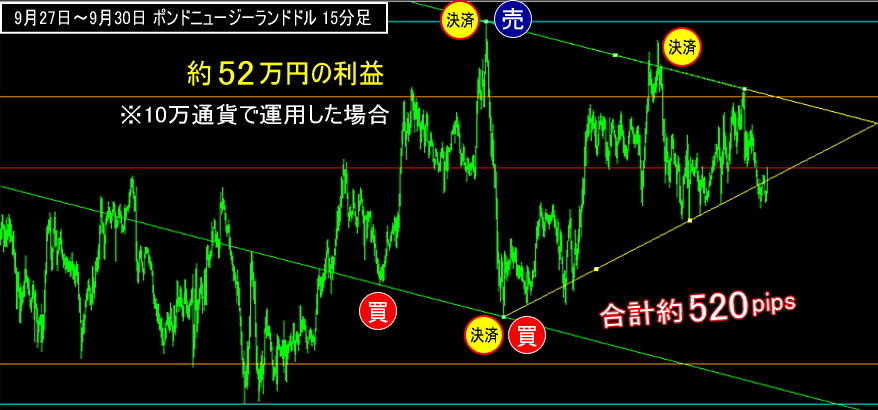
【Indicator Features】
・Usable from 1-minute to monthly charts ・Entry opportunities: about 2 times per day per currency on a 5-minute chart ・Allows precise pullbacks and retracements within the trend, enabling counter-trend trades. ・Parameters allow adjusting the number of candlesticks used for each of the four lines. ・Comes with a detailed manual.
② Bottom-Tops Sign Indicator
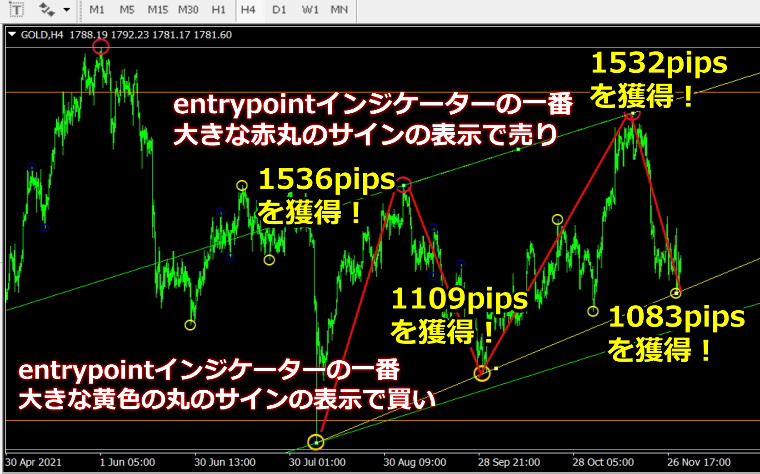
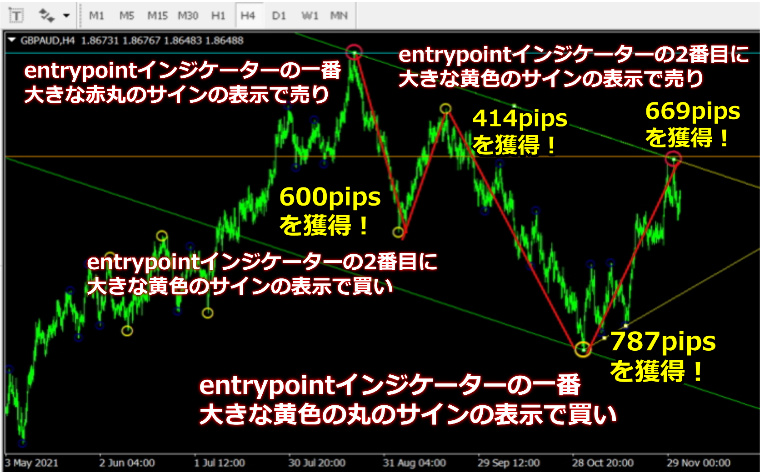
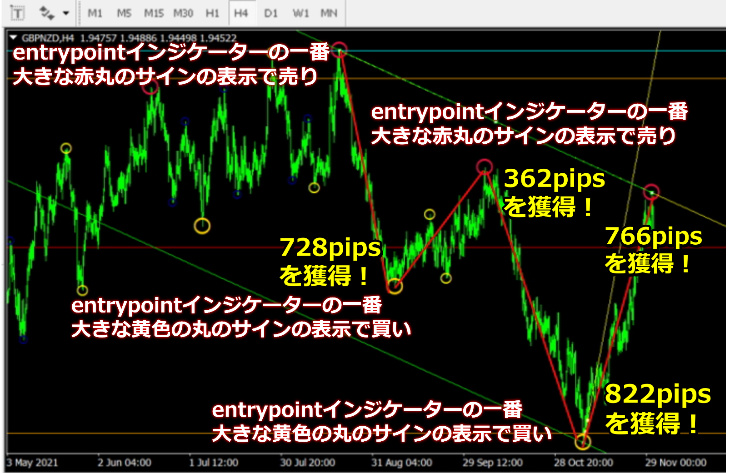
Bottom-Tops signs appear as circles at market tops and bottoms. The largest top/bottom sign alternates between buy and sell, so for example when the largest buy bottom sign appears, hold until the largest sell bottom sign appears.
Trading examples: GOLD 4-hour
GBP/AUD 4-hour
GBP/NZD 4-hour
Bottom-Tops Sign Indicator Performance
Results as of May 2022.
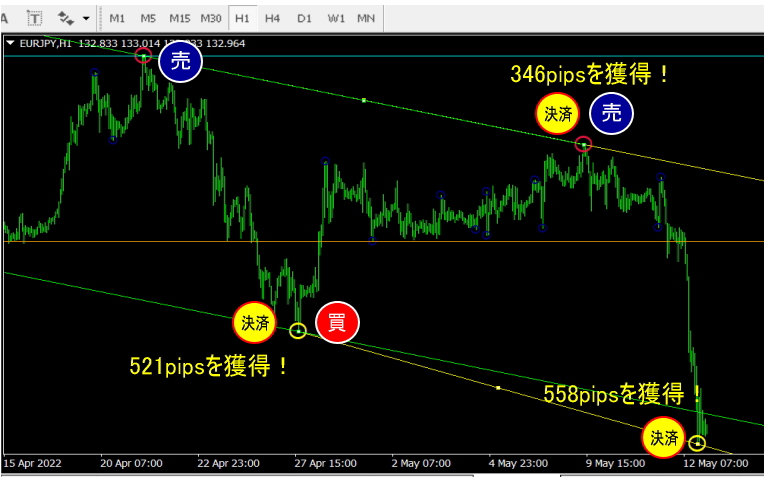
Selling and buying signs take profits, max558 pips558 pipsin one move!
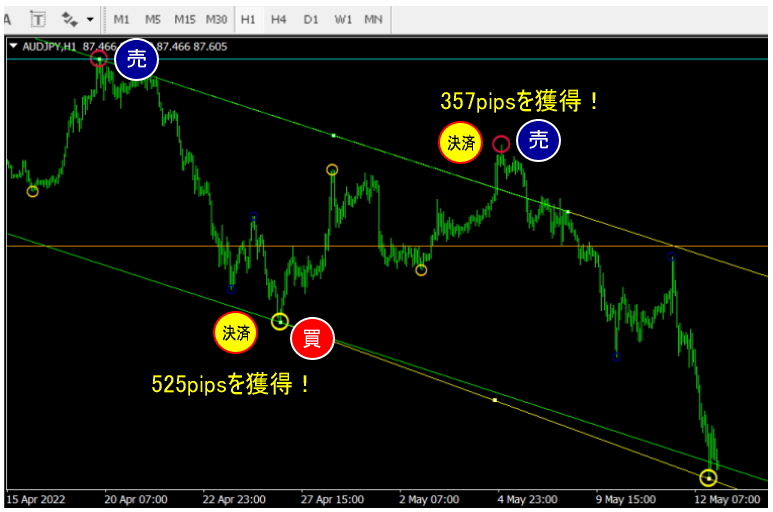
Selling and buying signs take profits, max525 pipsin one move.
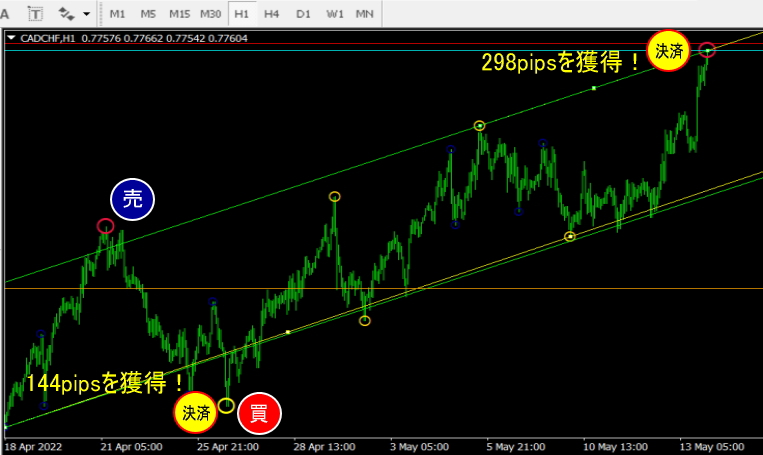
Selling and buying signs take profits, max298 pipsin one move.
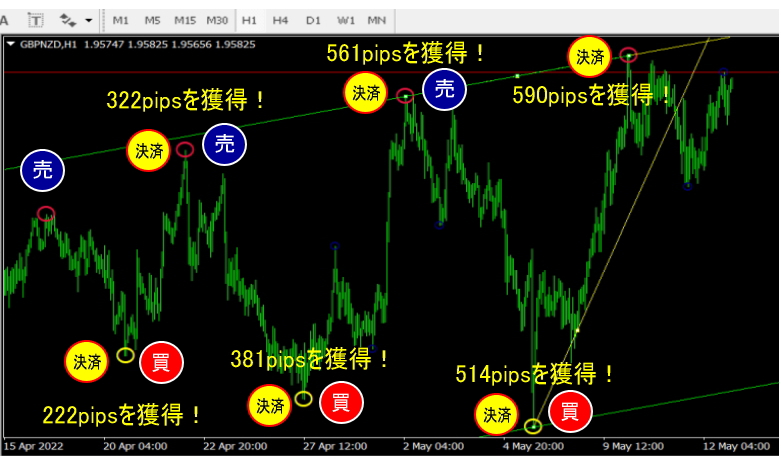
Selling and buying signs take profits, max590 pipsin one move.
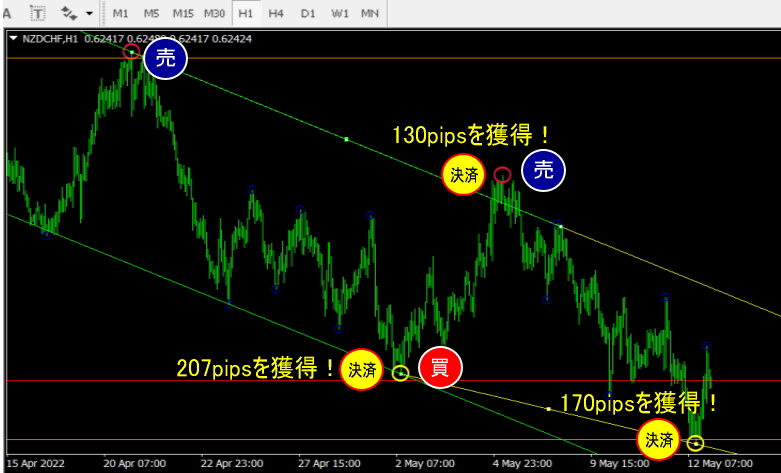
Selling and buying signs take profits, max207 pipsin one move.
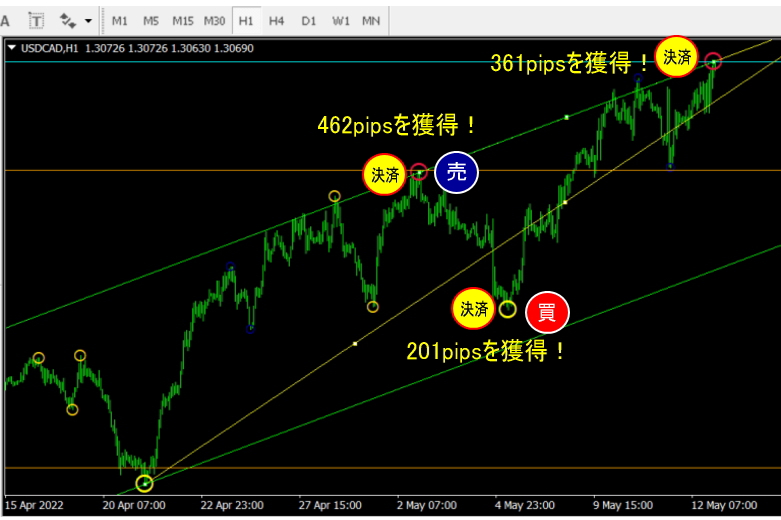
Selling and buying signs take profits, max462 pipsin one move!
Purchase here!
https://www.gogojungle.co.jp/tools/indicators/37454
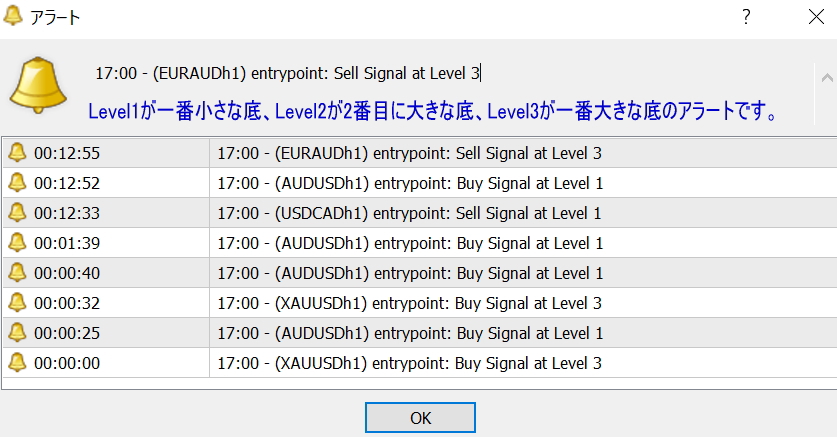
Bottom-Tops Indicator also includes alert functionality (popup, email, and mobile notifications) when a sign appears.

【Recommended combinations with this indicator】
You can display multiple indicators on one MT4 screen at once, and these are recommended pairings.
①https://www.gogojungle.co.jp/tools/indicators/37692
‘Breakout Line’ detects points where a big trend begins!
②https://www.gogojungle.co.jp/tools/indicators/38003
“Channel Line Indicator that rides the trend” lets you ride up or down trends to capture large pips!
【FAQ】
Q: Can beginners use the tool to earn money?
A: It can markedly increase your earning potential. It is recommended to enter when the largest Bottom-Tops Sign circle appears, or when a candle touches the upper or lower end of the Channel Line.
Q: Can I trade at any session?
A: Yes.
Q: Can I use this with any brokerage?
A: It works with any broker that supports MT4.
Q: Can I use it for scalping?
A: 1-minute to 5-minute charts are scalping, 15-minute is day trading, 1-hour to 4-hour is day trading or swing, and daily is swing; it can be effectively used on any timeframe.
Q: We are considering combining this product with “The Ultimate Sell Signal Indicator” which can yield over 600 pips in one move (https://www.gogojungle.co.jp/tools/indicators/38800).
What do you think about this combination?
A: Yes. When the yellow box appears and a large arrow then appears for entry, it also serves as a filter, making selective entries, and this combination is a good one.
Q: The manual covers lines, but not the circles. What do the different colored circles mean and how to use them? (brown large circle, green large circle, yellow medium circle, blue small circle)
A: Brown large circle and green large circle indicate large tops/bottoms, while yellow medium circle and blue small circle indicate smaller tops/bottoms.Basically, use brown or green large circles as guidelines for trading.
Q: Is this indicator buffer-type or object-type? Also, can it be used for binary options?A: This is an object-type indicator. It can be used with binary options.
Purchase here!
https://www.gogojungle.co.jp/tools/indicators/37454
We would be grateful if you could join the free online community within GoGoJungle’s My Page.