

[Techniques・MTF Techniques] How to notify DSATEA's four environmental awareness points on the Heaven and Earth dashboard
Shirou here!
A indicator devised by Abusan, called the Heaven and Earth Dashboard, exists.
Thanks to the Heaven and Earth Dashboard, the indicator's status is visible at a glance, and automatic notifications are now available.
Furthermore, thanks to the Heaven and Earth users,
it became possible to notify the four points of the daily MTF on the Heaven and Earth Dashboard.
This has become clear.

Knowing the four points of the daily MTF reduces work, making things easier.
It was something you could figure out with a little thought, but I was busy with verification and work and couldn't notice it.
In this article,
I will introduce how to notify the four points of the daily MTF on the Heaven and Earth Dashboard.
What are the four environmental recognition points of the Heaven and Earth Deisyeingu DSATEA?
The four environmental recognition points of the Heaven and Earth Deisyeingu's EA DSATEA are as follows.
- Oscillator TF1 LV2 color change
- Oscillator DX cross after
- Histogram DX2 ver2 upper and lower alignment
- ABUDMI one thick line after confirmation
How to notify DSATEA's four environmental recognition points with the Heaven and Earth Dashboard
I tried the Heaven and Earth Dashboard according to the manual.
- MT4 running count: 1
- Three charts
- First half of currency, second half of currency, and economic indicators
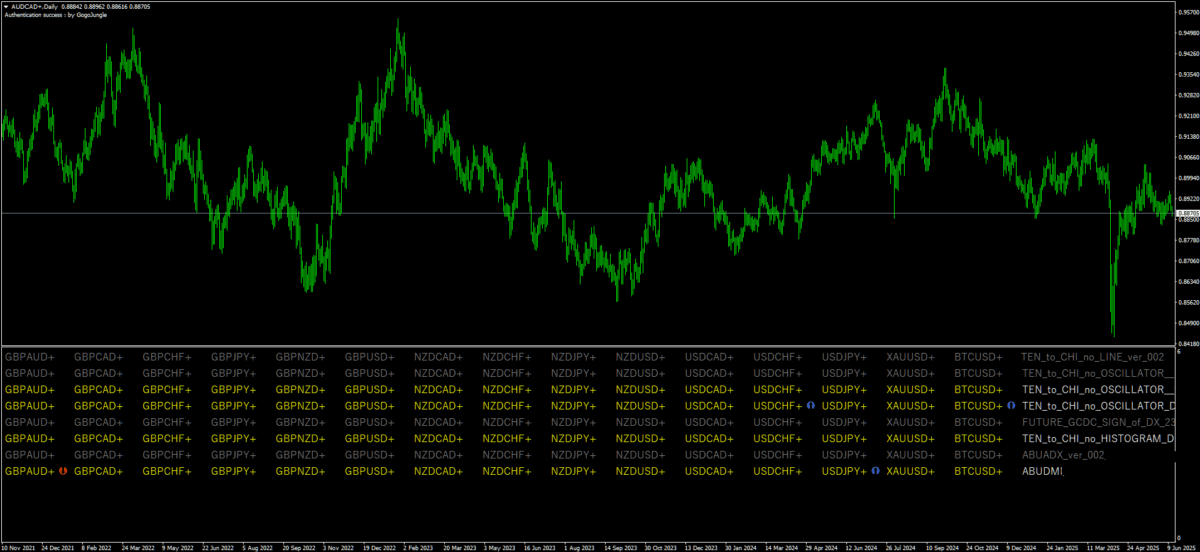
Heaven and Earth Dashboard - first half
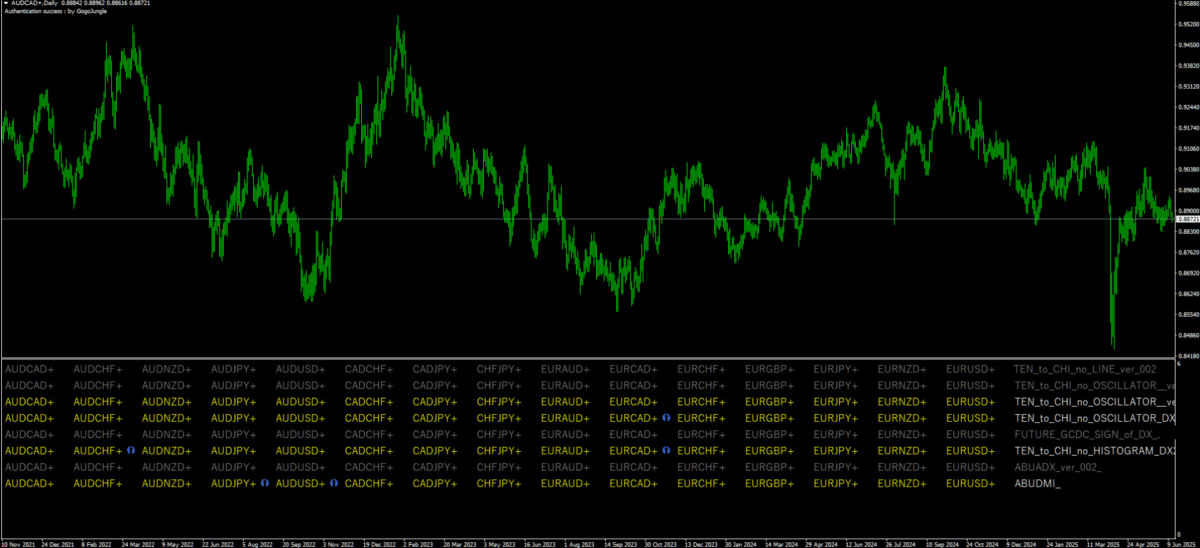
Heaven and Earth Dashboard - second half
Not directly related to the dashboard, but just in case
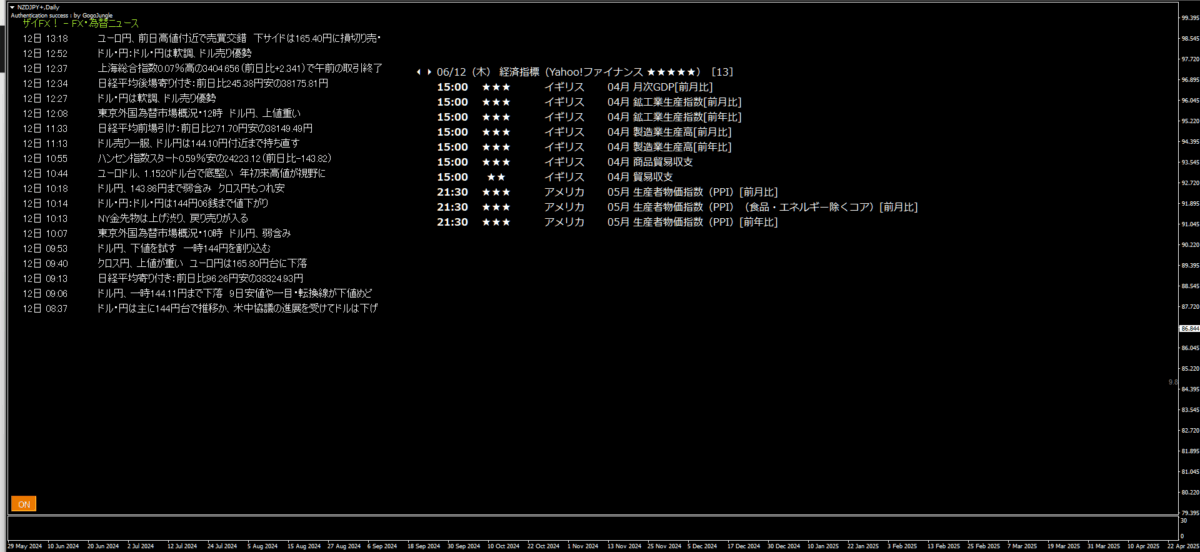
I put economic indicators and breaking news on the third chart so that notifications come through
so I’m sharing the screen.
Breaking news & Economic indicators (with notifications)
Indicators used
- RSS_reader3 (Breaking news)
- ShowEconomicIndicators (Economic indicators)
Now, to the main topic
Can we notify the four points of the daily MTF?
Let's take a look.
Can DSATEA's four environmental recognition points be notified on the Heaven and Earth Dashboard?
First, among the four points,
- Oscillator color change
- Oscillator DX
This can be notified both after color change and after cross..
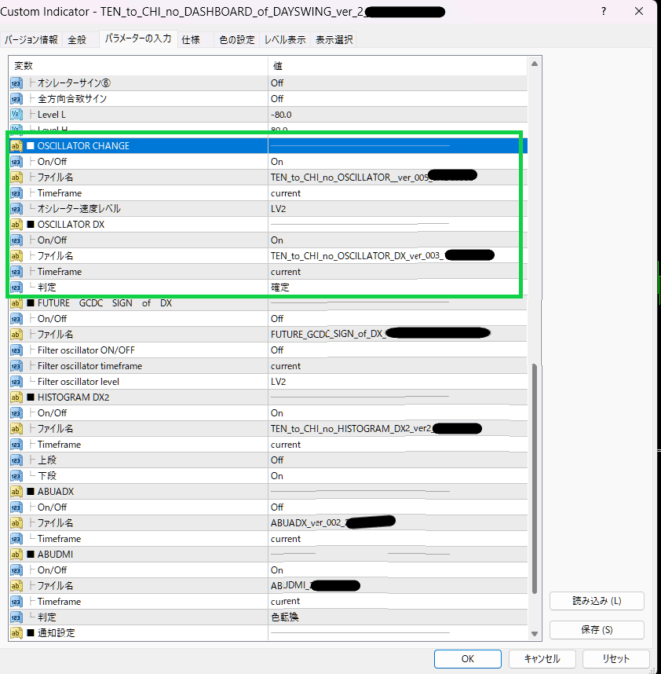
Oscillator DX can notify at the moment of cross, but
- after cross is better
- the confirmation time is also fixed
so I thought confirmation would be better and made it confirm.
Next, regarding histogram DX2 ver2 upper/lower alignment and ABUDMI one confirmed after
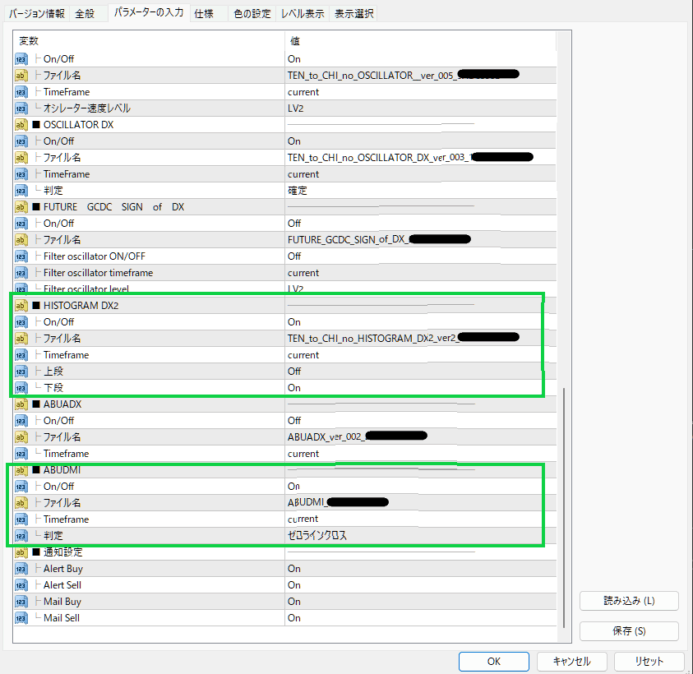
In the end, bothcan be pseudo-notified.
There is no notification only for the upper/lower alignment of histogram DX2ver2, butyou can set it on the lower side.
The upper of histogram DX2ver2 changes a lot, but the lower follows the upper, so notifications tend to be for lower only with upper/lower alignment
Next, ABUDMI,
the zero line cross is usually after confirmation = the thick line 1 is confirmed
.
Therefore, it seems possible to notify with zero line cross and thick line 1 confirmed.
Even on mornings when there is no notification, the notification is displayed that day, so let's look at charts where the four points apply.
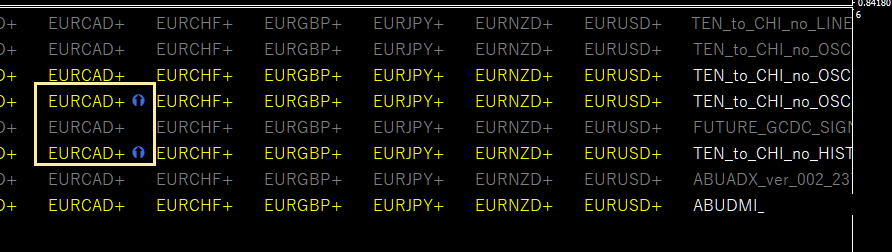
It's a bit cut off, but the current oscillator DX and histogram DX2ver2 lower are lit up, right?
The actual chart is here.
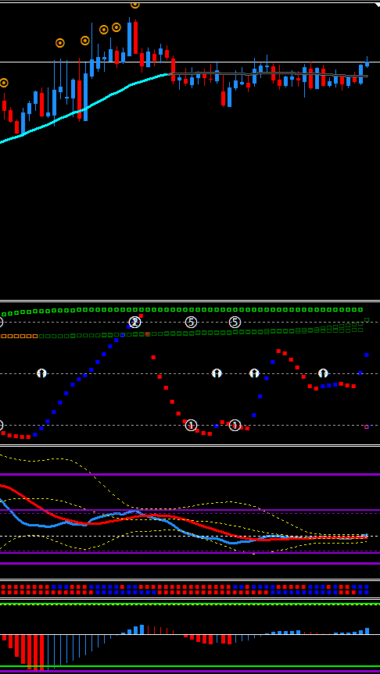
It's a daily chart.
It's a bit subtle, but oscillator DX is crossing, and histogram DX2ver2 is also correct.
Histogram DX2ver2 also confirms after one point
※ The oscillator is a bit buggy (sorry)
【Environmental recognition】
Candlesticks are moving toward the dots from the line, bullish for long
Osc DX rising cross & candlesticks rising as environmental recognition passes
This time there was no color change in the oscillator, but since ABUDMI zero line cross occurred, let’s look at that.
AUDJPY

Actual chart.
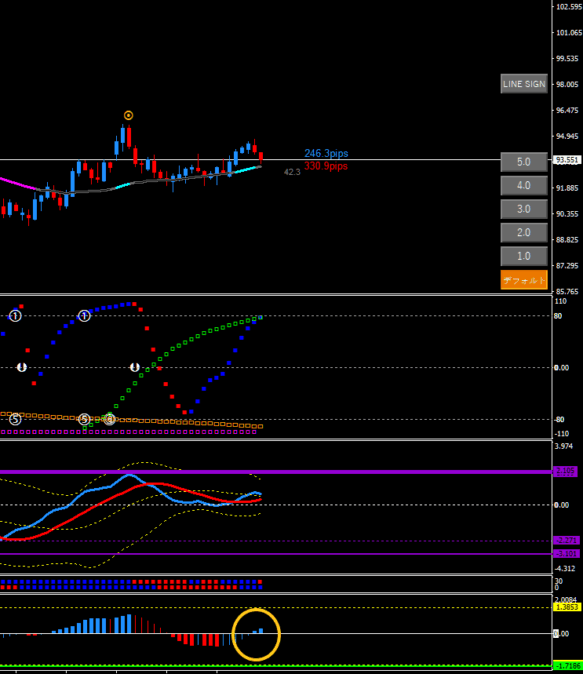
As expected, the zero line crosses and confirms.
It was displayed correctly!
【Environmental recognition】
ABUDMI is long-oriented〇
Candlesticks are declining (though not from a dot, still downward) (slight caution △)
Additionally, with the OscDX Lime, it's declining ×
Thus, since the direction is unclear, the correct approach is to skip it.
About the trading flow
Finally, the trading flow using Heaven and Earth Dashboard is as follows.
- Leave MT4 with the dashboard running while going to sleep
- Notifications in the morning (daily chart setting: summer time 6:00, winter time 7:00)
- Check only the currencies that sent notifications
- Check if candlestick movements also match
- Open another MT4
- Set DSATEA on the 1-hour chart
Whether candlestick movements are moving from line to dot or from dot to line? That must match the notification points. that is the criterion.
This article ends here.
Every morning, like a soldier, I looked at 29 currencies, but with the dashboard, it became so much easier...
Anyway, thanks to Abusan and Heaven and Earth users!