

[Settings] Troubleshooting when history data cannot be downloaded correctly for Prime Combo Signal
I’m Shirou!
This is a summary of how to deal with
the issue of not being able to download historical data properly
that I posted on X before. Let me introduce it in an easy-to-understand way.
Reasons why historical data cannot be downloaded correctly

At Prime Combo Signal, if there are many candlestick data points, they can be verified correctly as composite data.
However, for candlesticks, some FX brokers limit to 1000 bars, so you need to download separately.
However,
- even after downloading, only up to 1000 bars were displayed
- some candlesticks you added are missing
sometimes this happens.
Some FX brokers seem to block downloads.

In my case, with a certain〇〇〇〇〇〇〇 account, download was not possible.
What to do when historical data cannot be downloaded properly

When historical data cannot be downloaded properly
as a remedy,
- download from another FX broker
- download from overseas sites
and other remedies exist.
However, I think they may be hard to understand for those who are not familiar or beginners in historical data.
Therefore, I will introduce the simplest method.
First, in MT4 go to Options → Tools and open the Chart taband include as many numbers as possible.
Example: 99999999999, etc.
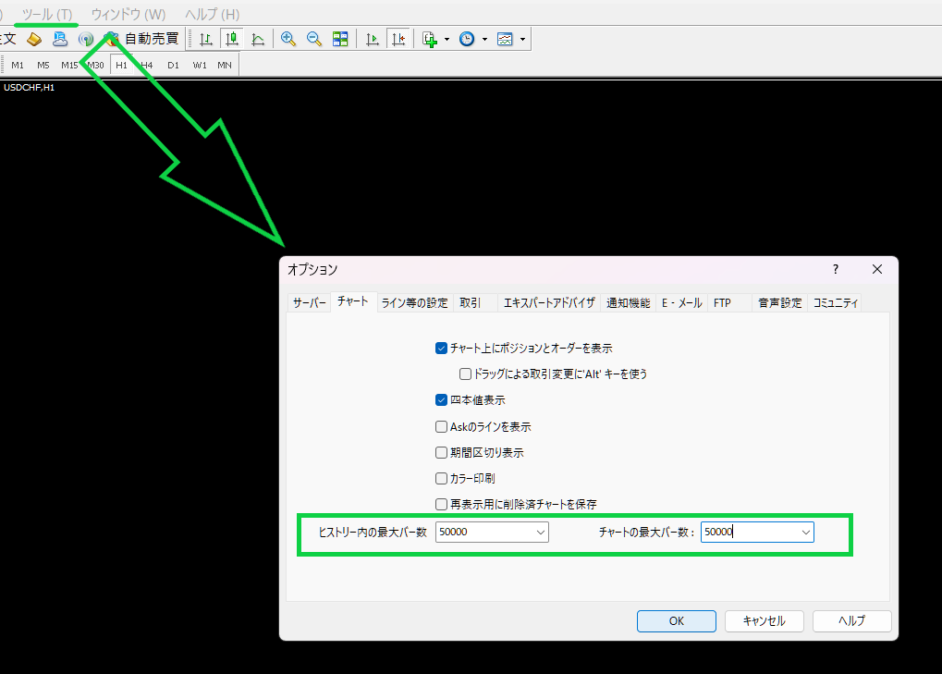
First, download candlesticks from another FX broker, not your own.
Currently, it has been possible to download with ○○’s standard account (demo accounts also).
I will explain on the ○○ screen.
Press F2 and double-click the required timeframe (it changes from gray to color)
Click Download.
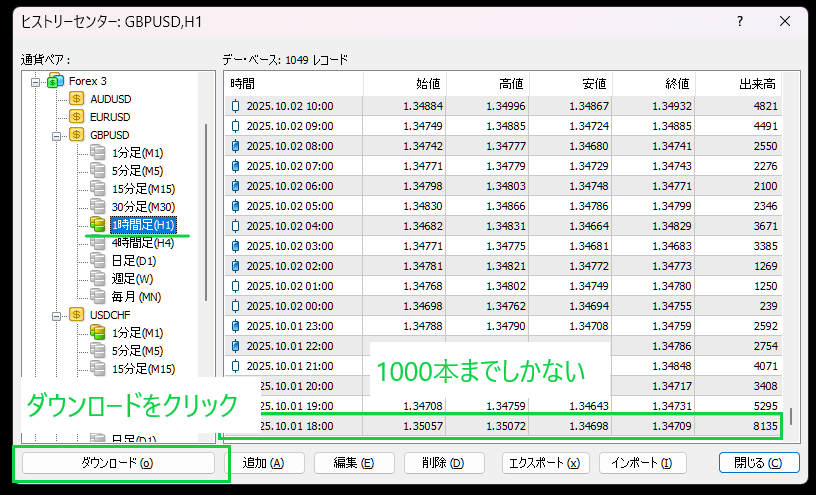
Save the file.
First, confirm that it has been downloaded.
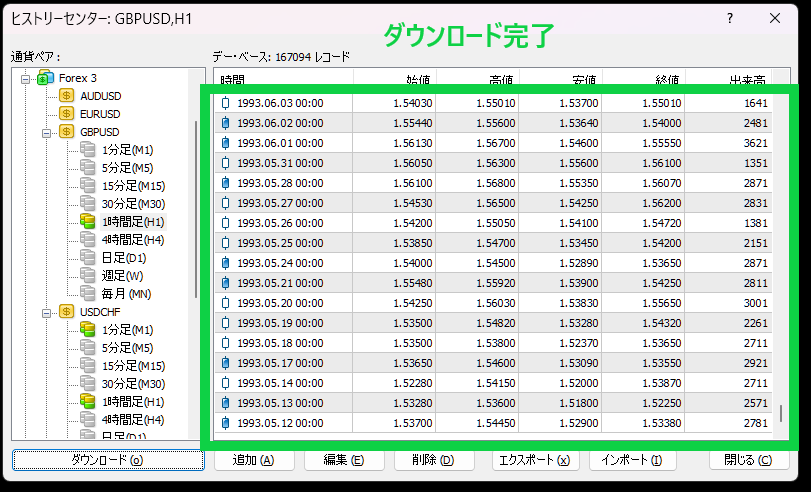
Click Export to save the file.
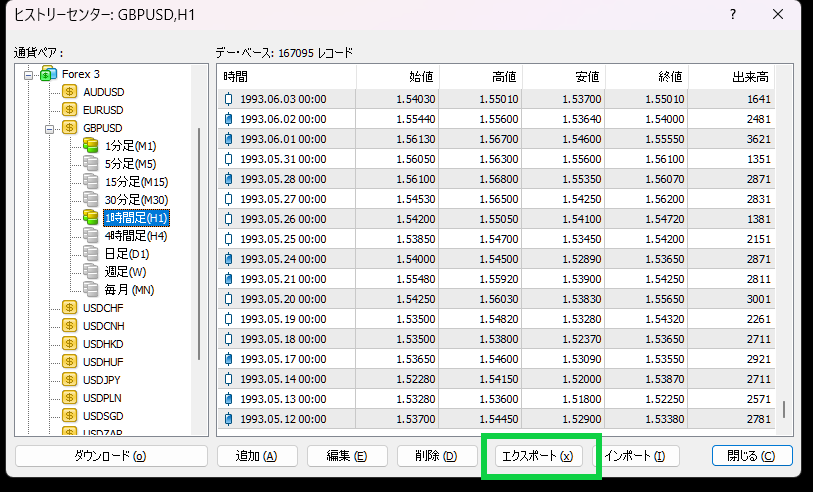
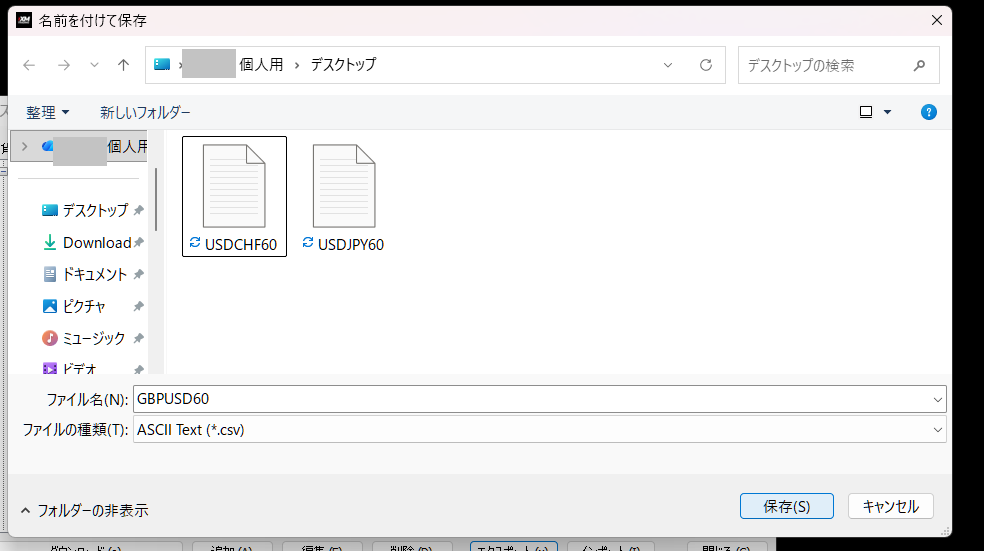
Open your FX broker’s MT4.
I am using a certain〇〇〇〇〇○○ FX broker.
Likewise, press F2 and now import.
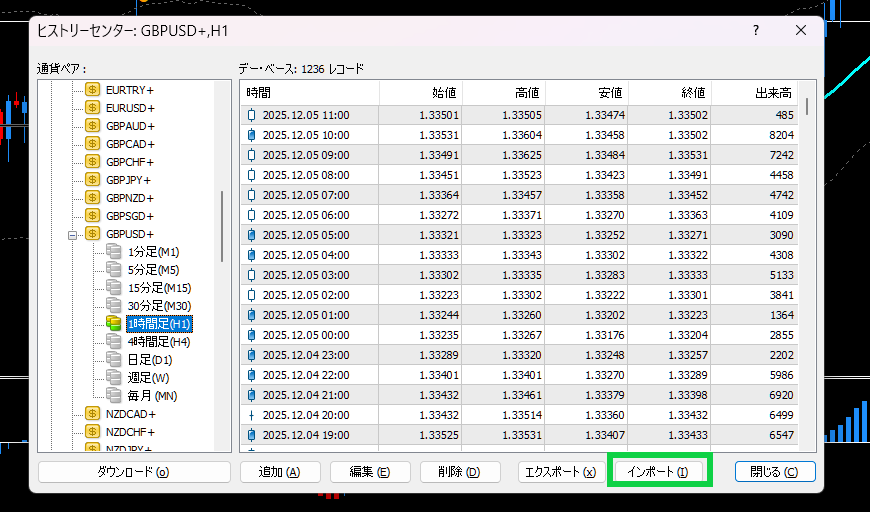
Open the file you downloaded earlier.
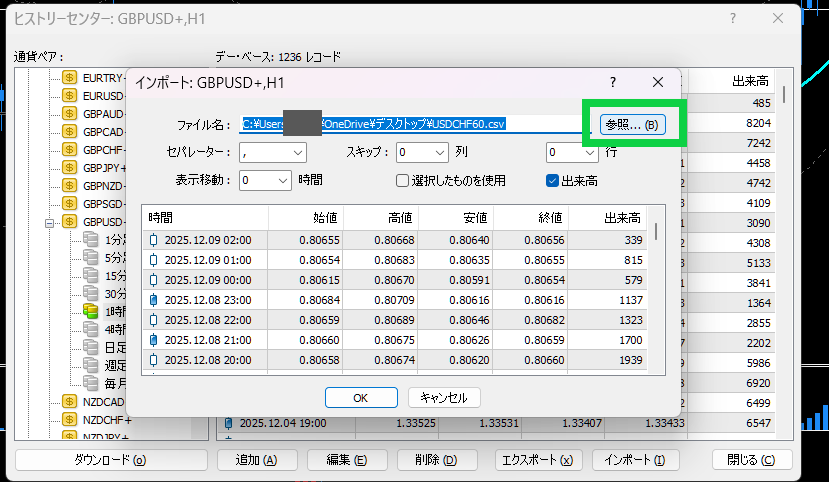
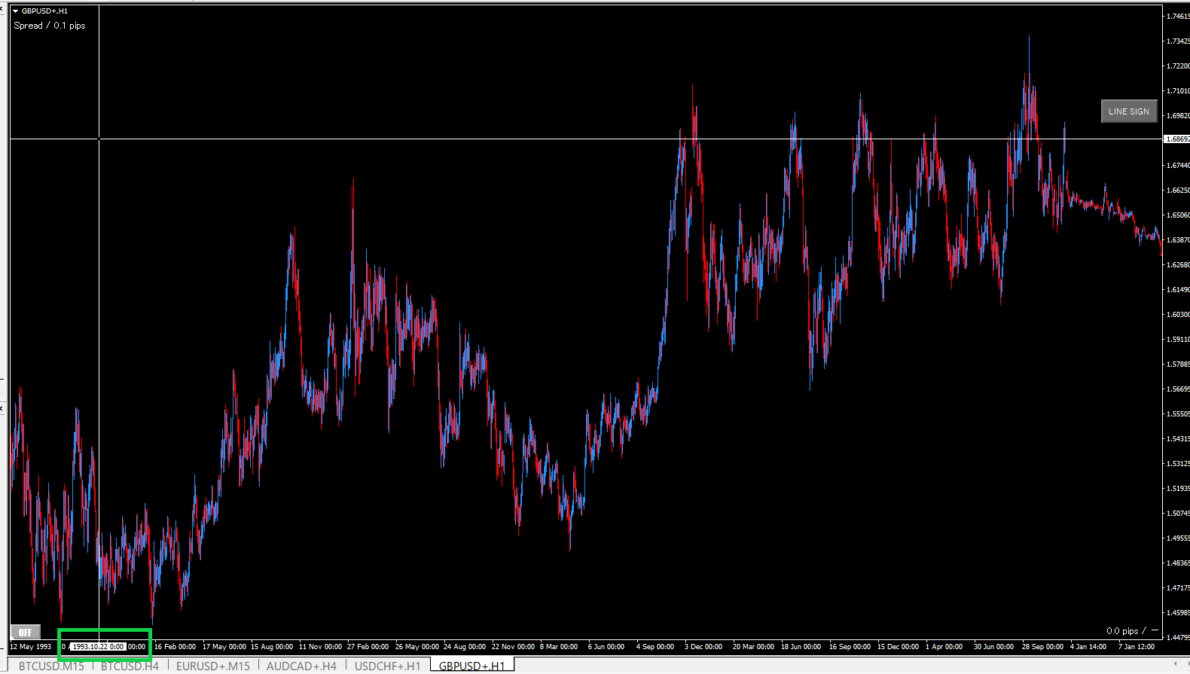
※ This time I downloaded with large numbers like 99999999, so the last candlestick is displayed (1993).
Notes
This time I紹介 methods that download directly from MetaQuotes, so the candlesticks displayed are likely to be the same across other FX brokers as well.
However, there are caveats.
- Be careful not to mistake the time frame
- Fine price differences can occur
- Restart MT4 after import
- Too large a data volume can slow things down
That’s all.
There may be bugs, so please use these settings at your own risk.