
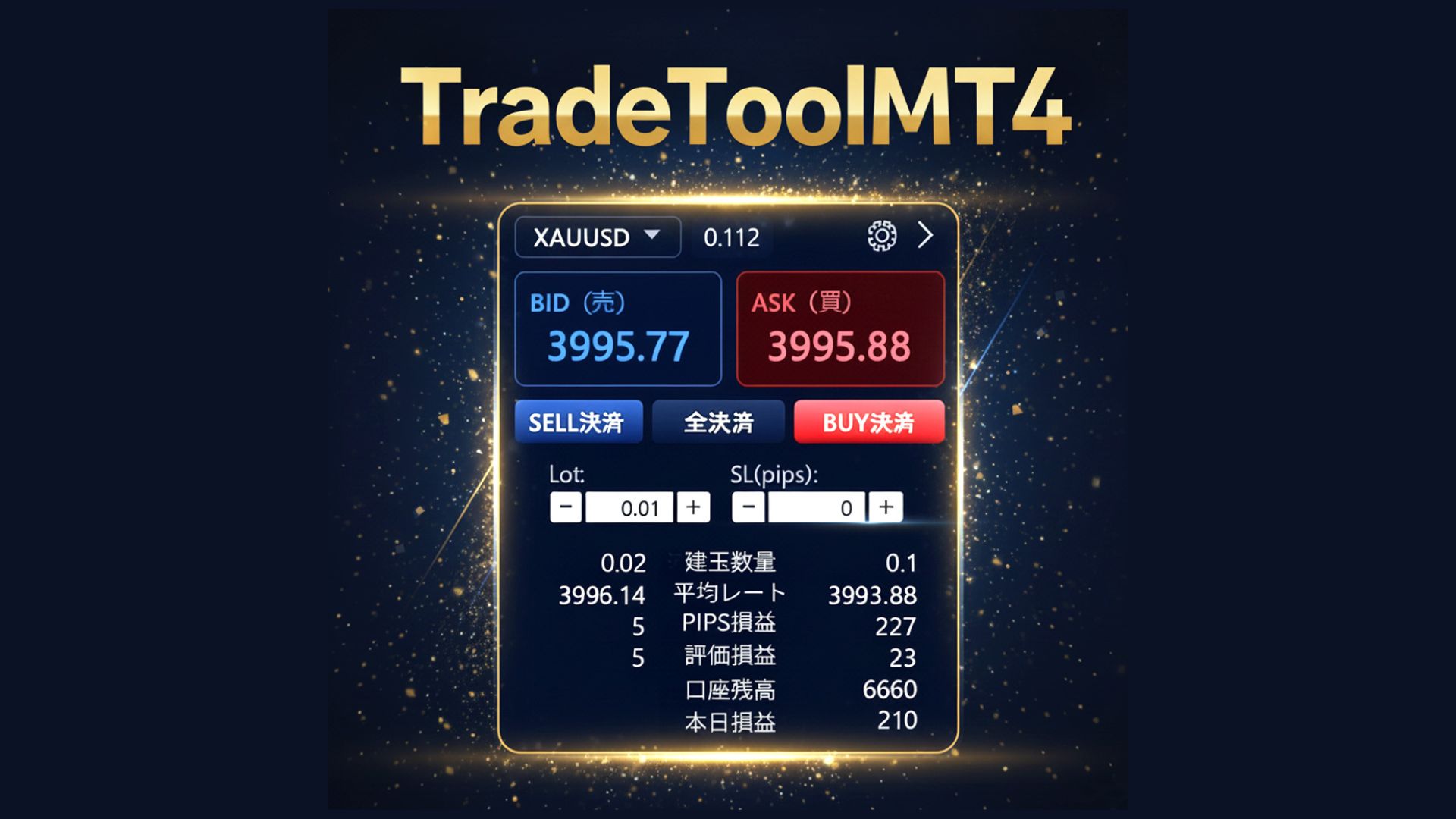
Sales have started! Lead discretionary trading to the next stage with TradeTool MT4
TradeTool MT4: Leading discretionary trading to the next stage
A new era of trading experience made possible by an external UI.
A new tool that goes beyond the limits of conventional MT4 trading panels
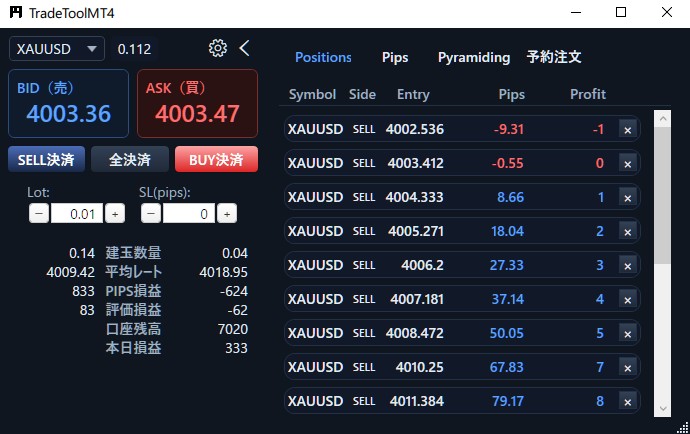
For discretionary traders in FX and CFDs,reaction speedis a crucial factor that decides success or failure. However, the standard MT4 panel is narrow, cumbersome to operate, and there is a risk of misclicking at order execution. Additionally, using it with automated trading EAs and managing multiple strategies was difficult.
To solve these issues, the externally UI-based trade controller“TradeTool MT4”was developed. It transcends MT4’s internal constraints and combines usability, visibility, and expandability in a standalone interface, consolidating everything needed for discretionary trading into a single UI.
One-click operations that keep pace with thinking speed
The standard panel has many confirmation dialogs, causing you to miss valuable opportunities. TradeTool MT4 eliminates unnecessary transitions andenables immediate order placement and immediate settlement with one click. The following actions can be performed instantaneously:
- Market orders
- Limit orders
- Stop orders
- Bulk buy/sell/close all
Minimal design that keeps only the essential information at hand
You can freely customize lot size, SL/TP, slippage, magic number, font size, themes, etc. The information panel can list the following items.
- Number of open positions
- Average rate and P/L (PIPS/amount)
- Account balance and today's P/L
- Spread
Tabs to accelerate decision making
Position Details tab
Displays currency pairs, direction, entry price, and profit/loss in a list, with single-click close for each position.
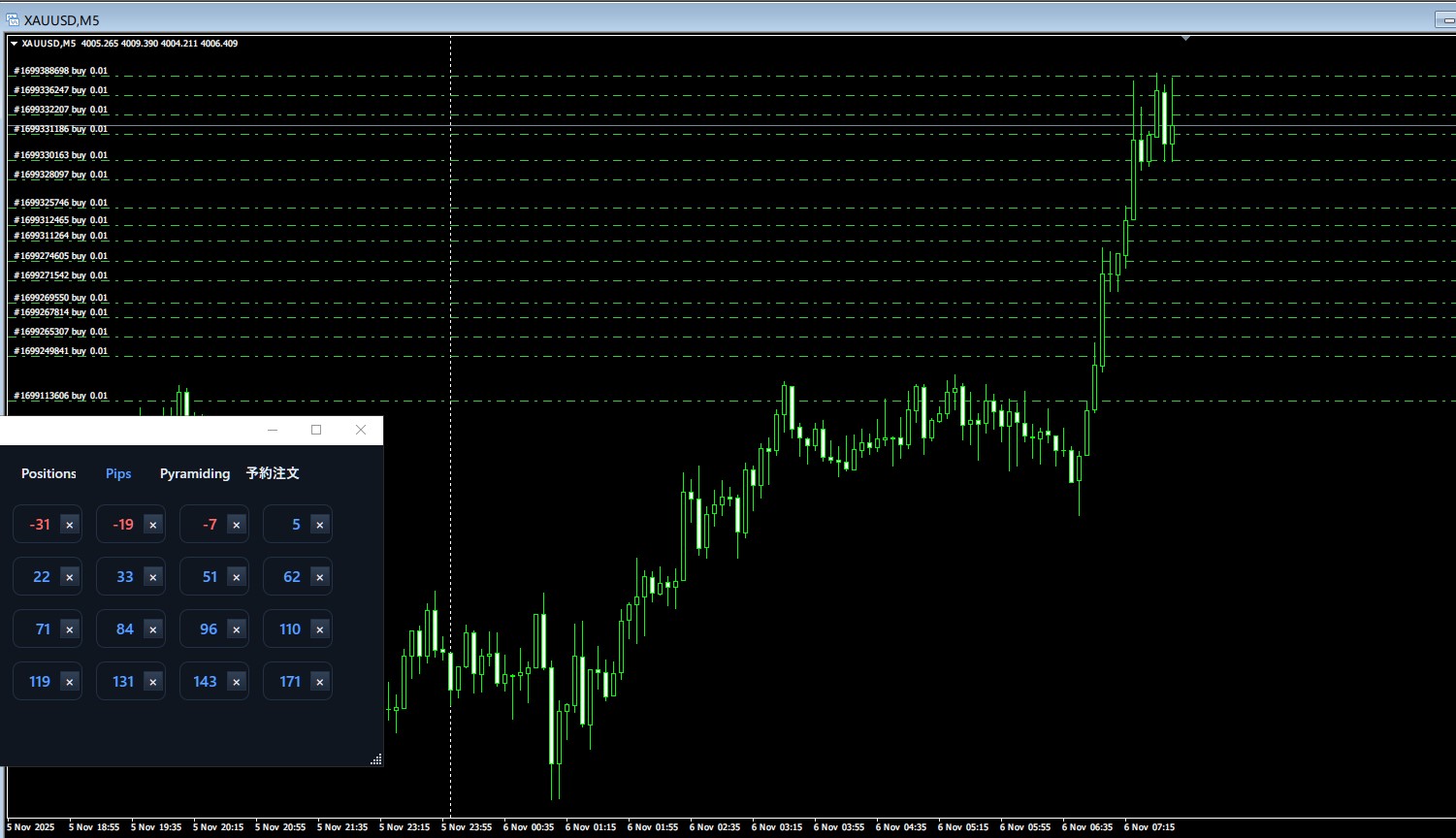
PIPS View
A mode that judges solely by PIPS. Omits amount display to boost trading focus.
Pyramiding Settings
正式ly includes the popular “increase position” feature from “Hachioki.” Flexible settings for additional intervals, maximum number, trailing stop, and TP/SL guard to strategically expand profits.
Reserved Orders tab
Automatic order placement and automatic close when conditions are met. Won’t miss opportunities while away from your seat.
Pro-grade details
- Magic Number support:Distinguishes positions accurately when used with EAs
- Font size adjustment:Great readability even during long monitoring
- Five themes:Classic / Dark / Ocean / Forest / Sunset
- Always on top:Operate immediately even when using other applications
- Custom currency pair input:Supports all pairs offered by your FX company
Installation steps and included contents
- TradeToolMT4.exe (standalone executable, no installation required)
- TradeToolMT4_PipeEA.ex4 (EA itself)
- UserManual.pdf (detailed manual)
- Readme.txt (overview and file list)
After applying the EA to MT4, run TradeToolMT4.exe and wait for the “Connected” log to appear to complete the connection. You can start trading immediately.
Pricing and limited offers
Currently40,000 yen (tax included)on sale.
Limited time discount campaign & 4,000 yen couponare available. Be sure to check before the period ends!
Why TradeTool MT4
TradeTool MT4 is a new-era tool that maximizes the speed, precision, and freedom of discretionary trading. One-click operations, minimal design, tab organization, pyramiding, and reserved orders condense professional-grade features into one.
Experience a new trading experience now.
Take your discretionary trading to the next level.